
.png)
Meeting Room Display: Making Meeting Rooms Visible, Professional, and More Usable
Meeting rooms are central locations within a company. They host client meetings, internal alignments, workshops, presentations, job interviews, hybrid meetings, and strategic decisions.
Nevertheless, meeting rooms are often viewed purely functionally: table, chairs, screen, video conferencing equipment. What's often missing is a visible information channel within the room itself.
Who is in the room today? What's on the agenda? Which presentation should be running? What information applies to guests? What information is relevant for the appointment? And how can the room be used effectively outside of meetings?
This is precisely where the meeting room display comes in.
Briefly explained: A meeting room display is a digital display inside or outside the meeting room that makes room status, agenda, meeting information, presentation content, visitor instructions, internal news, branding, or security information visible. With connectSignage, companies can centrally control meeting room displays, connect them with calendar data, automatically display content, and better integrate rooms into corporate communications.
A meeting room display is therefore more than just a screen for presentations. It is a visible communication hub for modern meeting rooms.
Why traditional meeting rooms fall short
Many meeting rooms are technically equipped but lack communicative integration. Content is started manually, room information is missing, guests don't always know if they're in the right place, and displays remain unused outside of meetings.
At the same time, meeting rooms are becoming increasingly important in modern work environments. Hybrid teams need spaces for collaboration. Client meetings should appear professional. Internal workshops need structure. Visitors need to find their way. And spaces should be utilized efficiently.
Typical challenges of traditional meeting rooms include:
- Room status is not clearly visible.
- Guests don't immediately know if they are in the correct room.
- Agendas or daily schedules must be distributed manually.
- Displays remain black or unused outside of meetings.
- Room instructions, Wi-Fi details, or QR codes are provided separately.
- Internal news does not reach meeting areas.
- Presentations and room communication cannot be centrally controlled.
- Branding and corporate design are inconsistently displayed.
- Safety information is not dynamically visible in the room.
- Rooms are booked but not always actually utilized.
A meeting room display solves these problems by integrating rooms into central digital signage communication.
Why Meeting Room Displays Are Becoming Increasingly Important
Meeting room displays are becoming increasingly important because today's meeting rooms need to accomplish more than they used to. They are not just places for appointments, but interfaces between employees, guests, customers, partners, and hybrid teams.
At the same time, workplace analyses show that meeting rooms are often used inefficiently. Many organizations report 20 to 30 percent gaps between booked and actually utilized room time. Other evaluations suggest that, on average, around 30 percent of booked meeting rooms may remain unused.
This means that in many companies, it's not necessarily a lack of space, but rather a lack of transparency.
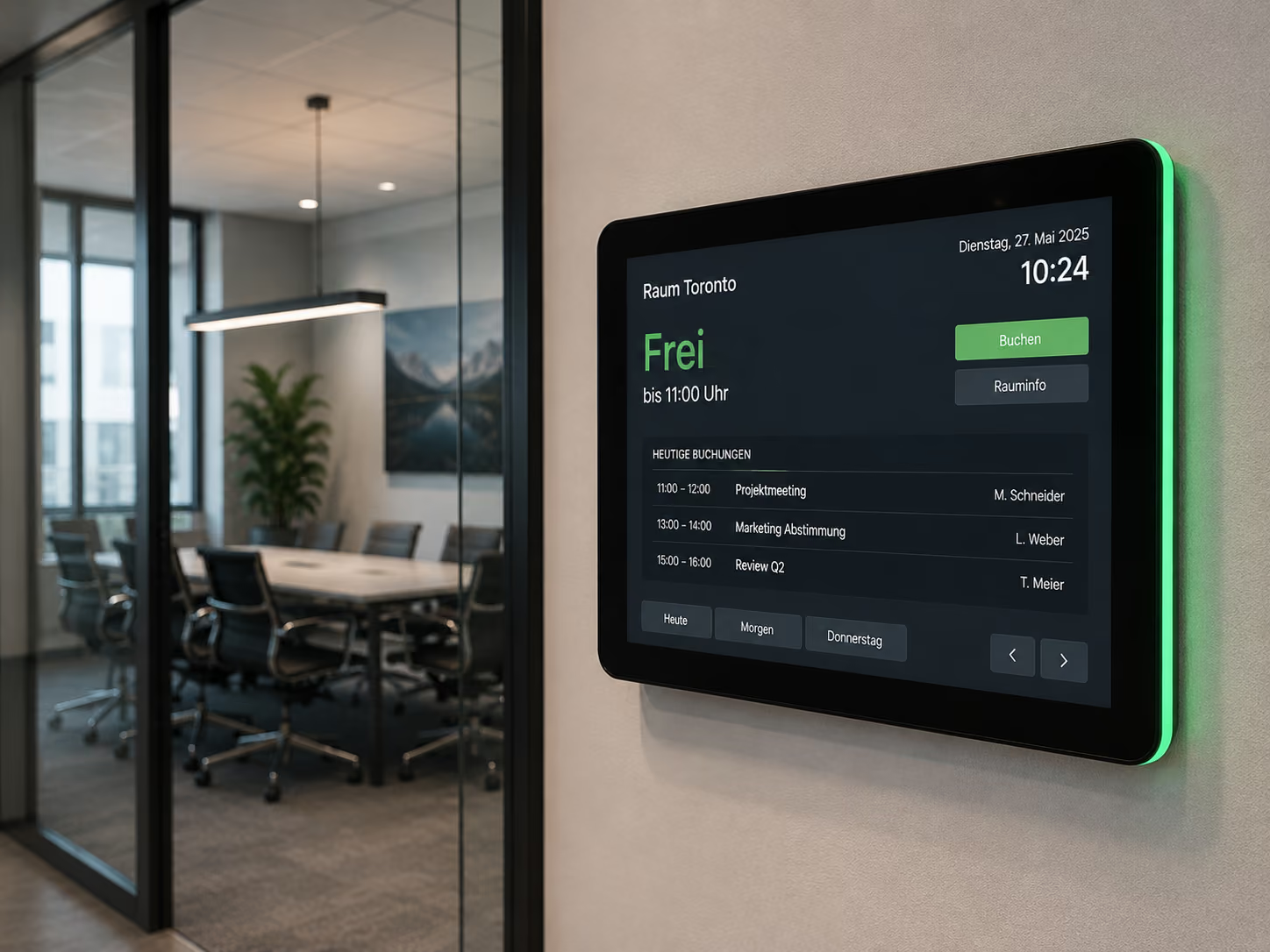
Meeting room displays can provide support precisely in this area. They visibly indicate whether a room is free, occupied, or reserved. They can display meeting information, allow for spontaneous room use, show agendas or notices, and make effective use of rooms even outside of scheduled appointments.
This is also relevant for how customer appointments and visitor meetings are perceived. A professionally designed meeting room with clear information, branding, and a welcome message appears more structured than a room where cables first need to be found, presentations opened, or agendas explained.
For companies, this means that a meeting room display not only enhances a room's appearance. It also supports organization, orientation, communication, and space utilization.
Who Can Benefit from a Meeting Room Display?
Meeting room displays are suitable for all organizations that want to make their meeting rooms more professional, informative, and user-friendly.
They are particularly useful for:
- Corporate headquarters
- Office buildings
- Insurance companies and banks
- Consultancies and agencies
- Industrial companies
- Government Agencies and Administrations
- Schools and Universities
- Clinics and Healthcare Facilities
- Hotels and Conference Centers
- Coworking Spaces
- Conference Areas
- Training Centers
- Research Facilities
- Sales and Customer Centers
- Companies with Hybrid Work Models
- Organizations with frequent visitor appointments
The greatest benefit is realized wherever rooms are regularly used for meetings, presentations, workshops, or client appointments, and information needs to be visible directly in the room.
What are the benefits of a meeting room display?
A meeting room display improves in-room communication and allows for more professional use of meeting rooms.
Key benefits include:
- Meeting information is displayed directly in the room.
- Agendas and daily schedules can be displayed centrally.
- Guests see that they are in the correct room.
- Displays remain useful even outside of meetings.
- Room status can be clearly communicated.
- Calendar data can be integrated.
- Internal news or notices can be displayed in meeting areas.
- Wi-Fi details, QR codes, or room rules can be made visible.
- Presentation and welcome content appears more professional.
- Branding and corporate design remain consistent.
- Security information can be prioritized and displayed as needed.
- Rooms are more deeply integrated into the overall digital signage infrastructure.
A meeting room display is therefore more than just a screen. It is a communication channel for rooms, appointments, and visitor interaction.
What does a meeting room display achieve compared to a classic presentation screen?
A classic presentation screen is usually only used during a meeting. Before and after, it often remains black or displays a standard image.
A meeting room display is different. It is actively integrated into room communication.
The difference is particularly evident in five areas:
1. Increased Usage
A classic screen is only used for presentations. A meeting room display can also show information before, between, and after meetings.
2. Better Orientation
Guests and employees can directly see which appointment is taking place, what agenda is planned, or which notices apply to the room.
3. Enhanced Professionalism
Greetings, CI-compliant content, agenda slides, and brand communication create a more professional setting for client appointments and internal workshops.
4. Greater Timeliness
Content can be updated centrally. Room notices, QR codes, internal news, or security information do not have to be manually exchanged in the room.
5. More Integration
Meeting room displays can be connected to calendars, welcome screens, room booking systems, wayfinding, and emergency communication.
A meeting room display transforms a regular screen into an active component of modern corporate communication.
Display meeting information and agenda
A meeting room display can show important information before or during an appointment.
Typical content includes:
- Meeting title
- Time
- Host
- Agenda
- Meeting agenda
- Participant information
- Wi-Fi access
- QR code for documents
- Link to presentation
- Video conference details
- Room rules
- Break information
- Contact person
- Next booking
Especially during workshops, client meetings, or training sessions, a visible agenda can help create structure. All participants can see what's planned, when breaks will take place, and which topics are in focus.
This appears more professional and reduces organizational queries.
Professionally welcome visitors and customers
Meeting rooms are often important contact points with clients, customers, applicants, partners, or service providers. The first impression is made not only at reception, but also in the room itself.
A meeting room display can welcome visitors directly in the room.
Examples:
- “Welcome to the Strategy Workshop”
- “Welcome, Müller GmbH”
- “Today: connectSignage Product Presentation”
- “Workshop Agenda: 10:00–15:00”
- “Your Contact Person: Max Mustermann”
- “Wi-Fi Access: Guest Network”
Such content provides orientation and shows that the meeting is prepared. At the same time, the display can be designed in the corporate style, making the brand consistently visible.
Integrate Room Status and Calendar Data
A meeting room display can use calendar information to show room status and appointments.
Possible calendar sources include:
- Microsoft Exchange
- Microsoft Outlook
- Google Workspace
- Google Calendar
- iCal Interfaces
This way, the display can automatically show whether a room is currently free, occupied, or reserved. Additionally, the start time, end time, next appointment, or meeting title can be displayed.
This reduces manual effort. Employees continue to book the room as usual in the calendar. connectSignage makes the information visible in the room.
This is particularly useful in combination with digital door signs. The door sign shows the status outside the room, while the meeting room display inside the room shows the agenda, notes, or a welcome message.
Effectively combine meeting room displays and digital room booking
Meeting room displays and digital room booking are closely related but serve different purposes.
Digital room booking primarily shows: Is the room free, occupied, or reserved? This usually takes place on the door sign outside the room.
In contrast, the meeting room display shows information inside the room itself. It supports the meeting, presentation, welcome, or internal communication.
In combination, this creates a seamless process:
- The room is booked in Outlook or Google Calendar.
- The door sign shows the room status outside the door.
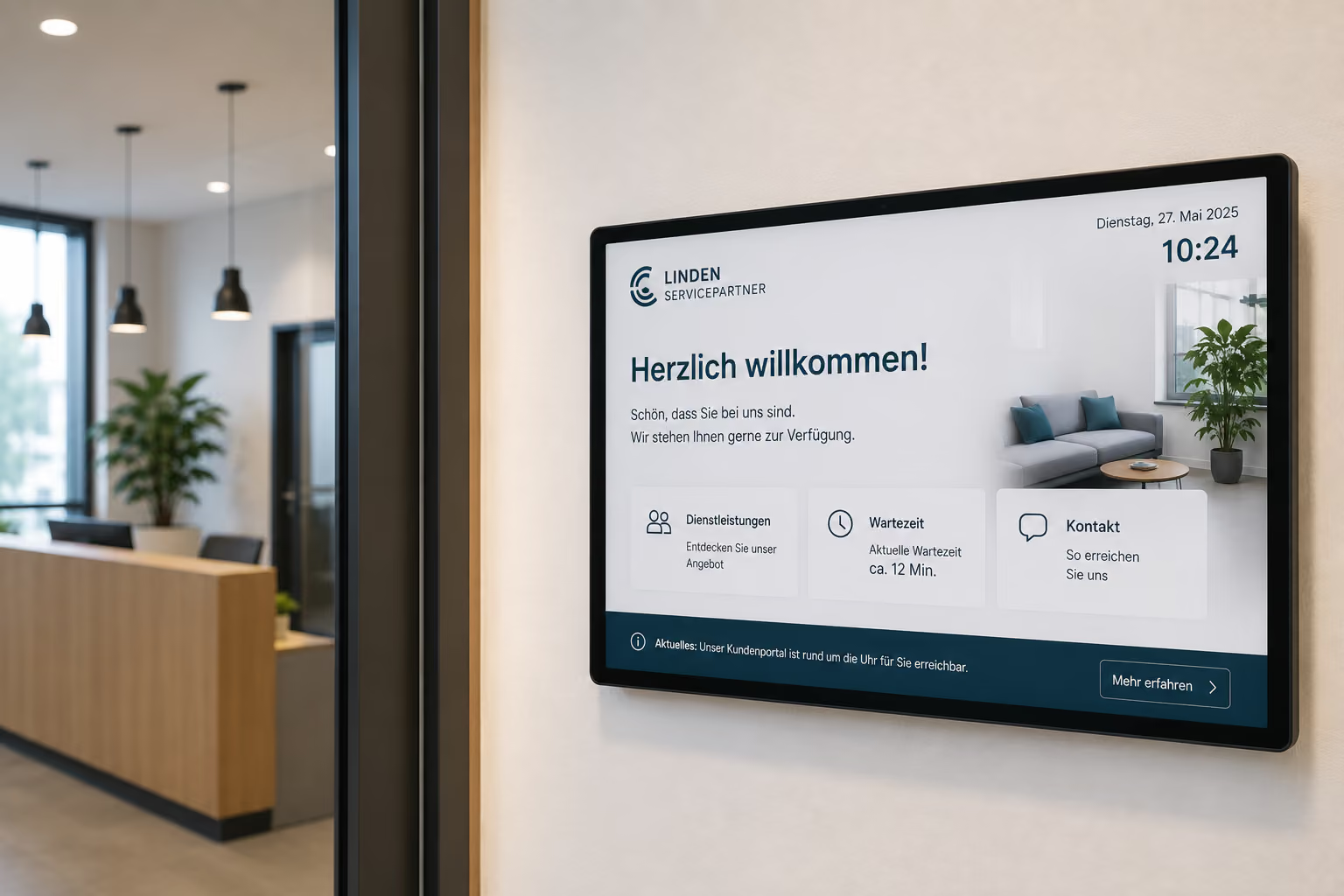
- The welcome screen greets guests at reception.
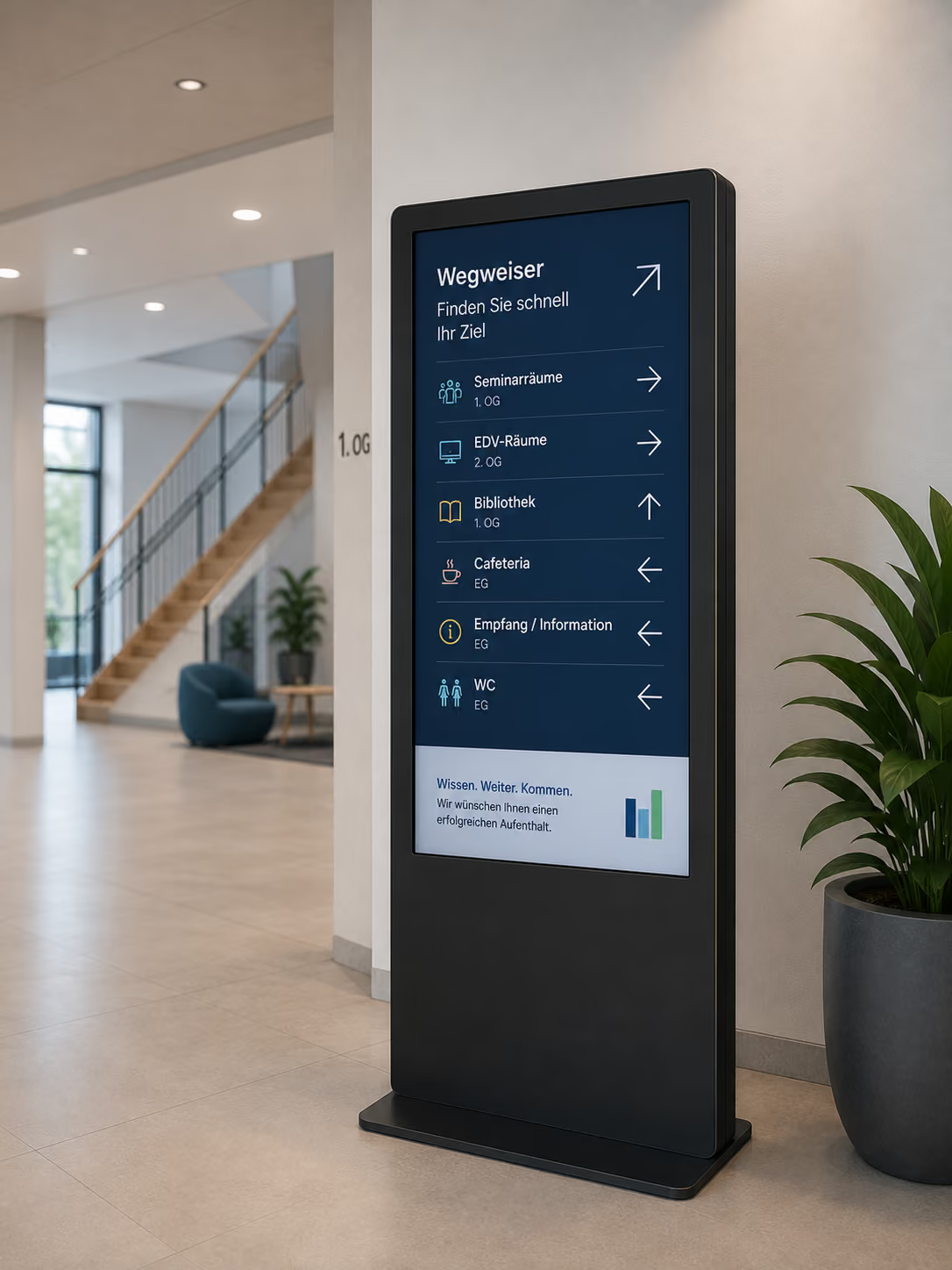
- Digital wayfinding leads to the room.
- The meeting room display shows the agenda, notes, or a welcome message inside the room.
- After the meeting, the room can be released or used for internal communication.
This connects calendars, room status, and content into a unified room communication system.
Effectively utilize rooms outside of meetings
Many displays in meeting rooms remain unused when no meeting is scheduled. This is where the potential lies.
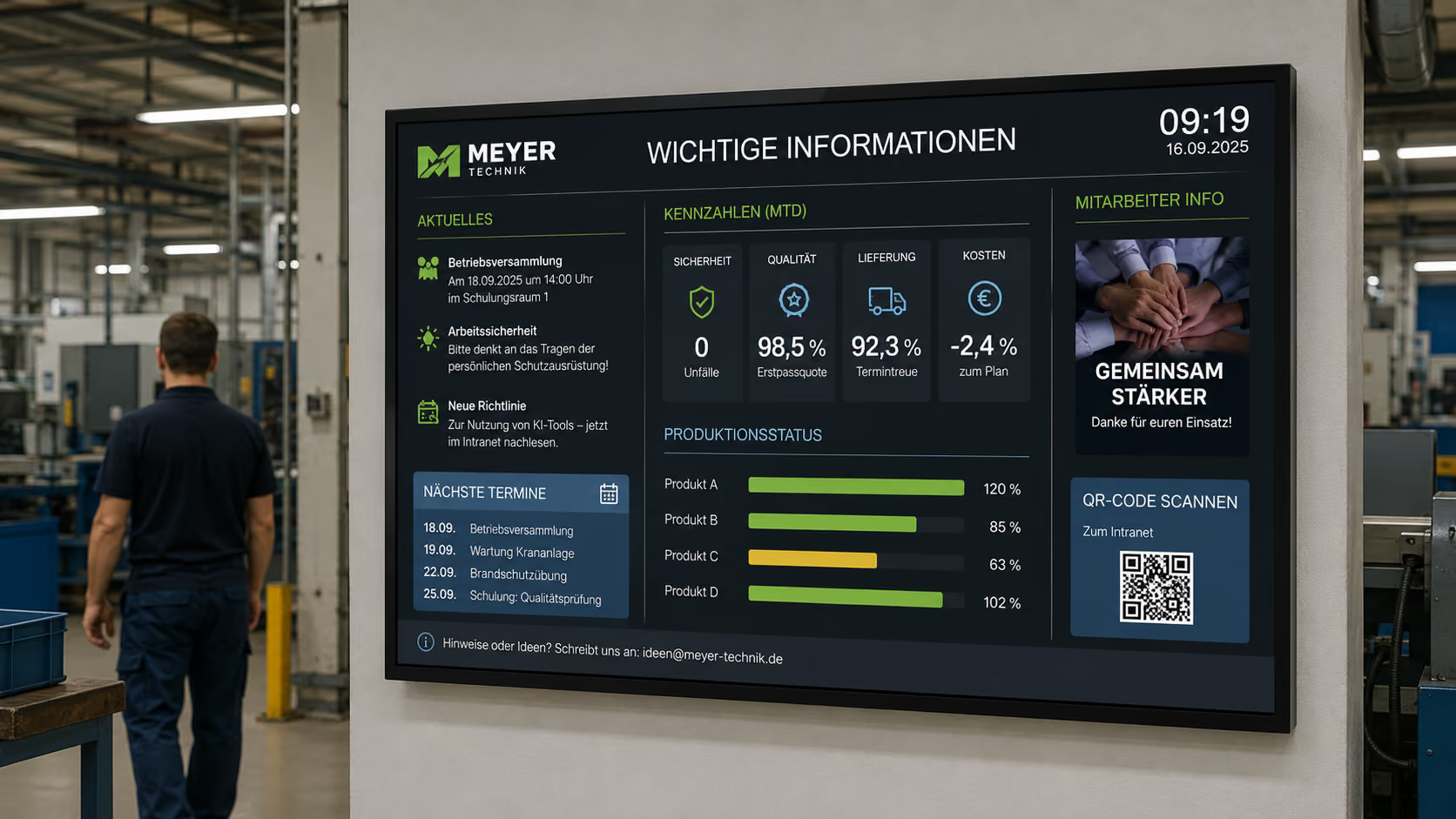
A meeting room display can also show content outside of meetings, for example:
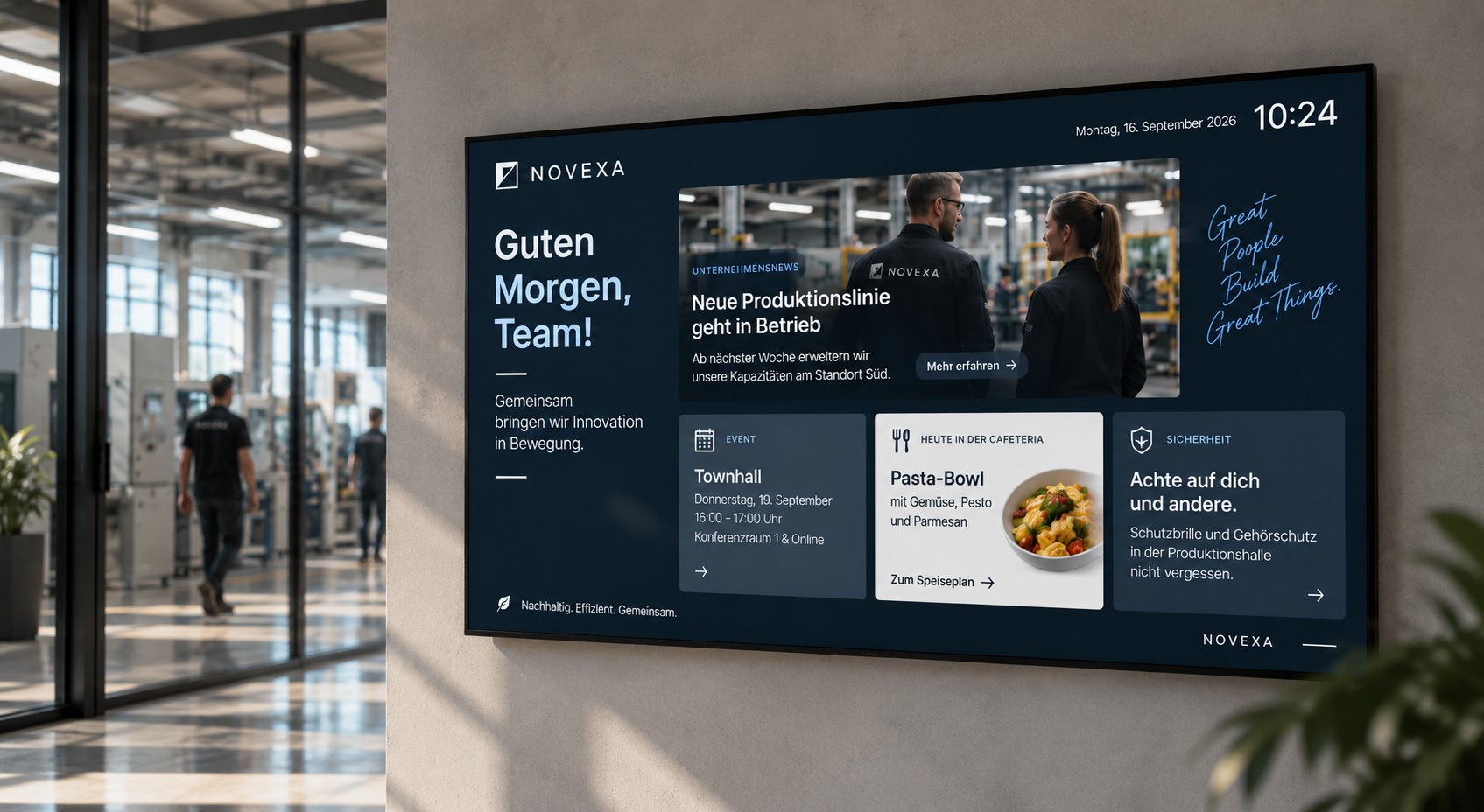
- internal news
- Company Updates
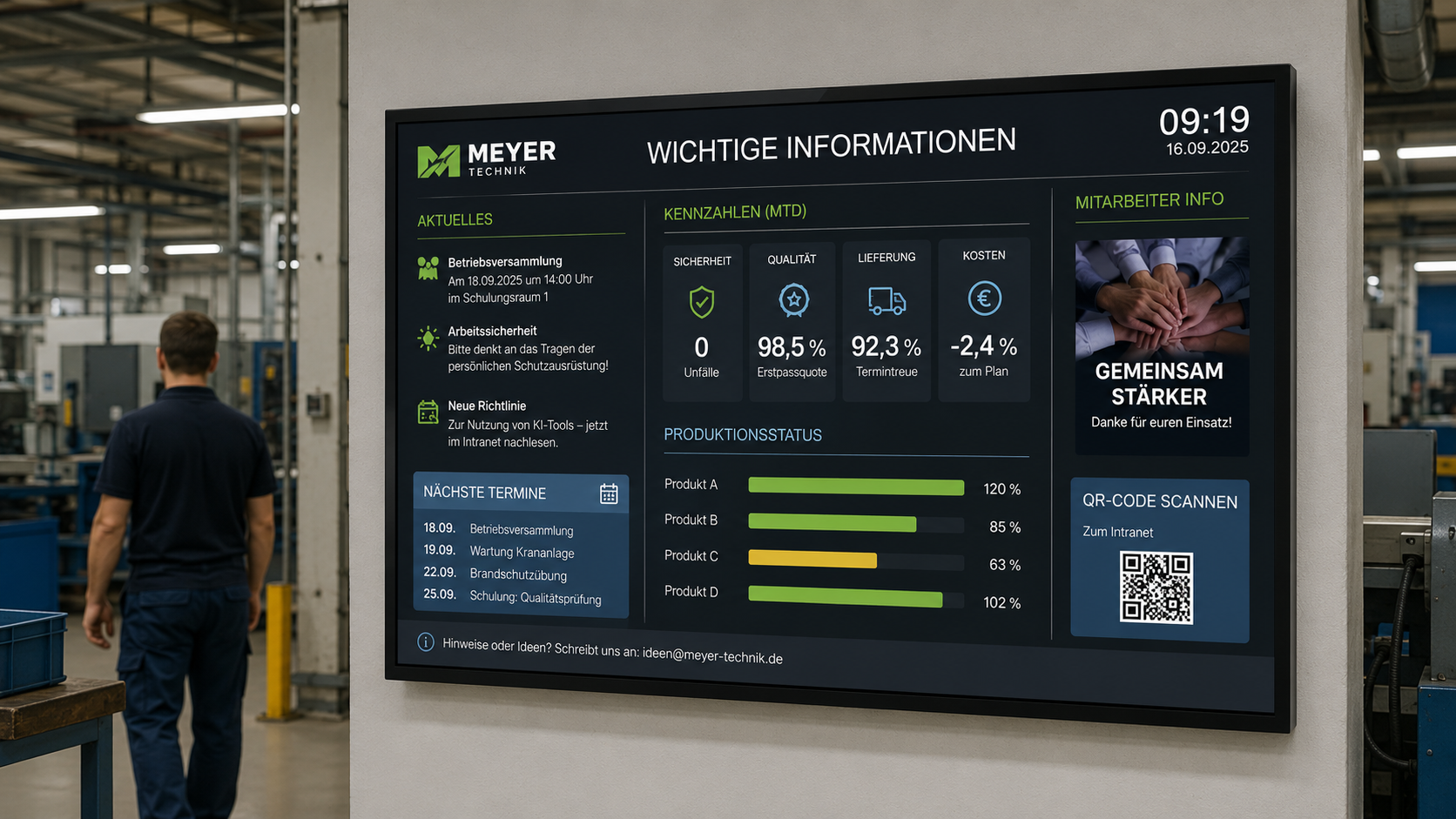
- Key Figures
- Event Information
- Training Dates
- Culture and HR Topics
- Canteen Information
- Visitor Information
- Room Rules
- Digital Notices
- Safety Information
- Branding or Image Content
This way, the meeting room becomes part of internal communication even between appointments. Instead of black screens, visible information displays are created.
This is particularly useful in meeting areas, lounges, conference zones, or workshop rooms.
Multifunctional Screens for Modern Room Communication
Meeting room displays can take on various roles. They show different content depending on the situation.
Examples:
- before the meeting: welcome and agenda
- during the meeting: presentation or workshop instructions
- during breaks: schedule, Wi-Fi, QR codes, or catering information
- after the meeting: next booking or internal news
- When not in use: Branding, key figures, or corporate communication
- In an emergency: Safety information or evacuation notice
This makes a room more flexible. The display adapts to the usage context and doesn't need to be manually reconfigured.
With connectSignage, this content can be planned, grouped, and centrally managed.
Meeting Room Displays for Hybrid Meetings
Hybrid meetings are a daily reality for many companies. Some participants are in the room, while others join remotely.
A meeting room display can support hybrid meetings by making important information clearly visible:
- Video conference link or QR code
- Technical instructions
- Camera and microphone instructions
- Agenda
- Guidelines for hybrid collaboration
- Contact person for technical issues
- Break times
- Room setup for presentations
- Screen sharing instructions
Clarity is especially crucial for hybrid meetings. When technology, process, and meeting structure are clearly visible, meetings start faster and more professionally.
Branding and Corporate Design in the Meeting Room
Meeting rooms are often places where companies present themselves both internally and externally. Therefore, the digital communication within the room should also align with the brand.
A meeting room display can be designed in your corporate branding:
- Logo
- Brand Colors
- Typography
- Imagery
- Brand-compliant Agenda Slides
- Welcome Screens
- Brand Messages
- Image Content
- Customer or Partner Information
This ensures a consistent appearance — especially during client meetings, board meetings, press conferences, workshops, or job interviews.
Display Safety Information in Meeting Rooms
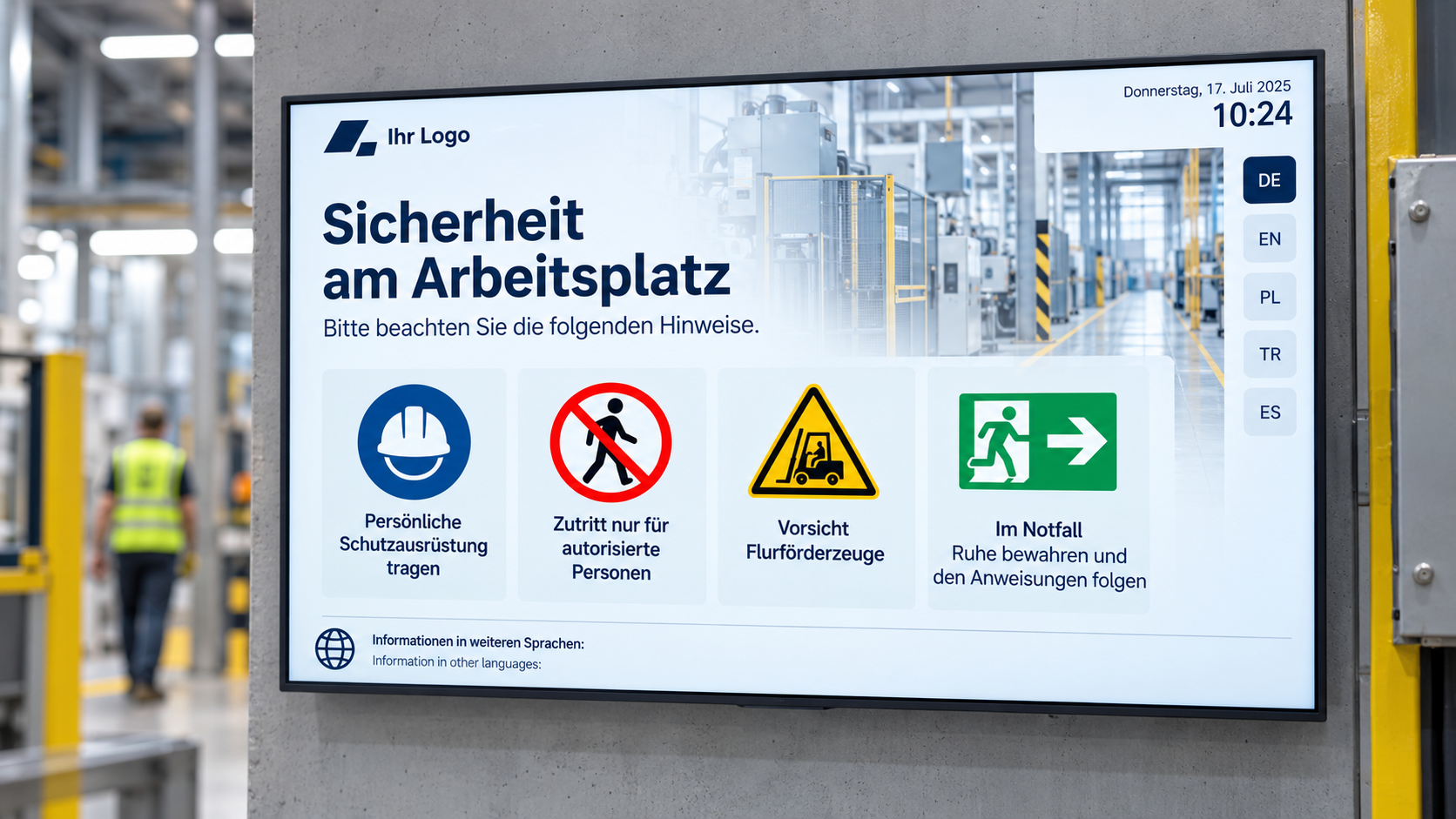
Meeting room displays can also be used for safety communication. In normal operation, they show agendas, room status, or company information. In an emergency, prioritized content can be displayed.
Possible safety content includes:
- Evacuation Instructions
- Display Escape Route
- Do Not Use Elevators
- Proceed to Assembly Point
- Area Closed
- All Clear
- Actions During an Alarm
- Emergency Contacts
Important: Meeting room displays do not replace mandatory alarm or security systems. However, they can supplement existing security concepts with visible information.
Precisely because meeting rooms are often enclosed and people spend extended periods there, additional visual cues can be particularly helpful.
Case Study: WWK creates a multifunctional space for exchange and communication
The WWK Insurance Group demonstrates what modern meeting room communication can look like at its Munich headquarters.
WWK aimed to create a space that meets various requirements: informal discussions, formal presentations, and open exchange among employees. Simultaneously, the lounge was intended to serve as a meeting point, strengthen the corporate culture, and make WWK's brand image visible.
With connectSignage, the WWK lounge was transformed into a multifunctional communication space. Combined with modern media technology, content can be flexibly controlled — suitable for meetings, presentations, or informal formats. The displays are centrally managed and can be adjusted at any time.
The result is a versatile space that connects information, exchange, and brand communication. Employees use the lounge for meetings, presentations, and informal discussions in a motivating environment. Simultaneously, digital content ensures a modern work atmosphere, efficient information delivery, and a consistent brand presence within the corporate environment.
This case study demonstrates that a meeting room display should not be considered in isolation. It is part of modern room communication: the space adapts to the usage context, content can be flexibly controlled, and digital communication becomes directly tangible within the room.
To the case study: WWK creates a multifunctional space for exchange and communication
Meeting Room Displays for Various Applications
Meeting room displays are suitable for many room types. The specific content varies depending on the use case.
Classic Meeting Rooms
In classic meeting rooms, displays show agendas, room status, meeting information, QR codes, Wi-Fi details, or internal announcements.
Conference Rooms
In conference rooms, meeting room displays support presentations, client appointments, workshops, hybrid meetings, and professional visitor communication.
Training Rooms
In training rooms, displays can show daily schedules, learning modules, breaks, QR codes for documents, or technical instructions.
Lounges and Multi-purpose Rooms
In lounges and multi-purpose rooms, displays can switch between meeting information, brand communication, internal news, or event content, depending on the situation.
Boardrooms and Customer Centers
In representative spaces, meeting room displays ensure professional branding, personalized greetings, clear agendas, and a presentation environment consistent with corporate identity.
Coworking and Project Areas
In flexible workspaces, displays show room status, team notices, project information, or available slots for spontaneous use.
What Companies Technically Need
For meeting room displays to function reliably, a central software is needed that connects content, calendars, room data, and displays.
Key technical requirements include:
- Central control of all meeting room displays
- Flexible layouts in corporate design
- Connection to calendar data
- Integration with Outlook, Exchange, Google Workspace, or iCal
- Combination with digital room booking
- Combination with welcome screens and wayfinding
- Display of agenda, meeting information, and room status
- Easy maintenance in the browser
- Content scheduling
- Playlists for different usage scenarios
- QR codes and web content
- Roles and Rights
- Location-based content delivery
- Monitoring for displays and players
- Reliable playback
- Support for different display sizes
- Cloud or on-premise operation
- Data protection and IT security
With connectSignage, companies can centrally manage meeting room displays and integrate them into existing digital signage structures.
Why connectSignage is suitable for meeting room displays
connectSignage is a digital signage software for central control of digital displays. connectSignage is particularly suitable for meeting room displays because it can connect rooms, calendars, content, and corporate communications.
The main advantages are:
- Central control of all meeting room displays
- Integration with Outlook, Exchange, Google Workspace, and iCal
- Combination with digital room booking
- Combination with welcome screens and wayfinding
- Display of agenda, room status, and visitor information
- Flexible layouts in corporate design
- Use of displays even outside of meetings
- Integration of internal news, QR codes, and web content
- Support for hybrid meetings
- Emergency Override for Security Information
- Monitoring for Reliable Operation
- Roles and Rights for Different Teams
- Cloud or On-Premise Operation
- GDPR-Compliant Use
This is how meeting rooms become visible communication spaces — professional, centrally controllable, and flexibly usable.
Typical Locations for Meeting Room Displays
Meeting room displays can be used wherever rooms are utilized for discussion, presentation, or collaboration.
Typical locations include:
- Meeting Rooms
- Conference Rooms
- Conference Rooms
- Boardrooms
- Training Rooms
- Workshop Rooms
- Project Rooms
- Creative Rooms
- Customer Centers
- Consultation Rooms
- Seminar Rooms
- Conference Rooms
- Lounges
- Multi-purpose Rooms
- Coworking Spaces
- Hybrid Meeting Rooms
Content and requirements vary depending on the room type. In customer centers, the focus is on professional greetings. In training rooms, it's about agendas and documents. In classic meeting rooms, room status and meeting information are central. In lounges, brand communication and internal news are also added.
Conclusion: Meeting room displays make rooms more communicative and professional
Meeting room displays help companies utilize meeting rooms in a more visible, informative, and professional way.
They display meeting information, agendas, room status, visitor instructions, internal news, or security alerts directly where meetings take place. At the same time, they can be linked to calendar data, digital room booking, welcome screens, and wayfinding.
Meeting room displays are particularly valuable when rooms are not only technically equipped but also need to be communicatively integrated. In such cases, a classic presentation screen transforms into a centrally controllable information channel for modern room communication.
With connectSignage, companies can centrally control meeting room displays, present content in their corporate design, integrate calendar data, and flexibly prepare rooms for various usage scenarios.
Thus, the meeting room becomes not just a place for discussions, but a visible communication surface for collaboration, visitor communication, and the company brand.
FAQ
What is a meeting room display?
A meeting room display is a digital display inside or next to a meeting room that shows meeting information, agendas, room status, visitor instructions, internal news, or security information.
What is a meeting room display suitable for?
A meeting room display is suitable for agenda displays, visitor greetings, room status, presentation notes, Wi-Fi data, QR codes, internal news, hybrid meetings, and security information.
What is the difference from digital room booking?
Digital room booking primarily shows whether a room is free, occupied, or reserved — usually on a door sign outside the room. A meeting room display additionally shows content within the room itself, such as agendas, greetings, instructions, or presentation information.
Can calendar data be integrated?
Yes. Calendar data from Outlook, Exchange, Google Workspace, or iCal can be integrated to automatically display room status, meeting times, or current appointments.
Can meeting room displays be combined with door signs?
Yes. Door signs show the status outside the room, while meeting room displays inside the room can show the agenda, welcome messages, notices, or presentation information.
Can meeting room displays also be used outside of meetings?
Yes. Outside of meetings, displays can show internal news, company updates, key figures, event notices, branding, cafeteria information, or safety information.
Can guests be welcomed in the meeting room?
Yes. Meeting room displays can show personalized welcome messages, company names, agendas, contact persons, or Wi-Fi information, making client appointments more professional.
Can meeting room displays support hybrid meetings?
Yes. They can display video conference instructions, QR codes, agendas, technical notes, break times, or rules for hybrid collaboration.
Can meeting room displays be designed in corporate branding?
Yes. Content can be designed in corporate branding — with logos, brand colors, typography, imagery, and CI-compliant layouts.
Can meeting room displays be overridden in an emergency?
Yes. In an emergency, meeting room displays can be overridden with prioritized safety information, such as evacuation instructions or escape route information.
Which rooms are suitable for meeting room displays?
Suitable rooms include meeting rooms, conference rooms, training rooms, workshop rooms, customer centers, boardrooms, lounges, multi-purpose rooms, and hybrid meeting rooms.
How does connectSignage support meeting room displays?
connectSignage helps companies centrally control meeting room displays, integrate calendar data, display content in corporate branding, and connect rooms with room booking, welcome screens, and wayfinding.
Bereit deine Kommunikation zu transformieren?
Entdecken, wie connectSignage deine Botschaften sichtbar und wirksam macht.
Weitere Insights zur digitalen Kommunikation
Lese mehr zu Trends, Strategien und Technologien, die Unternehmen verändern.
.png)

.png)
Digital Signage Insights Delivered Straight to Your Inbox
Trends, best practices, and tips—concise, relevant, and practical.