
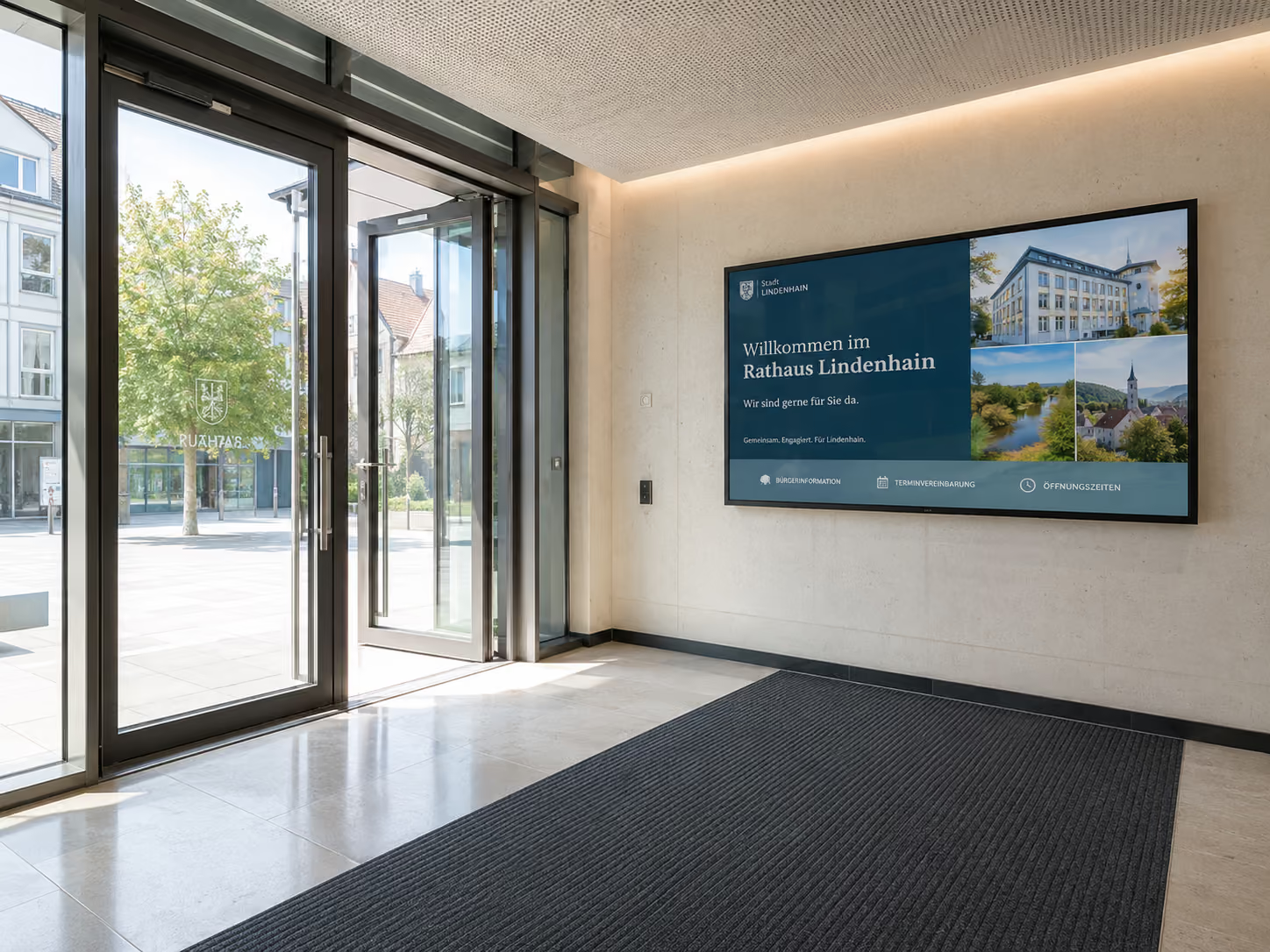
Inform citizens, provide directions, make processes transparent
Clear communication is crucial in government offices, citizen service centers, and public institutions. Citizens want to know where to go, what documents they need, how long they will wait, and what current announcements apply.
At the same time, public institutions often operate across multiple locations, with changing responsibilities, complex buildings, and a high demand for information. Printed notices, analog signposts, and manually updated information quickly reach their limits in such environments.
This is precisely where Digital Signage for government offices and the public sector comes in.
Brief explanation: Digital Signage for government offices refers to the use of digital displays to centrally display citizen information, wayfinding, waiting area announcements, queue numbers, security alerts, room occupancy, official notices, and internal communications. With connectSignage, public institutions can centrally manage and location-specifically display content for entrance areas, waiting zones, hallways, meeting rooms, citizen service centers, and administrative locations.
Digital displays not only replace traditional notices. They make administrative information more current, understandable, and visible — right where citizens need guidance.
Why communication in government offices is particularly challenging
Government offices communicate with very diverse target groups. Citizens, visitors, external service providers, employees, political bodies, and security personnel each require different information.
At the same time, content changes regularly. Opening hours, responsibilities, appointment regulations, room occupancy, construction sites, security information, announcements, or notes on forms must remain up-to-date.
Typical challenges in the public sector include:
- Citizens don't immediately find the right room or counter.
- Waiting times and processes are not transparent.
- Notices quickly become outdated or are overlooked.
- Information is communicated inconsistently across multiple locations.
- Reception and service teams repeatedly answer the same questions.
- Meeting rooms, conference rooms, and public spaces are difficult to manage efficiently.
- Security and emergency information must be immediately visible in an emergency.
- Official announcements must be published promptly, visibly, and comprehensibly.
- Information must be provided in an accessible, understandable, and sometimes multilingual format.
- Data protection, IT security, and rights management must be considered from the outset.
Digital signage creates a central, visual communication platform for precisely these requirements. Content can be prepared, planned, updated, and specifically displayed on individual locations, floors, areas, or screens.
Why digital citizen communication is becoming more important
Expectations for digital administration are rising. Citizens want to access administrative services more easily, quickly, and transparently. According to Bitkom, 90 percent of people in Germany wish their city or municipal administration would pursue digitalization with greater urgency.
For authorities, this means: digitalization doesn't end with online applications. Information must also be clear, up-to-date, and digitally available on-site.
Digital signage complements digital administrative services where citizens actually interact with the authority: in the entrance area, waiting area, at the information desk, in front of meeting rooms, in hallways, or in citizen centers.
The digital signage market is also growing significantly. The global market was estimated at approximately 22 billion US dollars in 2024 and is projected to grow to around 49.4 billion US dollars by 2034. This indicates that digital information systems are becoming increasingly important across all sectors — not just in retail, but also in administration, education, transport, healthcare, and public buildings.
Particularly relevant for the public sector: Digital signage connects digital processes with visible in-building communication. This ensures that notices, directions, appointments, and safety information are not only available online but also clearly displayed on-site.
Who can benefit from digital signage in the public sector?
Digital signage is suitable for city administrations, citizen offices, town halls, district administrative offices, ministries, public institutions, municipal enterprises, job centers, university administrations, libraries, museums, courts, police stations, fire departments, public transport companies, and public event venues.
Digital signage is particularly useful wherever many people need orientation or where up-to-date information needs to be displayed regularly.
These include:
- Entrance areas
- Waiting areas
- Citizen service centers
- Hallways and floors
- Meeting rooms
- Conference rooms
- Visitor Centers
- Reception Areas
- multi-building public facilities
- internal staff areas
Facilities with multiple locations also benefit, as content can be centrally managed yet locally adapted.
What are the benefits of Digital Signage for government agencies?
Digital Signage improves citizen information, wayfinding, internal communication, room management, and safety communication. Digital displays show current notices, appointments, room occupancy, directions, waiting information, call numbers, emergency alerts, official announcements, and internal messages.
The most important use cases for government agencies and the public sector are:
- digital citizen information
- digital wayfinding
- Welcome Screens
- Waiting Area Displays
- Call System Displays
- Emergency and Safety Communication
- digital bulletin board for official announcements
- Meeting Room and Conference Room Displays
- multilingual information displays
- central location communication
Each of these use cases serves a different purpose. Together, they ensure that information becomes more current, visible, and easier for citizens to understand.
Digital Citizen Information: Displaying notices clearly and up-to-date
Public information displays show current notices directly where people wait, arrive, or make decisions.
Typical content includes:
- Opening hours
- Appointment and service information
- Required documents
- Information on forms
- Information on administrative services
- Current announcements
- Construction or access notices
- QR codes for online services
- Privacy or house rules notices
- Information on events or meetings
The advantage: Frequently asked questions can be answered visibly before they are even asked at the reception or counter. This relieves staff and improves visitor orientation.
With connectSignage, public information can be centrally prepared and displayed depending on location, area, or topic. For example, a city hall can show different content than a citizen service center, and a waiting area different information than an entrance area.
Digital Wayfinding: Orientation in complex buildings
Many administrative buildings have evolved over time, featuring multiple entrances, different building sections, floors, departments, or meeting rooms. This is often confusing for visitors.
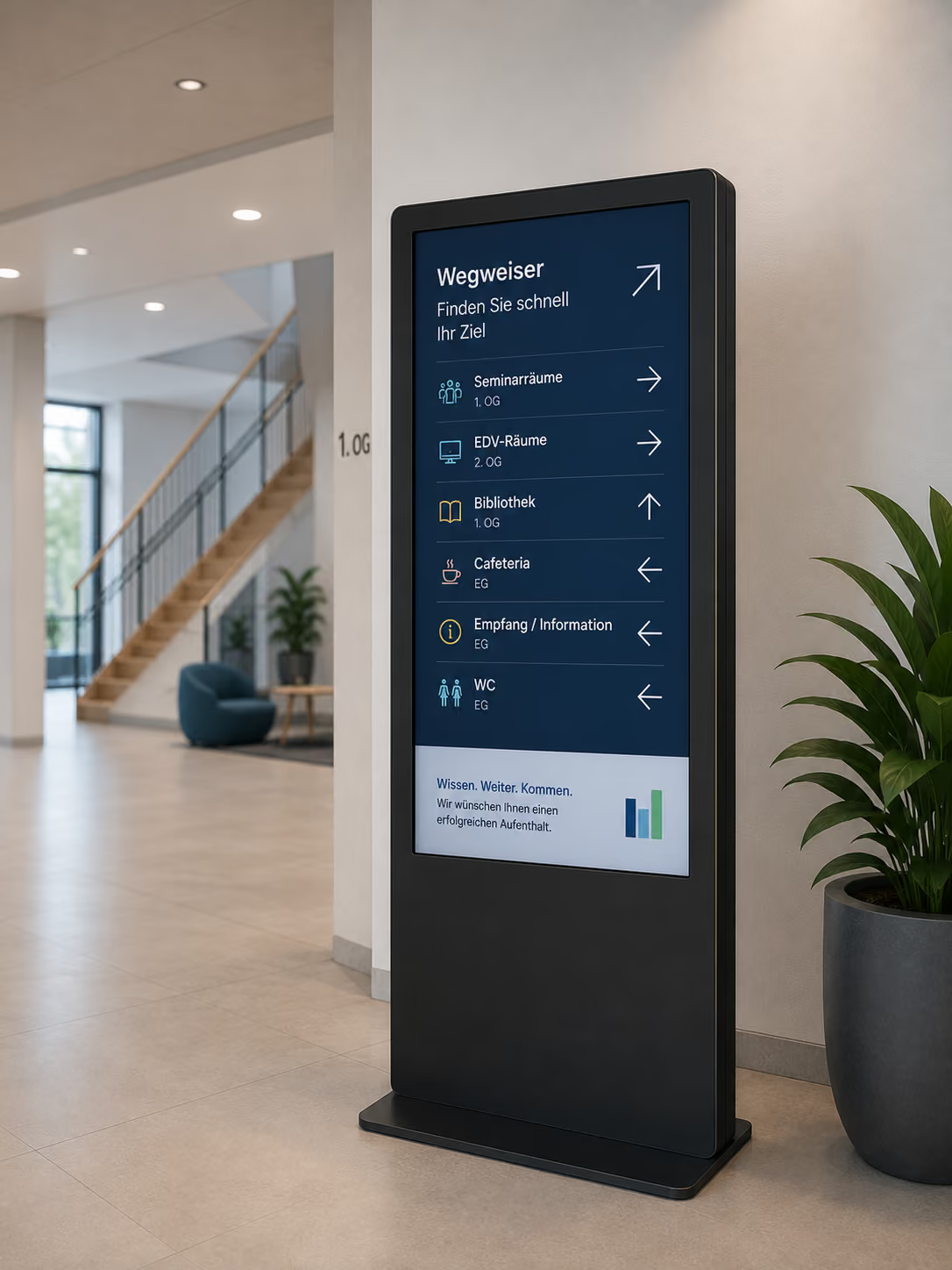
Digital wayfinding helps guide citizens more quickly to the correct destination. Displays can show signposts, floor plans, room lists, department overviews, or information on accessible entrances.
Digital wayfinding is particularly helpful in:
- City halls
- Citizen service centers
- Administrative centers
- District administrative offices
- Ministries
- Courts
- Public event venues
- University administrations
- Libraries and museums
When rooms change, departments relocate, or entrances are closed, digital signage can be updated centrally. This eliminates the need to replace printed signs at short notice.
Welcome Screens: Professionally welcoming citizens
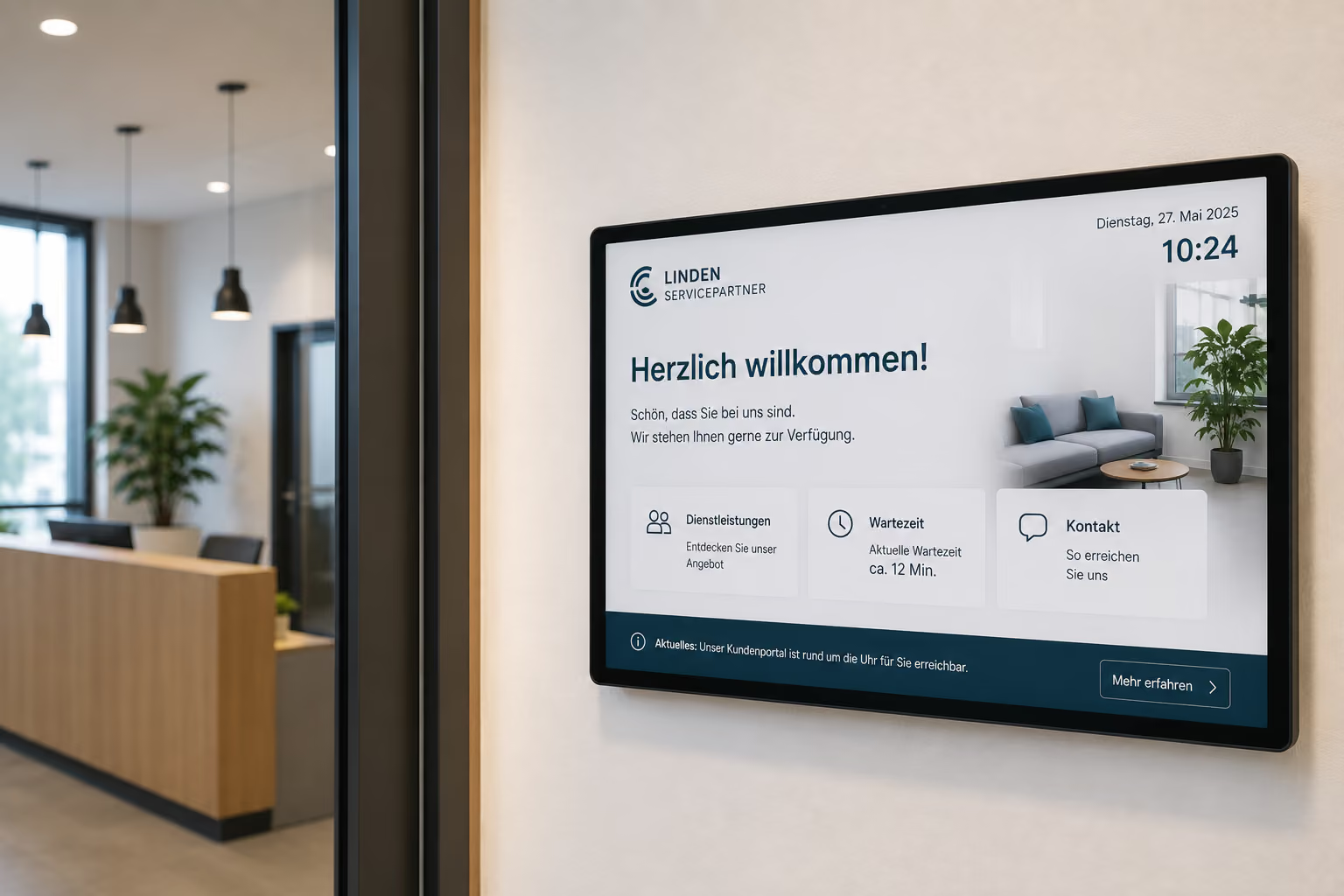
Welcome screens in the entrance area create a clear first point of contact. They greet visitors, display current information, and help with initial orientation.
A welcome screen can display, for example:
- Welcoming visitors
- Daily updates
- Opening hours
- Service desk or room directories
- Today's events
- Meeting schedules
- Registration information
- QR codes for digital services
- Important safety information
Especially in public buildings with many visitor groups, a digital reception appears professional and helpful. Citizens quickly recognize where they need to go and what information is relevant to them.
Waiting Area Displays and Call Systems: Make Better Use of Waiting Time
Waiting areas are central communication points in public authorities. Citizens spend time there and are particularly receptive to relevant information.
Waiting area displays can show service information, document lists, process information, digital services, or current announcements. The benefit is particularly enhanced when displays are connected to existing ticket or call systems.
Then a screen can not only show the next call number but also simultaneously display important information:
- Which documents are needed?
- Which online services are available?
- How does appointment scheduling work?
- Which forms can be filled out digitally in advance?
- Which rules apply in the building?
- What current information is there for citizens?
- What opening hours or special regulations apply?
- Which services can also be completed online?
This makes better use of perceived waiting time. Citizens receive relevant information, while staff have to answer fewer recurring questions.
Emergency and Security Communication: In an Emergency, Visibility is Key
Public buildings need clear security communication. In case of fire alarms, evacuations, technical malfunctions, severe weather, security incidents, or building closures, information must be quickly displayed.
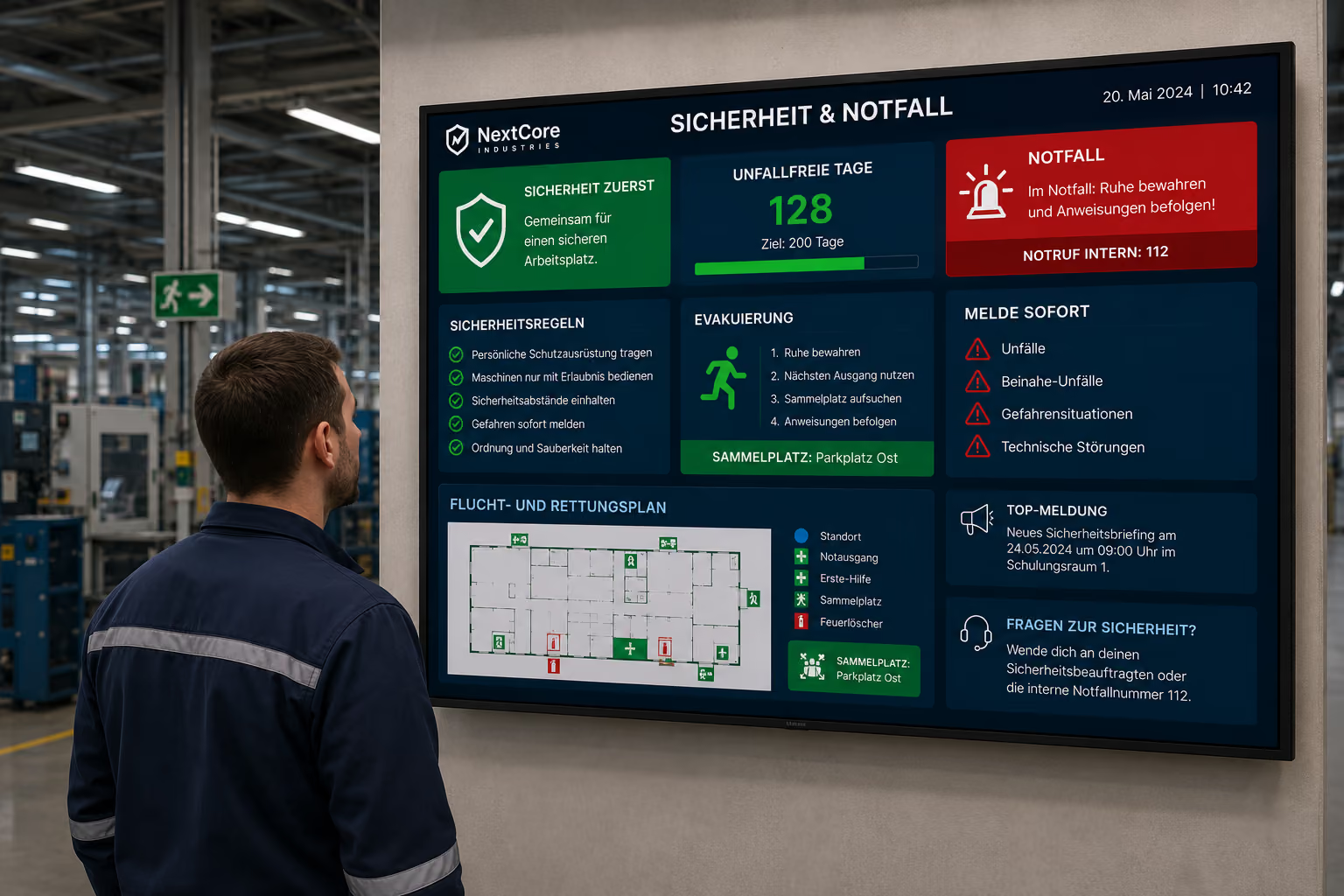
In an emergency, digital displays can switch to emergency content. Instead of regular notices, evacuation information, escape routes, assembly points, rules of conduct, or all-clear messages will then appear.
This is particularly important in buildings with high public traffic, multiple floors, or varying visitor groups.
Via central control, displays can be switched to an emergency mode. All relevant screens will then unmistakably show escape routes, instructions for conduct, or evacuation notices. After the all-clear, the displays can return to regular information operation.
Digital Signage thus complements existing security concepts with a visual communication channel.
Digital Bulletin Board: Display Official Announcements Paperless
Many public institutions regularly publish announcements, job vacancies, statutory amendments, meeting notices, or general public information.
With a digital bulletin board, these contents no longer need to be printed, distributed, and manually posted in display cases. Instead, information can be managed centrally in a web browser and displayed on the appropriate screens with a click.
Typical content for a digital bulletin board in public authorities includes:
- official announcements
- statutory amendments
- job vacancies
- meeting notices
- public information
- events
- public notices
- internal communications
- administrative notices
- project information
This saves time, reduces paper consumption, and ensures that public information can be updated more quickly.
Centralized control is particularly practical: Content can be published for a single building, a specific department, or city-wide on multiple displays simultaneously. This ensures that announcements, notices, and public information remain consistently visible.
Digital Bulletin Board: Internal Communication for Administrative Teams
Not all information is directed at citizens. Employees in public authorities also need current notices, internal announcements, work schedules, events, IT notifications, or organizational information.
An internal digital bulletin board is suitable for staff areas, break rooms, hallways, internal entrances, or administrative areas.
Typical content includes:
- Internal Announcements
- Staff Information
- IT Notices
- Professional Development
- Duty Rosters
- Room Changes
- Events
- Safety Briefings
- Facility Management Notices
- Current Project Information
Especially in larger administrations or multi-location facilities, internal communication can become more visible and consistent this way.
Meeting Room and Conference Room Displays: Manage Rooms More Easily
In public authorities, town halls, and public institutions, many rooms are used: meeting rooms, council chambers, training rooms, committee rooms, or public event spaces.
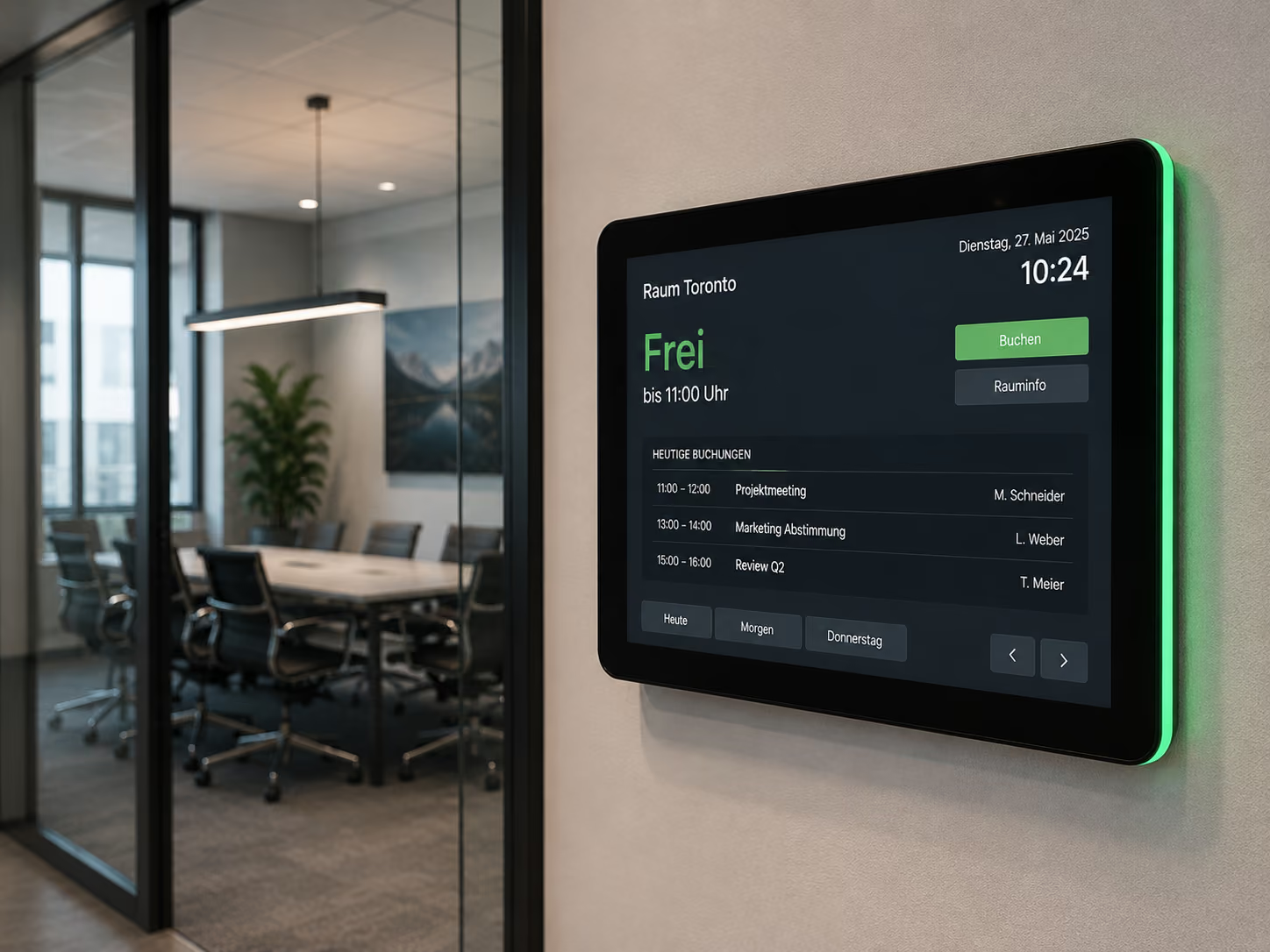
Meeting room displays show directly at the room whether a room is free, occupied, or reserved. They can display appointments, room occupancy, or event information and help avoid double bookings.
This is particularly relevant for:
- Internal Meetings
- Committee Meetings
- Council Meetings
- Public Events
- Training Sessions
- Press briefings
- Project meetings
- Civil ceremonies
A digital room display immediately shows which event is taking place in a room and when the room will be free again. This reduces inquiries and improves organization within the building.
Multilingual and accessible communication
Public authorities communicate with many different people. Not all visitors speak the same language, are familiar with administrative procedures, or can easily navigate complex buildings.
Digital displays can help make information more understandable and accessible. Content can be displayed in multiple languages, visually structured, and supplemented with icons, QR codes, or clear instructions.
Multilingual displays are particularly helpful for:
- Citizen service centers
- Immigration offices
- Job centers
- Social welfare offices
- Public health offices
- Public institutions with an international audience
- Public transport companies
- University administrations
Accessible communication can also be supported, for example, through clear contrasts, large font sizes, plain language, visual cues, and unambiguous orientation elements.
What public authorities need technically: Data protection, central control, and security
For digital signage to function reliably in the public sector, more than just individual screens are needed. Crucial is central software that allows content to be controlled, scheduled, and securely displayed.
Public authorities and institutions have specific requirements in this regard. They work with sensitive information, are subject to strict data protection regulations, and must be able to operate digital systems securely in the long term.
Key technical requirements for public authorities include:
- GDPR-compliant operation
- Hosting in Germany
- Cloud and on-premise options
- Central control of multiple displays and locations
- Clear rights and roles concepts
- Scheduled publication of information
- Location-based content for buildings, floors, or areas
- Support for existing hardware
- Monitoring of displays and players
- Easy operation for specialist departments
- Rapid display of emergency alerts
With connectSignage, content can be centrally managed and specifically deployed to individual displays, groups, or locations. This allows citizen information, wayfinding, internal communications, official announcements, and security messages to be controlled via a single interface.
GDPR-compliant solution with hosting in Germany
Data protection is a key criterion for public authorities. Citizen information, internal communications, and administrative processes must be managed in a way that protects sensitive data and complies with legal requirements.
connectSignage is hosted in Germany and designed for GDPR-compliant operation. This is particularly important for public institutions, as digital communication systems are often audited by IT departments, municipal IT service providers, or public law institutions.
In addition to the cloud version, connectSignage also offers an on-premise option. The software can therefore be operated on the authority's own servers or within the existing IT infrastructure.
Especially for municipalities, administrations, or public institutions with strict security requirements, this can be a crucial prerequisite — for example, if municipal IT service providers, data centers, or internal IT departments prefer operating on their own infrastructure.
Rights and roles concepts for public institutions
Many departments within public authorities are involved in communication. The press office publishes public notices, citizen services maintain service information, facility management updates room or building-related topics, and IT maintains the technical overview.
Permission and role management allows you to define who can edit, approve, or display which content.
Examples:
- The press office maintains central citizen information.
- Citizen services updates notices in the waiting area.
- Facility management manages room and building information.
- The front office at the registry office customizes welcome screens for weddings.
- Departments only maintain content for their own location or area.
- IT manages players, displays, user permissions, and monitoring.
This ensures communication remains manageable without every change having to go through a central point.
Easy Operation for Employees
Public administration employees are often not IT or design experts. Therefore, digital signage must be easy to use in everyday operations.
connectSignage relies on intuitive drag-and-drop operation, similar to familiar presentation tools. Content can be created, updated, and scheduled without requiring in-depth technical knowledge.
This is particularly important for specialized departments that want to maintain information independently — such as citizen services, the press office, the registry office, human resources, facility management, or internal communications.
At the same time, the role and permission system ensures that it is clearly defined who can change which content. This keeps operation simple, while the IT department maintains control over the global system.
Location-Based Content Display for Multiple Buildings and Facilities
Many administrations operate multiple buildings, citizen offices, or branch offices. Not all information is relevant for every location.
With location-based content display, content can be shown precisely where it is needed. A citizen's office can show different notices than a city hall, a branch office different opening hours than the headquarters, and a meeting room different appointments than a waiting area.
Examples of location-specific content:
- Opening hours per location
- Room and floor information per building
- Local construction site information
- Notices for specific departments
- Events in individual facilities
- Regional public information
- Emergency alerts for affected building sections
This reduces information overload and ensures that displays communicate truly relevant information, not just general content.
Reliability and ongoing monitoring during operation
In public buildings, displays must operate reliably. A screen showing an error message in a waiting area or entrance looks unprofessional and can disrupt important information.
That's why monitoring is crucial. IT should be able to see if displays are online, if content is being played correctly, and if players are functioning.
Offline capability can also be relevant. Already loaded content can continue to run locally on the hardware if the internet connection temporarily fails. This ensures important notices, wayfinding, or public information remain visible.
For public authorities, this means Digital Signage is not just implemented, but operated in a controlled manner long-term.
Why connectSignage is suitable for public authorities
connectSignage is a Digital Signage software for the centralized control of digital displays in public authorities, institutions, and administrative buildings. Content can be managed, scheduled, and displayed on individual screens, locations, floors, rooms, or areas via a single interface.
connectSignage is particularly suitable for public authorities when public information, wayfinding, waiting area content, security messages, official announcements, or internal communications need to be displayed in a timely and controlled manner.
The main advantages for the public sector are:
- GDPR-compliant operation with hosting in Germany
- Cloud and on-premise options for various IT requirements
- Digital public information and waiting area communication
- Integration with ticketing and calling systems
- Digital wayfinding for buildings, floors, and departments
- digital bulletin board for official announcements
- paperless publication of notices and information
- central control of multiple locations
- emergency and crisis communication
- role and rights management for departments
- easy drag-and-drop operation
- monitoring for IT and facility management
This allows public institutions to make information more visible in a targeted way, reduce internal maintenance effort, and implement digital communication in public spaces in compliance with data protection regulations.
Conclusion: Digital Signage makes administrative communication more visible and more securely manageable
Digital Signage helps public authorities make information visible where citizens need it: in the entrance area, in waiting areas, on the way to a room, before meetings, or in public facilities.
Digital displays improve orientation, reduce inquiries, make information more current, and support security communication within the building.
Digital Signage is particularly valuable for the public sector because it combines central control with local relevance. Content can be planned across multiple locations and still be adapted for individual buildings, floors, or departments.
connectSignage addresses several requirements simultaneously: The software supports digital citizen information, paperless announcements, wayfinding, waiting area communication, crisis communication, and internal messages. At the same time, hosting in Germany, an on-premise option, rights management, and easy operation ensure that Digital Signage remains practical for municipal IT infrastructures and public institutions.
Thus, Digital Signage becomes a building block of modern administration: visible for citizens, manageable for employees, and securely operable for IT.
FAQ
What is Digital Signage for public authorities?
Digital Signage for public authorities describes the use of digital displays for showing citizen information, wayfinding, waiting instructions, queue numbers, room occupancy, security alerts, official announcements, and internal messages in public institutions.
Why is Digital Signage beneficial in the public sector?
Digital Signage is beneficial in the public sector because public authorities need to communicate a lot of current information clearly and visibly. Digital displays assist with orientation, citizen information, waiting area communication, security alerts, internal administrative communication, and official announcements.
Is Digital Signage GDPR-compliant for public authorities?
Digital signage can be operated in a GDPR-compliant manner in public authorities if hosting, access control, data processing, and IT security are implemented accordingly. connectSignage is hosted in Germany and can also be operated on-premise on private servers.
Can public authorities operate digital signage on-premise?
Yes. In addition to cloud operation, connectSignage can also be operated on-premise on private servers. This is particularly relevant for public authorities, municipal IT service providers, and public institutions with strict security or compliance requirements.
Which digital signage use cases are suitable for public authorities?
Important use cases include digital citizen information, digital wayfinding, welcome screens, waiting area displays, call system displays, emergency communication, digital bulletin boards, meeting room displays, and multilingual information displays.
How does digital signage help citizens?
Digital signage helps citizens quickly find the right room, counter, or service. Displays can visibly show opening hours, required documents, appointments, QR codes, waiting information, queue numbers, and current updates.
Can digital signage be connected to call systems?
Yes. Displays in waiting areas can be connected to existing ticketing or call systems. This allows queue numbers, waiting information, opening hours, citizen information, and notices about online services to be displayed in combination.
What is a digital bulletin board for public authorities?
A digital bulletin board displays official announcements, job postings, changes to statutes, meeting notices, or internal information on digital displays. Content can be centrally managed and displayed location-specifically.
How does digital wayfinding work in public authorities?
Digital wayfinding displays room lists, floor plans, directions, departments, or accessible entrances on screens. If rooms change or parts of the building are closed, information can be updated centrally.
Can digital signage be used for emergency communication in public authorities?
Yes. In an emergency, digital displays can show evacuation instructions, escape routes, assembly points, safety instructions, or all-clear messages. This makes security communication additionally visible.
How easily can employees manage content?
With connectSignage, content can be created and scheduled via drag-and-drop. Roles and permissions can be used to define which department is allowed to edit which content, while IT maintains the technical overview.
What advantages does digital signage have over printed notices?
Digital displays can be updated more quickly, centrally controlled, and displayed on a schedule. Compared to printed notices, content becomes outdated less quickly and can be adapted depending on the location, building, or situation.
How does connectSignage support public authorities and public institutions?
connectSignage helps public authorities centrally control digital displays and deliver content specifically based on location, building, floor, room, or use case. This includes citizen information, digital wayfinding, waiting area displays, queue management systems, meeting room displays, official announcements, internal communications, and emergency communication.
Bereit deine Kommunikation zu transformieren?
Entdecken, wie connectSignage deine Botschaften sichtbar und wirksam macht.
Weitere Insights zur digitalen Kommunikation
Lese mehr zu Trends, Strategien und Technologien, die Unternehmen verändern.
.png)

.png)
.png)

.png)


Digital Signage Insights Delivered Straight to Your Inbox
Trends, best practices, and tips—concise, relevant, and practical.