
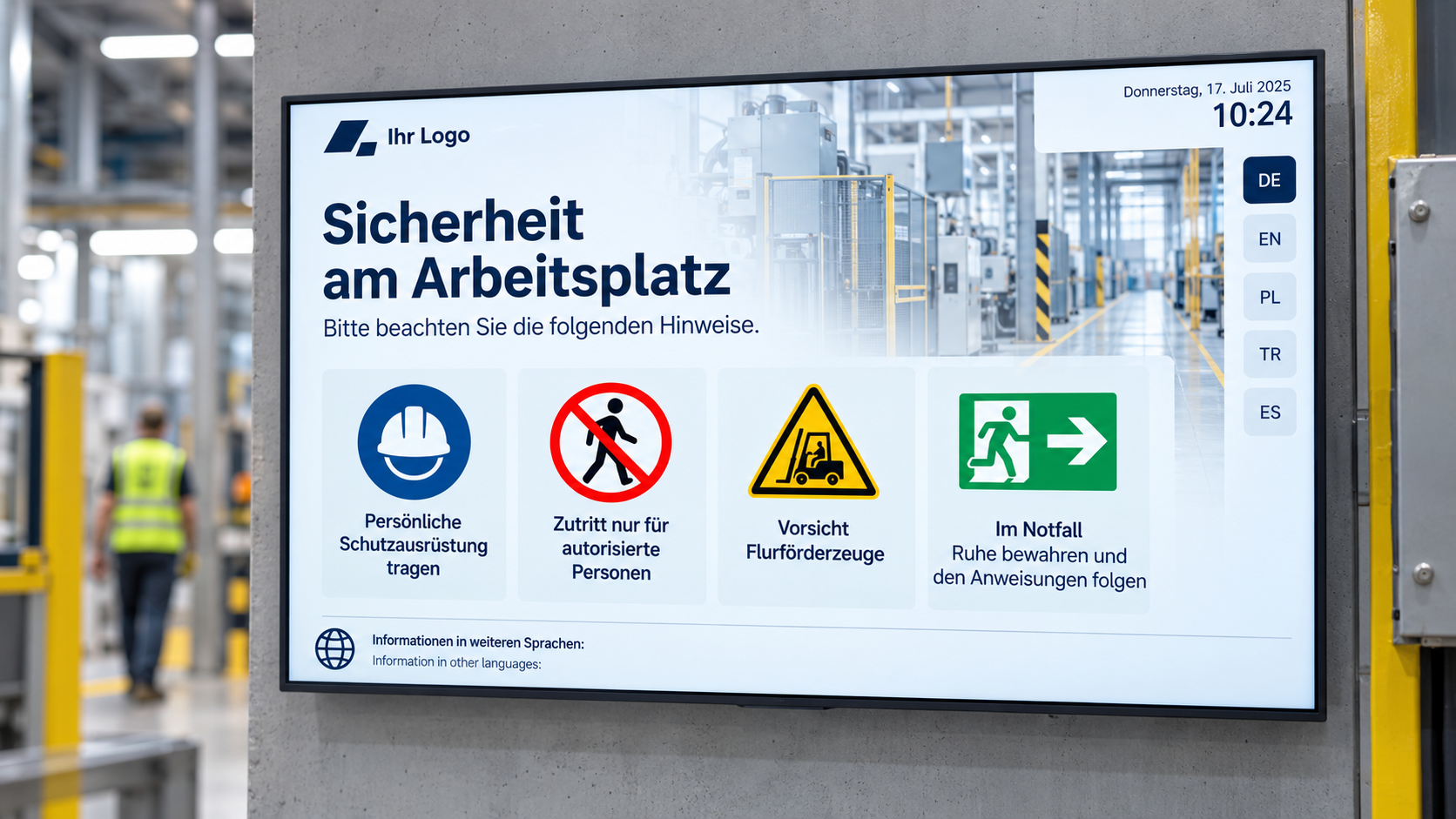
Emergency & Safety Communication: Making Information Visible When Every Second Counts
In emergencies, information needs to be delivered quickly, clearly, and understandably. People need to know what's happening, where to go, and how to behave.
This applies to companies, schools, clinics, authorities, industrial facilities, shopping centers, hotels, event venues, and public buildings.
On a daily basis, displays often show internal news, visitor information, key figures, room directions, or advertising content. However, in an emergency, this content must be immediately overlaid or replaced by safety information.
This is precisely where digital emergency & safety communication comes in.
Briefly explained: Emergency & safety communication via digital signage means that displays in the building are used for warnings, evacuation information, safety messages, behavioral instructions, or all-clears. With connectSignage, companies can centrally prepare emergency notices, quickly broadcast content, and utilize existing displays as an additional visible communication channel.
Important to note: Digital signage does not replace legally mandated fire alarm systems, alerting systems, escape route markings, or safety concepts. It complements existing safety measures with a visual information channel that can provide additional guidance in an emergency.
Why Traditional Safety Communication Falls Short
Many organizations rely on traditional safety information: notices, evacuation and rescue plans, safety briefings, printed signs, or announcements.
These measures are important and remain necessary. However, they have limitations when information needs to be broadcast at short notice, location-specific, or situation-dependent.
A printed notice cannot automatically react to a current situation. An evacuation plan shows routes but no dynamic instructions. An announcement doesn't always reach everyone equally well. And in an emergency, people are often stressed, uncertain, or reliant on quick visual guidance.
Typical challenges of traditional safety communication include:
- Notices are static and not situation-dependent.
- Notices are easily overlooked in everyday situations.
- Information must be updated manually.
- Announcements are not always easy to understand.
- People with hearing impairments are less effectively reached by audio-only announcements.
- Visitors are unfamiliar with the building.
- Different areas require different instructions.
- Multilingual communication is often challenging with print.
- All-clear signals or status changes cannot be quickly made visible everywhere.
- Employees don't always know what information is currently applicable.
Digital safety communication can close this gap. In an emergency, displays can show clear, visual, and centralized information — exactly where people are located.
Why Emergency & Safety Communication is Becoming Increasingly Important
Emergency and safety communication is becoming increasingly important because organizations must deal with many different hazard and disruption scenarios.
This includes more than just fires. Technical malfunctions, power outages, severe weather, hazardous material spills, evacuations, medical emergencies, security incidents, IT failures, access restrictions, or building lockdowns can also necessitate rapid communication.
The figures show how relevant safety remains in the workplace. In Germany, according to the German Social Accident Insurance, 754,660 reportable workplace accidents were registered in 2024. Additionally, 9,923 severe workplace accidents were recorded, for which a pension or death benefit was paid. 345 workplace accidents were fatal.
These figures show: Safety is not a marginal issue. Companies and public institutions need clear processes, trained employees, and communication channels that function even in critical situations.
International occupational safety recommendations therefore emphasize that emergency information should reach as many people in the building as possible. Alarms should be audible, visible, or otherwise perceptible. Additionally, communication systems can be used to disseminate emergency information to employees.
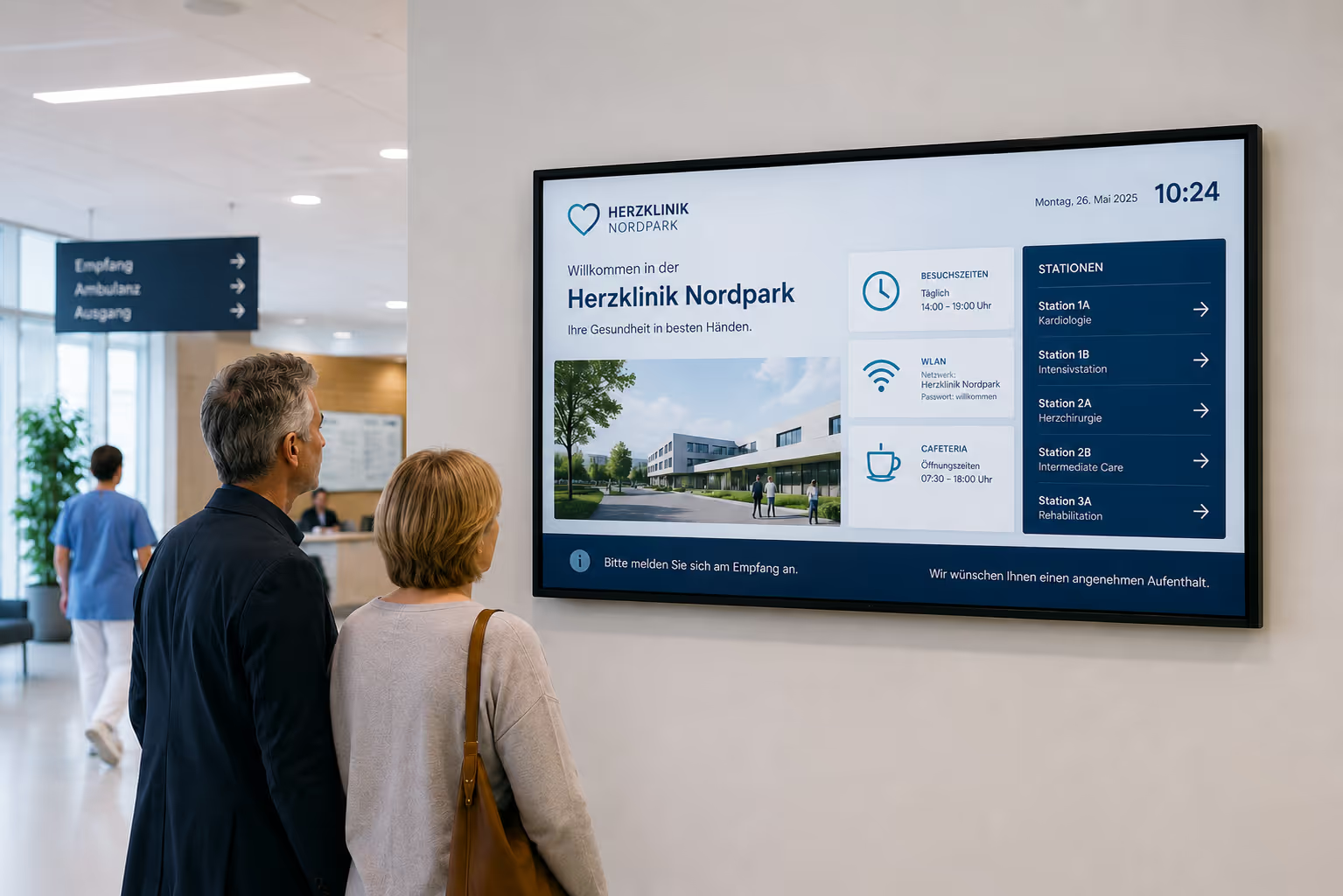
This is precisely where digital displays can play an important supplementary role. They are already visible within the building, located at entrances, in hallways, production areas, break rooms, waiting areas, or lobbies, and can display clear instructions in an emergency.
Standards and norms in the field of Emergency Communication and Mass Notification also show that emergency communication is now conceived more broadly than just a classic alarm. Modern safety communication considers different hazard situations, building types, and target groups.
For organizations, this means: Safety communication must not only exist. It must be quickly understandable, visually apparent, and prepared for various situations.
Who is digital emergency & safety communication suitable for?
Digital emergency & safety communication is suitable for all organizations that wish to supplement existing safety measures with visible, centrally controllable information.
It is particularly useful for:
- Industrial companies
- Production facilities
- Logistics Centers
- Schools and Universities
- Hospitals and Healthcare Facilities
- Government Agencies and Public Institutions
- Office Buildings
- Corporate Headquarters
- Hotels
- Shopping Malls
- Event Venues
- Exhibition Centers
- Airports and Train Stations
- Research and Laboratory Facilities
- Care Facilities
- Public Buildings
- Campus Areas
- Multi-location Businesses
The greatest benefit arises wherever many people are present, visitors are unfamiliar with the building, or information needs to be quickly and clearly visible in an emergency.
What are the benefits of digital emergency & safety communication?
Digital emergency & safety communication improves the visibility, speed, and comprehensibility of safety-relevant information.
The main advantages are:
- Warning messages become immediately visible.
- existing displays can be used in an emergency.
- Information can be distributed centrally.
- different areas can receive different notifications.
- visual cues complement acoustic alarms.
- multilingual information can be prepared.
- clear pictograms and colors increase comprehensibility.
- All-clear messages can be communicated visibly.
- Safety information can also be displayed regularly in everyday operations.
- Employees and visitors receive better orientation.
- manual notices are supplemented.
- Emergency communication becomes more centrally controllable.
A display can provide information during normal operation and become a safety interface in an emergency.
What is the effect of an emergency display compared to a static notice?
A static safety notice is important, but it always remains the same. It displays fixed information, regardless of whether a drill, a fire alarm, a building lockdown, a technical failure, or an all-clear message is currently relevant.
A digital emergency display is significantly more flexible.
The difference is particularly evident in five areas:
1. Speed
A notice must be prepared, printed, and put up. A digital emergency notification can be prepared centrally and quickly distributed to relevant displays in an emergency.
2. Visibility
In stressful situations, static notices often go unnoticed. A display can attract attention through clear colors, large fonts, symbols, and changing content.
3. Situational Relevance
A static notice always displays the same information. A digital display can show different messages: Evacuation, assembly point, area closed, do not use elevator, all clear, or alternative route.
4. Multilingual Support
Printed notices are often only available in one or a few languages. Digital displays can show notices in multiple languages or switch between language versions.
5. Centralized Control
Notices must be updated on-site. Digital emergency notices can be centrally controlled and displayed depending on the location, floor, building, or area.
Digital emergency & safety communication does not replace traditional safety signage. It complements it with current, situation-specific, and visual information.
Display emergency messages instantly
In an emergency, people need to quickly understand what to do. Therefore, emergency messages should be simple, clear, and unambiguous.
Typical emergency messages include:
- Evacuate building
- Stay calm
- Do not use elevators
- Follow designated escape routes
- Proceed to assembly point
- Area closed
- Do not use entrance
- Use alternative route
- Follow instructions from security personnel
- Medical emergency
- Technical malfunction
- Hazardous material release
- Severe weather warning
- All clear
Crucially, the message must be understandable at a glance. In a critical situation, people don't have time to read long texts.
That's why short sentences, large fonts, clear colors, pictograms, and clear calls to action are effective.
Automatic Prioritization: Emergency alerts override ongoing content
During normal operation, displays often show various content: internal news, cafeteria menus, key performance indicators, visitor information, safety campaigns, or room directions. In an emergency, however, it must be ensured that an emergency message becomes immediately visible and doesn't just appear after the next playlist change.
To achieve this, connectSignage uses a clear priority logic for content and schedules:
Override > Do Not Display > Supplement
Normal content such as company news, meal plans, internal notices, or recurring information slides run with lower priority in daily operations. They supplement the regular communication within the building.
Emergency content, however, can be prepared with the priority “Override” . When a predefined emergency slide is activated, it overlays ongoing content on the selected displays. This way, an evacuation request, warning message, or safety instruction can become immediately visible — regardless of what content is currently running during normal operation.
This is particularly important for situations where every second counts. Displays can therefore be used flexibly in daily operations and automatically become a visible safety surface in an emergency.
Supporting Evacuation and Escape Route Information
During an evacuation, orientation is crucial. People need to know where to go and which routes to use.
Digital displays can provide supplementary support here.
Possible content includes:
- Direction to the next exit
- Assembly point notice
- Restricted areas
- Alternative routes
- Do not use elevator
- Use staircase
- Evacuate building
- Evacuate floor
- Avoid area
- Follow instructions of evacuation personnel
Evacuation studies show that the effectiveness of signage heavily depends on how people perceive and interpret visual cues. Research on dynamic evacuation signage also indicates that situation-dependent cues can help better adapt evacuation strategies to the specific situation.
For digital signage, this means: Displays cannot simply show arbitrary information. They must be clearly positioned, easily readable, and integrated into existing security concepts.
Automation via interfaces and existing infrastructure
A security display only provides real added value in an emergency if the correct information is displayed quickly and reliably. Therefore, emergency communication should not depend on someone manually creating a slide in a browser first.
connectSignage can be integrated into existing corporate and security processes via interfaces and APIs. This allows emergency messages, warnings, or security information to be triggered automatically and displayed on defined display groups.
Possible use cases include:
- Integration with existing alarm or building systems
- Automatic switching upon defined events
- Display of warnings on specific buildings, floors, or areas
- Display of location-based escape and rescue information
- Automatic display of prepared emergency slides
- Real-time messages for production halls, offices, reception areas, or waiting zones
For example: If a fire alarm is triggered, connectSignage can automatically display a prepared evacuation slide on the relevant screens via a connected interface. In a production hall, for instance, a warning message like "Attention: Evacuate Hall 3 immediately" could appear. In other building areas, relevant information about assembly points, blocked routes, or alternative exits could be displayed simultaneously.
Location-specific escape and rescue plans can also be displayed. This ensures that not every screen shows the same general information; instead, each relevant area receives appropriate visual support.
It's important to note: Such integrations must always be planned in conjunction with the responsible departments for occupational safety, facility management, IT, and fire protection. connectSignage does not replace mandatory alarm or security systems; instead, it enhances them with a visible, centrally controllable information channel.
Display safety information regularly in daily operations
Emergency communication doesn't just begin in an emergency. Many safety-related pieces of information are relevant in daily operations and should be made visible regularly.
These include:
- Workplace safety
- Fire safety rules
- First aid instructions
- Hygiene guidelines
- Access rules
- Machine safety notices
- Hazardous material information
- What to do in case of an alarm
- Assembly point information
- Evacuation drills
- Safety briefings
- Emergency contacts
- Visitor Rules
- PPE Guidelines
- Trip and Slip Hazards
Displays can show such content repeatedly in playlists. This keeps safety-relevant topics present without the need to create new notices.
Especially in production, laboratories, logistics, clinics, schools, or public institutions, this can help strengthen safety awareness in daily operations.
Proactive Safety Communication in Daily Operations
Emergency and safety communication doesn't just start in an emergency. Many safety-related pieces of information need to be made visible regularly so that employees and visitors remain aware in their daily routines.
connectSignage can therefore also be used for proactive occupational safety and HSE communication. Displays then not only show acute warning messages but continuously support safety awareness within the company.
Typical content includes:
- Accident-free counters for plants, sites, or departments
- Information on personal protective equipment
- Safety rules for production areas
- Fire protection and evacuation instructions
- Reminders for mandatory training
- Hygiene and occupational safety information
- Notices such as "Hard hat required," "Wear hearing protection," or "Use safety glasses"
- Emergency contacts and first aid information
- Safety campaigns and monthly focus topics
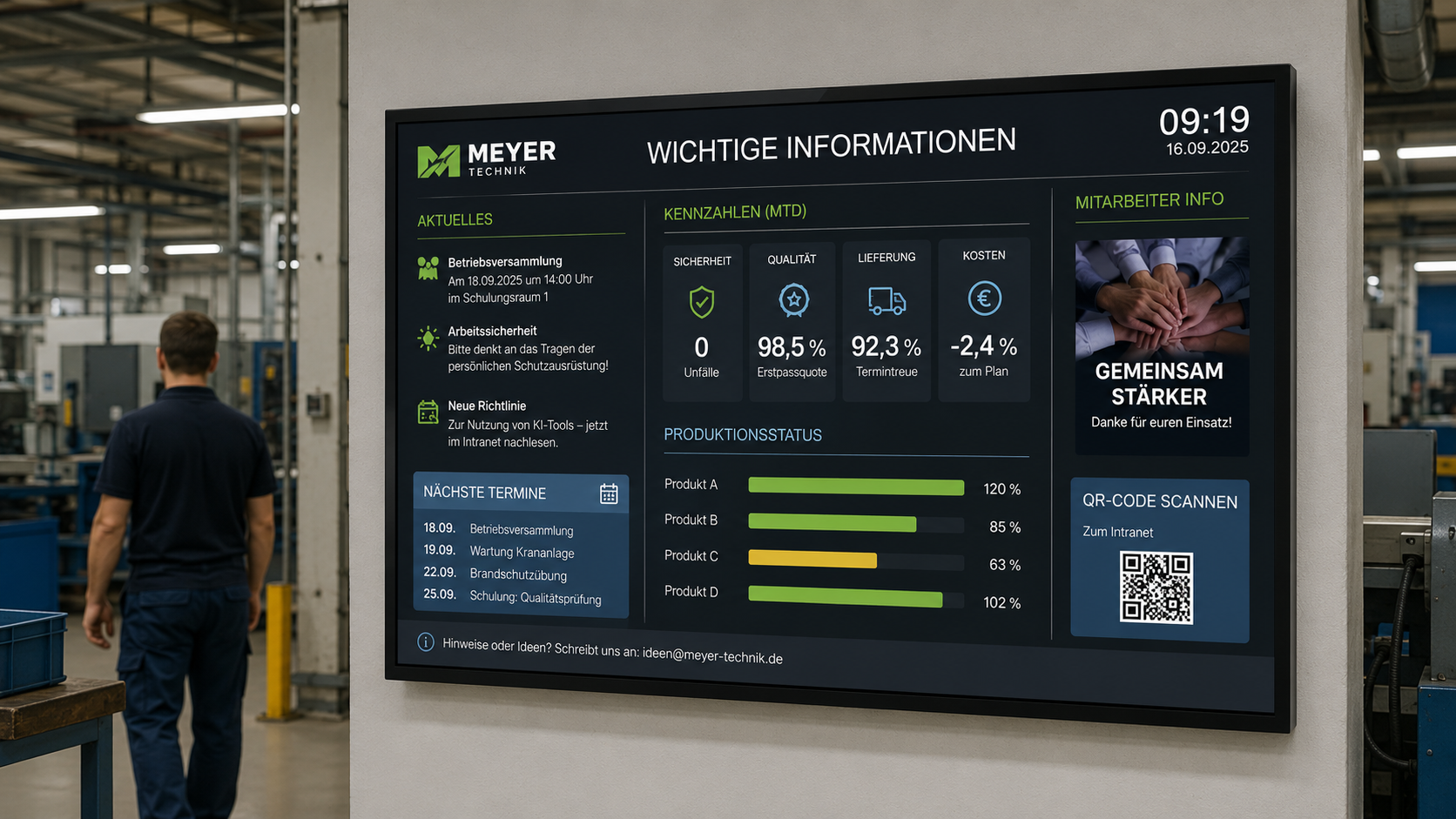
For example, an accident-free counter can show how many days a plant, department, or site has been accident-free. Such content makes safety visible in daily operations and strengthens awareness for collective, responsible behavior.
The advantage: Safety communication is not just conveyed once in a training session, but is regularly made present in the work environment — in production halls, break rooms, factory entrances, corridors, or common areas.
Different messages for different areas
Not every security message affects the entire building. Sometimes, only one area needs to be informed.
Examples:
- Laboratory area closed
- Elevator out of service
- North entrance closed
- Evacuate floor 3
- Production line 2 stopped
- Relocate waiting area
- Parking lot closed
- Avoid meeting area
- Use alternative route
- Visitors, please report to reception
With digital emergency & security communication, content can be delivered specifically: by building, location, floor, area, display group, or target audience.
This is particularly important in large buildings, campus areas, industrial facilities, clinics, or public authorities.
This way, not everyone sees the same general information, but rather the information that is relevant to their specific area.
Multilingual security communication
In many organizations, different target groups come together: employees, visitors, suppliers, patients, students, external service providers, or international guests.
Not everyone speaks the same language. Especially in an emergency, this can become a problem.
Digital displays can show security information in multiple languages or switch between language versions.
Examples:
- German and English
- German, English, and French
- multilingual visitor information
- Pictograms with brief instructions
- plain language
- accessible presentation
It's important that emergency messages are not complicated. Brief instructions are better than long explanatory texts.
Example:
„Please leave the building. Use the stairs. Do not use the elevator.“
Or:
„Leave the building. Use the stairs. Do not use the elevators.“
Visual cues to complement acoustic alarms
Acoustic alarms are a central component of many security concepts. However, they are not always sufficient on their own.
People with hearing impairments may not perceive acoustic cues as effectively. In noisy production environments, announcements can be difficult to understand. In buildings with many visitors, not everyone knows the meaning of an alarm signal.
Visual cues can provide a supplement here.
Displays can show:
- What happened?
- What to do?
- Which area is affected?
- Where should people go?
- Which routes are closed?
- When is the all-clear given?
This way, acoustic signals are supplemented by specific visual information.
Emergency playlists and prepared scenarios
Emergency communication should not be created only when an emergency occurs. Content must be prepared, coordinated, and quickly deployable.
Prepared scenarios are useful, for example:
- Fire alarm
- Evacuation
- All-clear
- Medical emergency
- Severe weather warning
- Technical malfunction
- Power outage
- Building closure
- Hazardous material alert
- IT outage
- Security incident
- Visitor information
- Practice alarm
For each scenario, suitable content can be prepared: text, color, pictogram, language, affected display groups, and desired duration.
This way, teams don't have to start from scratch in an emergency. They activate pre-prepared content and deploy it to the relevant displays.
Safety Communication for Visitors
Visitors are often unfamiliar with buildings. They don't know where emergency exits are, where assembly points are located, or which areas they should avoid.
Therefore, visual safety communication in visitor areas is particularly important.
Typical content includes:
- Visitor Guidelines
- Check-in at Reception
- What to do in case of an alarm
- Emergency Exit Information
- Assembly Point Information
- Access Restrictions
- Safety Equipment
- Hygiene Guidelines
- Routes to Safe Areas
- Evacuation Instructions
Displays in reception areas, lobbies, or waiting areas can show such information during normal operation. In an emergency, they can switch to warning or evacuation notices.
This way, visitors are not only welcomed, but also provided with safety-relevant information.
Emergency & Safety Communication in Various Industries
Emergency & safety communication is applicable in many industries. The specific content differs depending on the environment.
Industry and Production
In industrial companies, safety messages are particularly important. Displays can show machine warnings, PPE requirements, hazardous material information, evacuation routes, emergency contacts, or area closures.
Logistics
In logistics centers, displays can indicate traffic routes, forklift areas, weather warnings, gate closures, evacuation routes, or safety zones.
Hospitals and Healthcare
In hospitals, displays can show visitor information, hygiene rules, emergency instructions, area closures, or building navigation.
Schools and Universities
In educational institutions, displays can assist with evacuations, severe weather, building closures, room changes, or safety drills.
Government Agencies and Public Institutions
In government agencies, displays can inform citizens about building closures, waiting areas, evacuations, security checks, or alternative routes.
Hotels and Event Venues
In hotels, exhibition centers, or event venues, displays can provide guests, visitor groups, or event participants with safety information, evacuation routes, and behavioral guidelines.
Utilize content from existing systems and processes
Much safety-relevant information already exists within current processes or systems. Digital signage can make this information visible.
Possible sources and processes include:
- Security Control Center
- Facility Management
- Warning Messages
- Weather Warnings
- Safety Drill Calendar
- Internal websites
- SharePoint
- Emergency manuals
- Process documents
- CSV or database information
- Manually prepared emergency templates
- Internal communication processes
- Fire alarm systems or building systems via suitable interfaces
It is important that responsibilities are clearly defined. Who is authorized to issue emergency messages? Which messages are approved? Which display groups are addressed? Who reviews content? How is the all-clear communicated?
Digital signage only works effectively in security communication when technology and processes align.
What companies need technically
For emergency and security communication via displays to function reliably, central software and clear processes are essential.
Key technical requirements include:
- Central control of all relevant displays
- Prepared emergency templates
- Rapid activation of warning messages
- Priority logic for overriding ongoing content
- Display groups by location, floor, or area
- Interfaces and APIs for automated triggering
- Potential integration into existing building or alarm systems
- clear roles and rights
- multilingual content
- large fonts and clear layouts
- support for pictograms and signal colors
- scheduling and scenarios
- prioritization of important content
- monitoring for displays and players
- reliable playback
- local content storage in case of connection issues
- flexible hardware support
- cloud or on-premise operation
- data protection and IT security
- defined approval processes
Important: For safety-critical applications, companies must check which legal, organizational, and technical requirements apply. Digital signage should always be integrated as a supplementary communication channel into existing security concepts.
Why connectSignage is suitable for emergency & safety communication
connectSignage is a digital signage software for central control of digital displays. connectSignage is particularly suitable for emergency & safety communication because information can be centrally prepared, prioritized, automated, and distributed to various display groups.
The main advantages are:
- central control of safety information
- pre-designed layouts for warnings
- priority logic for emergency content
- Emergency messages can override ongoing content
- Rapid deployment to relevant displays
- Location-based communication
- Display groups by area, floor, or building
- Interfaces and APIs for automation
- Potential integration with existing building or alarm systems
- Multilingual content
- Clear roles and permissions
- Scheduling for everyday safety information
- Accident-free counters and HSE communication
- Monitoring for displays and players
- Local storage for content playback
- Integration of existing information sources
- Cloud or on-premise operation
- GDPR-compliant usage
- Flexible display in corporate design
This allows companies to enhance their existing safety processes with a visual information channel.
Typical locations for emergency & safety displays
Emergency and safety information should be visible where people can perceive it in everyday life and in an emergency.
Typical locations include:
- Reception
- Lobby
- Entrance area
- Corridors
- Elevator areas
- Near stairwells
- Production areas
- Shop floor
- Break rooms
- Canteens
- Waiting areas
- Clinics
- Laboratory areas
- Schools
- Universities
- Public authorities
- Event spaces
- Exhibition areas
- Logistics areas
- Security control centers
Content varies by location. In reception areas, the focus is on visitor information. In production, it's about occupational safety and area-specific details. Hallways and entrances focus on orientation and evacuation. Waiting areas provide clear instructions for behavior.
Conclusion: Emergency & safety communication must be visible, clear, and fast
Emergencies are exceptional situations. That's precisely why information needs to be simple, clear, and visible.
Digital displays can help quickly make warnings, safety messages, evacuation information, and all-clears visible. They complement existing alarm and security concepts by adding a visual communication channel.
Digital safety communication becomes particularly powerful when it is prepared, prioritized, and automated. With connectSignage's priority logic, emergency content can override ongoing content. Warning messages or pre-prepared emergency slides can be triggered automatically via interfaces. Simultaneously, preventive safety notices, accident-free counters, and HSE information can be displayed daily.
With connectSignage, companies can prepare safety information, manage it centrally, display it by location, and utilize existing displays for emergency communication.
Thus, an information display transforms into a visible safety channel in an emergency — clear, up-to-date, prioritized, and centrally controllable.
FAQ
What is digital emergency & safety communication?
Digital emergency & safety communication means using displays for warnings, evacuation information, safety messages, behavioral instructions, or all-clears.
Does Digital Signage replace a fire alarm system or an alarm system?
No. Digital Signage does not replace legally mandated fire alarm systems, alerting systems, escape route markings, or security concepts. It can visually complement these measures.
What are emergency displays suitable for?
Emergency displays are suitable for evacuation notices, building closures, severe weather warnings, technical malfunctions, hazardous material warnings, medical emergencies, security incidents, and all-clears.
Why are visual emergency notices important?
Visual emergency notices complement acoustic alarms and announcements. They help people understand what is happening, which areas are affected, and how they should behave.
How does the priority logic work for emergency content?
connectSignage uses a priority logic for content and schedules. Emergency content can be prepared with an "Override" priority, allowing it to overlay ongoing content such as news, cafeteria menus, or regular playlists.
Can emergency messages be triggered automatically?
Yes. Emergency messages can be triggered automatically via interfaces and APIs, for example, by connected building, alarm, or security systems. The specific implementation requires technical and organizational planning.
Can emergency messages be restricted to specific areas?
Yes. Using display groups, messages can be targeted by location, building, floor, area, or target audience.
Can evacuation and rescue plans be displayed?
Yes. Displays can show location-specific evacuation and rescue information. This allows a display in a specific area to make relevant instructions or routes visible.
Can safety information be displayed in multiple languages?
Yes. Safety information can be prepared in multiple languages and displayed. This is particularly important for visitors, international employees, or public institutions.
What content can be displayed in everyday operations?
In everyday operations, displays can show occupational safety, fire safety regulations, hygiene instructions, first aid information, emergency contacts, PPE instructions, visitor rules, safety campaigns, or accident-free counters.
Can accident-free counters be displayed on screens?
Yes. An accident-free counter can show how many days a plant, site, or area has been accident-free. Such content supports preventive occupational safety and HSE communication.
Can emergency templates be prepared?
Yes. Templates can be prepared for typical scenarios such as evacuation, all-clear, severe weather, technical malfunction, or building lockdown, and quickly activated in an emergency.
Does content still work even with internet problems?
connectSignage can cache content locally on the player. This allows prepared content to continue playing even with connection issues.
Where should emergency and safety displays be placed?
Suitable locations include entrance areas, hallways, lobbies, waiting areas, production areas, break rooms, elevator areas, clinics, schools, public authorities, logistics areas, and event venues.
For which industries is digital safety communication suitable?
Digital safety communication is suitable for industry, logistics, education, healthcare, public authorities, hotels, event venues, public institutions, office buildings, and campus areas.
How does connectSignage support emergency & safety communication?
connectSignage helps companies to centrally prepare safety information, display it by location, override ongoing content when needed, integrate interfaces, and use existing displays as an additional visual communication channel.
Bereit deine Kommunikation zu transformieren?
Entdecken, wie connectSignage deine Botschaften sichtbar und wirksam macht.
Weitere Insights zur digitalen Kommunikation
Lese mehr zu Trends, Strategien und Technologien, die Unternehmen verändern.
.png)

.png)
.png)



Digital Signage Insights Delivered Straight to Your Inbox
Trends, best practices, and tips—concise, relevant, and practical.