
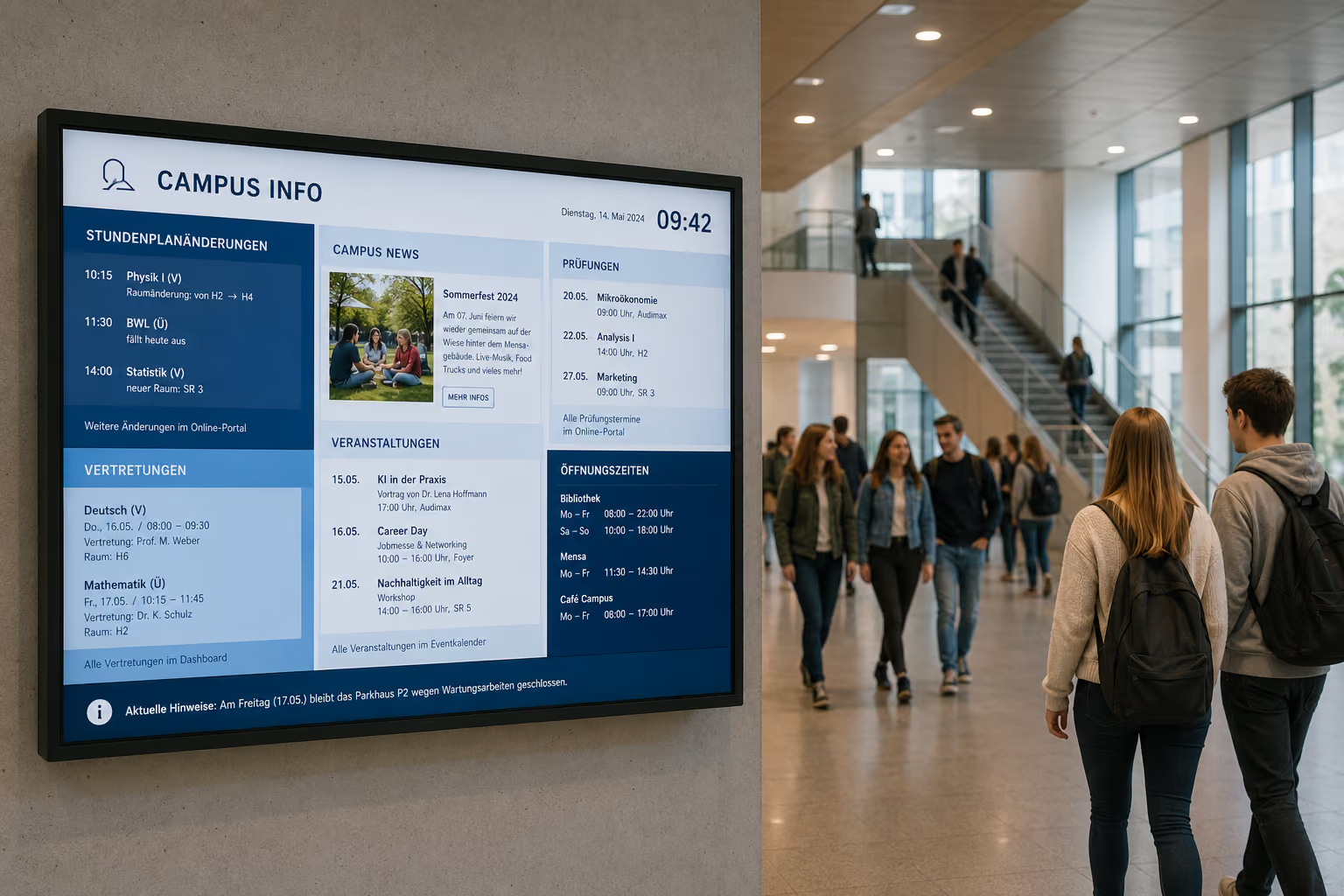
From Bulletin Board to Digital Campus
In schools, universities, and educational institutions, information changes every day. Substitution schedules, room changes, exam dates, cafeteria menus, events, deadlines, and important announcements must be quickly visible.
At the same time, traditional notice boards are often cluttered, outdated, or only visible in one location. Anyone looking for information has to go to the secretary's office, the staff room, the intranet, or the right display case in the hallway.
This is exactly where digital signage in education comes in.
In brief: Digital signage for schools and universities refers to the use of digital displays to centrally broadcast substitution schedules, room changes, appointments, cafeteria menus, campus news, emergency alerts, and internal announcements. With connectSignage, educational institutions can centrally manage content for foyers, hallways, auditoriums, cafeterias, staff rooms, seminar rooms, campus buildings, and multiple locations.
Digital displays not only replace printed notices. They make school and campus communication more current, visible, and easier to manage — right where pupils, students, teachers, parents, and visitors need information.
Why communication in educational institutions is particularly challenging
Educational institutions communicate with many different target groups. Pupils, students, teachers, lecturers, parents, visitors, administration, facility management, and external partners each require different information.
At the same time, content changes at very short notice. Rooms change, classes are cancelled, substitutions arise, exam deadlines expire, events are announced, and safety information must be reliably visible.
Typical challenges in schools and universities include:
- Substitution schedules and room changes must be published quickly.
- Notices in the hallway become outdated or are overlooked.
- Administrative offices answer many recurring questions daily.
- New pupils, students, and visitors do not immediately find their way around.
- Cafeteria menus, appointments, and deadlines must be regularly updated.
- Information does not reach staff rooms, foyers, auditoriums, and campus buildings simultaneously.
- Project work, awards, and community content receive too little visibility.
- Data protection and youth protection must be given special consideration in digital systems.
- In an emergency, critical information must immediately appear on all relevant displays.
Digital signage creates a central, visual communication platform specifically for these requirements. Content can be prepared, scheduled, automatically updated, and strategically displayed on individual screens, areas, or locations.
Why digital communication is becoming more important in education
The digitalization of schools and universities remains a central topic. Educational institutions are increasingly using digital devices, learning platforms, administrative software, and online communication in their daily operations.
According to Bitkom, the study "How digital are Germany's schools?" examines the status quo of digitalization in schools, including equipment, technical prerequisites, the use of digital media, and challenges in daily school life. This shows: Digital infrastructure is not just a topic for lessons, but also affects organization, communication, and administration.
The digital signage market is also growing significantly. The global digital signage market was estimated at approximately 22 billion US dollars in 2024 and is projected to grow to around 49.4 billion US dollars by 2034. This makes digital information systems increasingly important across all industries — including for education, campus communication, public buildings, and internal communication.
For schools and universities, this means: Digitalization doesn't stop at tablets, learning platforms, or online portals. Information must also be visible within the building — in the foyer, hallways, cafeteria, outside rooms, in the staff room, or on campus.
Who can benefit from digital signage in education?
Digital signage is suitable for schools, vocational schools, universities, technical colleges, academies, continuing education institutions, boarding schools, educational providers, campus locations, libraries, cafeterias, and school administrations.
Digital signage is particularly useful wherever many people quickly need up-to-date information.
These include:
- School foyers
- Main entrances
- Hallways
- Auditorium
- Staff rooms
- Faculty areas
- Cafeteria and canteen
- Libraries
- Seminar rooms
- Lecture halls
- Administrative areas
- Campus buildings
- Dormitories
- Sports halls
Educational institutions with multiple buildings or locations also benefit, because content can be centrally managed yet displayed specifically for each location.
What are the benefits of Digital Signage for schools and universities?
Digital Signage improves orientation, internal communication, substitute teacher scheduling, campus communication, cafeteria communication, and safety communication. Digital displays show current announcements, room changes, substitute schedules, appointments, menus, events, project content, and emergency messages.
The most important use cases in education are:
- digital bulletin board
- digital substitute schedules
- Welcome screens
- digital wayfinding
- Cafeteria and dining hall displays
- Information displays for deadlines and appointments
- Community and project spaces
- Social media and RSS feeds
- Staff room and faculty displays
- Meeting room and room booking displays
- Emergency and Safety Communication
- multilingual and accessible information displays
Each of these use cases serves a different purpose. Together, they ensure that information is more current, visible, and integrated into the daily life of the educational institution.
Digital Notice Board: The modern replacement for the glass display case
The traditional glass display case in the hallway is often too slow for modern educational communication. Printed notices need to be created, put up, taken down, and regularly checked. When information becomes outdated, it leads to queries and uncertainty.
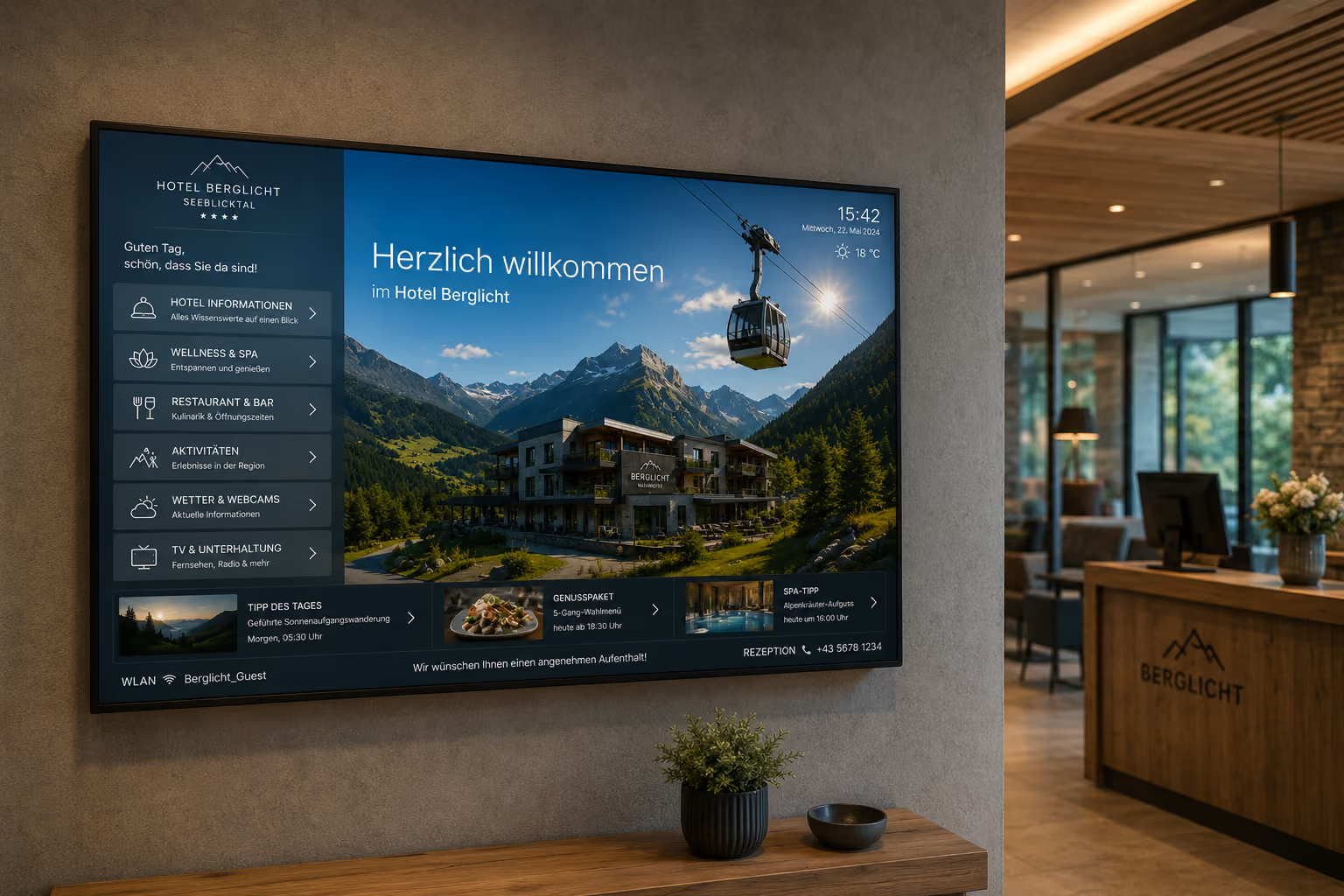
A digital notice board makes current information centrally visible. It displays substitution schedules, room changes, appointments, events, deadlines, cafeteria menus, internal announcements, and important notices on digital screens.
Typical content for a digital notice board in schools and universities includes:
- Substitution schedules
- Room changes
- Class cancellations
- Exam dates
- Registration deadlines
- Parent-teacher evening notices
- School festivals and events
- Cafeteria menus
- Internal announcements
- Notices from the school administration
- Campus news
- Job or internship notices
- Important announcements
With connectSignage, school administration, office staff, or management can centrally maintain content and display it on screens in the foyer, hallways, staff rooms, or campus buildings.
Display substitution schedules in real-time
Substitution schedules are among the most important information in daily school life. When classes are cancelled, rooms change, or last-minute alterations occur, students and teachers need to be informed quickly.
Through interfaces with common school management software like Untis, substitution schedules, room changes, or cancellations can be automatically displayed on screens. This eliminates the need for manual data transfer or printing.
A digital substitution schedule is particularly suitable for:
- Foyers
- Entrance areas
- Hallways
- Auditorium
- Staff rooms
- Office areas
- School buildings with multiple wings
The advantage: Changes become visible more quickly. Students don't have to ask at the office, teachers stay informed, and daily school life becomes more transparent.
Centralized control for schools, universities, and multiple locations
In educational institutions, information originates from many different places. School administration, office staff, management, departments, cafeteria, library, or public relations all want to publish content.
With central digital signage software, this content can be managed via a single interface and displayed selectively. The school administration can publish general announcements, the office staff can add substitution information, the cafeteria can display the menu, and public relations can announce events.
Examples of centralized control:
- Display news for the entire school
- Automatically display cafeteria menus by weekday
- Display parent-teacher evening notices only in the foyer
- Display internal information only in the staff room
- Publish campus news simultaneously across multiple buildings
- Display deadlines only in specific departments
- Manage content separately for different locations
This keeps communication consistent without every piece of information having to be manually maintained in multiple locations.
Welcome Screens: Greeting and orientation at the entrance
Especially at the start of a new school year, semester, or event day, the need for information is particularly high. New pupils, students, parents, and visitors need to quickly know where to go.
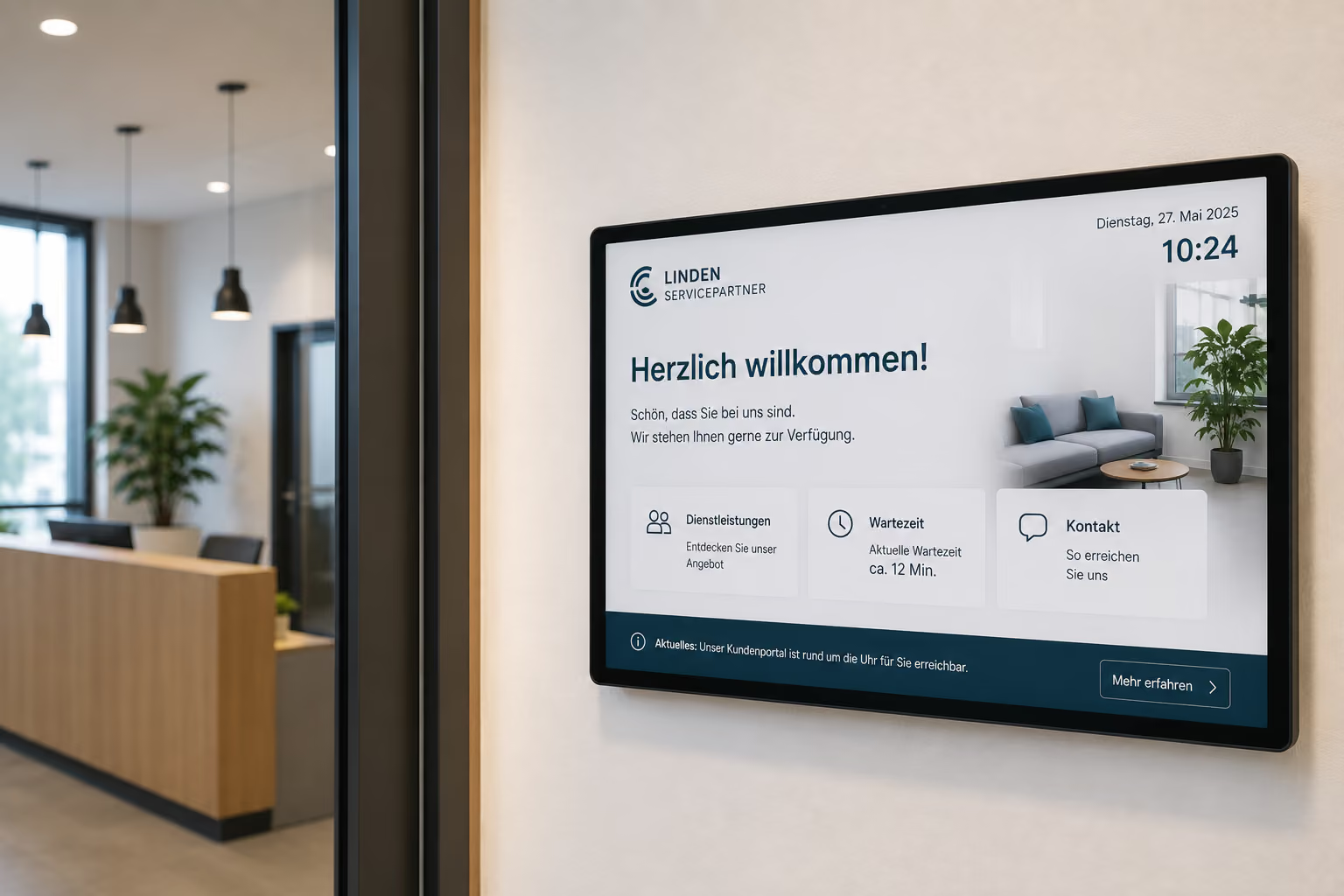
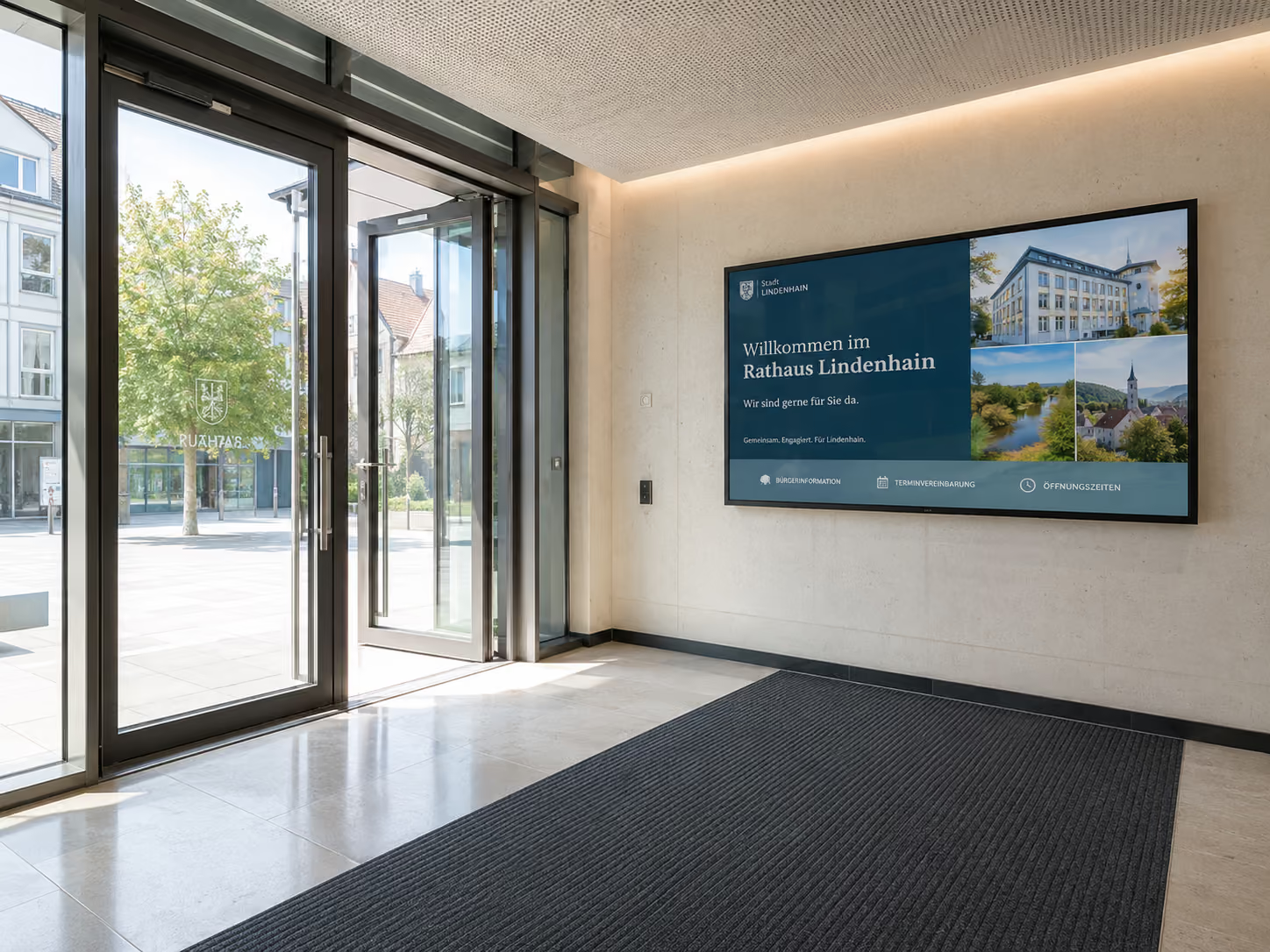
Welcome screens in the entrance area create a clear first point of contact. They welcome visitors and display important information immediately upon arrival.
A welcome screen can display, for example:
- Welcome for the start of the school year or semester
- Information for new pupils or students
- Room details for parent evenings
- Information regarding exams or information events
- Today's events
- Site maps and directions
- Weather information
- Event ticker
- QR codes for digital portals
- important announcements
Especially during parent-teacher conferences, open days, exams, or university events, welcome screens improve the first impression and relieve the burden on the secretariat, reception, and administration.
Digital Wayfinding: Navigation on Campus and in School Buildings
School buildings, universities, and campus locations can be difficult to navigate. New classes, first-year students, parents, external visitors, and service providers don't always immediately find rooms or buildings.
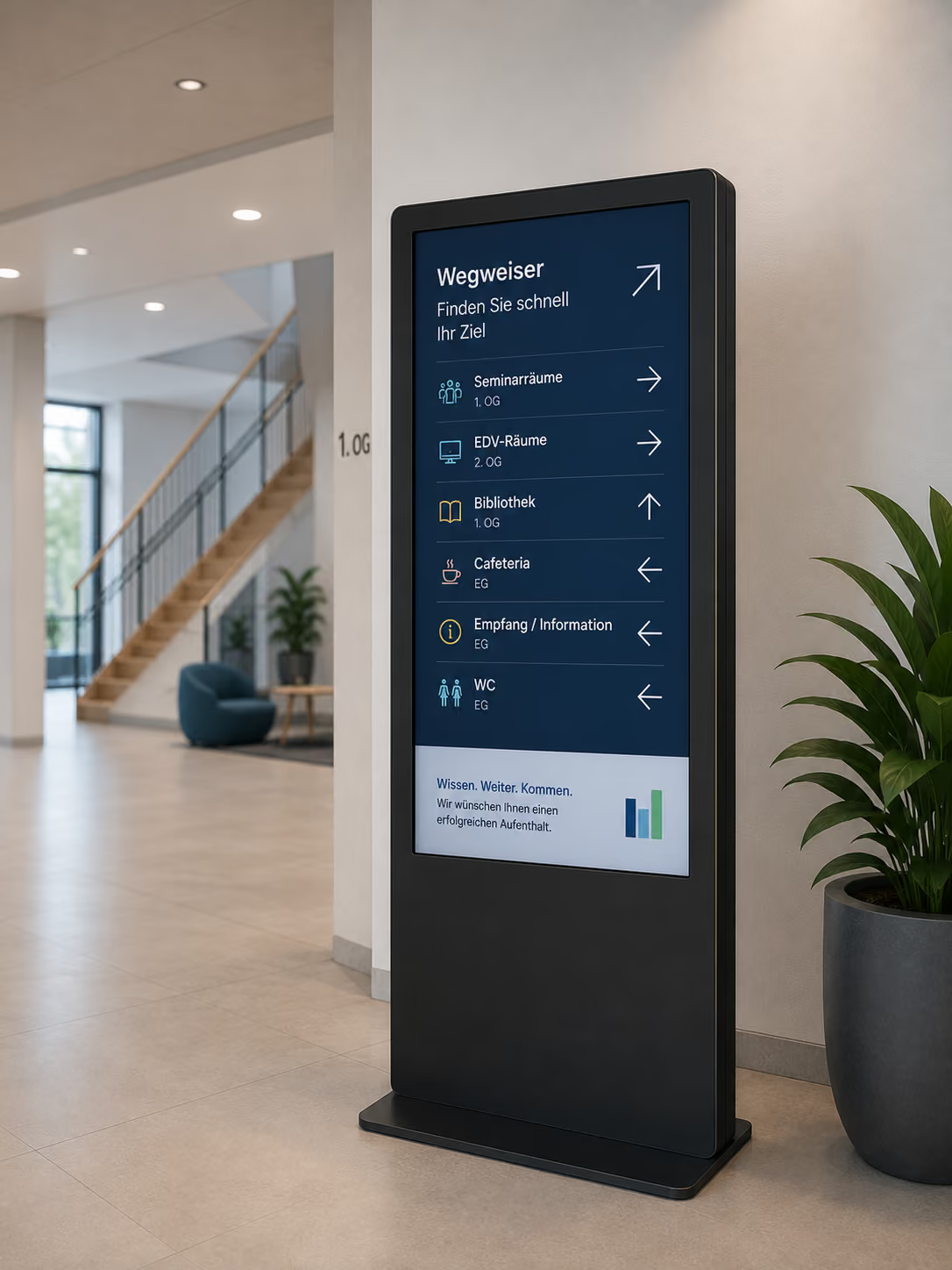
Digital wayfinding helps make routes visible and easy to understand. Displays can show site maps, building overviews, floor plans, room lists, event locations, or accessible routes.
Digital wayfinding is particularly helpful for:
- School buildings with multiple wings
- Campus locations
- Universities with multiple buildings
- Vocational school centers
- Administrative areas
- Parent-teacher conferences
- Exams
- Open days
- Events in auditoriums or lecture halls
- Visitor groups
If rooms change, building sections are closed, or events are moved to different locations, digital wayfinding signs can be updated centrally. Printed signs do not need to be replaced at short notice.
Information on the Go: Displaying Deadlines, Appointments, and Announcements
Many important pieces of information are not actively sought out but need to be noticed in everyday life. This is exactly where digital displays help.
In passing, pupils, students, and staff can take in important information — such as deadlines, appointments, or last-minute announcements.
Typical content includes:
- Re-registration deadlines at universities
- Submission Deadlines for Term Papers
- Exam Dates
- Room Changes
- Parent-Teacher Evening Information
- Information on Academic Advising
- Library Hours
- Office Hours for Secretariat or Examination Office
- Sports or Cultural Events
- Project Weeks
- School Festivals
- Awards
Through central control, content can appear precisely where it is relevant: in the foyer, in front of the examination office, in departments, in the staff room, in the cafeteria, or on campus.
Canteen and Cafeteria Displays: Automatically Show Menus
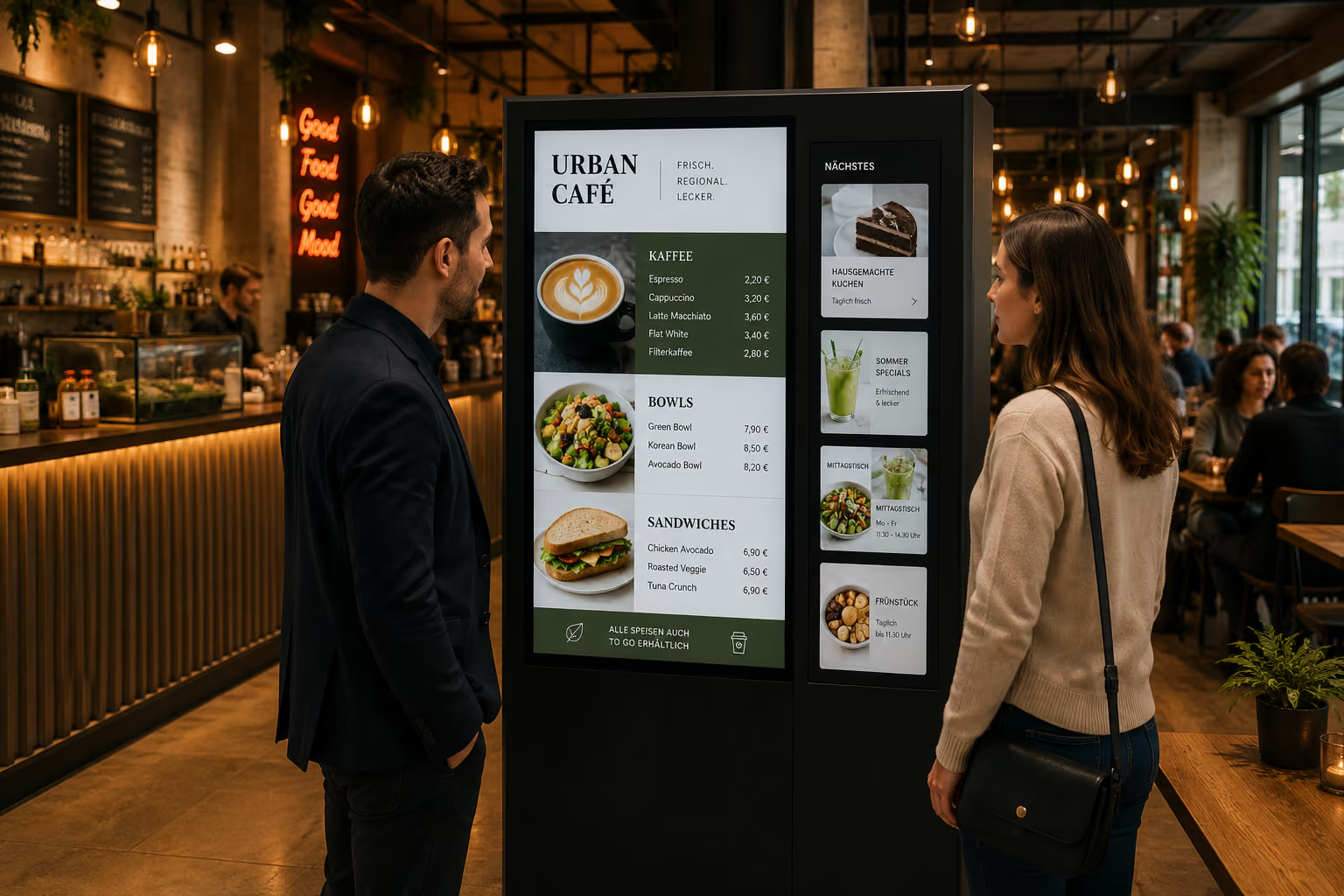
Canteens and cafeterias are important meeting points in schools and universities. Here, digital displays can show menus, prices, allergens, opening hours, or current announcements.
A digital menu can be automatically controlled by day of the week. On Mondays, the Monday menu appears; the next day, the Tuesday menu automatically appears. Seasonal offers, short-term changes, or sold-out dishes can be made visible more quickly.
Typical content for Canteen Displays includes:
- Menus
- Daily Specials
- Prices
- Allergens and Information
- Opening hours
- vegetarian or vegan options
- Special offer weeks
- Information on payment methods
- QR codes for feedback or menus
This reduces inquiries and makes cafeteria communication more up-to-date and organized.
Community and Media Hubs: Showcasing Projects
Modern educational institutions thrive on participation. Project weeks, art courses, competitions, school trips, sports achievements, awards, or university projects deserve visibility.
Digital displays can serve as media hubs or community spaces. They showcase photos, videos, project work, presentations, or contributions from school life.
Possible content includes:
- Project week outcomes
- Art projects
- Photos from school trips
- Awards
- Competition achievements
- Student newspaper
- University projects
- Research projects
- Campus initiatives
- Sports and cultural events
This fosters community spirit and makes visible what is happening in the educational institution. Students and faculty feel their work is recognized.
Integrate Social Media and RSS Feeds
Many schools and universities already communicate via their website, social media, or news feeds. Digital signage can make these channels visible within the building.
School-specific social media channels, RSS feeds, news tickers, or event calendars can be integrated into displays. This way, digital content is not only published online but also made visible in the foyer, hallways, cafeteria, or on campus.
Typical examples include:
- Instagram posts from the school or university
- Website news
- Event calendars
- RSS feeds
- University announcements
- School news
- Weather information
- Sports results
- Campus news
This allows educational institutions to reach their target audiences in their daily lives on-site — where students and staff are present every day.
Staff Room and Faculty Displays: Better distribution of internal information
Not all information is intended for students. Teachers, lecturers, and administrative teams also need up-to-date internal information.
Displays in the staff room or faculty area can show internal announcements, room occupancy, appointments, cover information, or organizational notices.
Typical content includes:
- Internal appointments
- Conferences
- Room schedules
- Supervision schedules
- Substitute information
- Professional development
- IT notices
- Exam organization
- Notices from school administration
- Internal announcements
This can make internal communication more visible and reliable, especially in larger educational institutions or universities with multiple buildings.
Meeting Room and Room Booking Displays: Organize rooms more easily
Schools and universities use many rooms for classes, meetings, seminars, exams, workshops, parent-teacher evenings, or project groups.
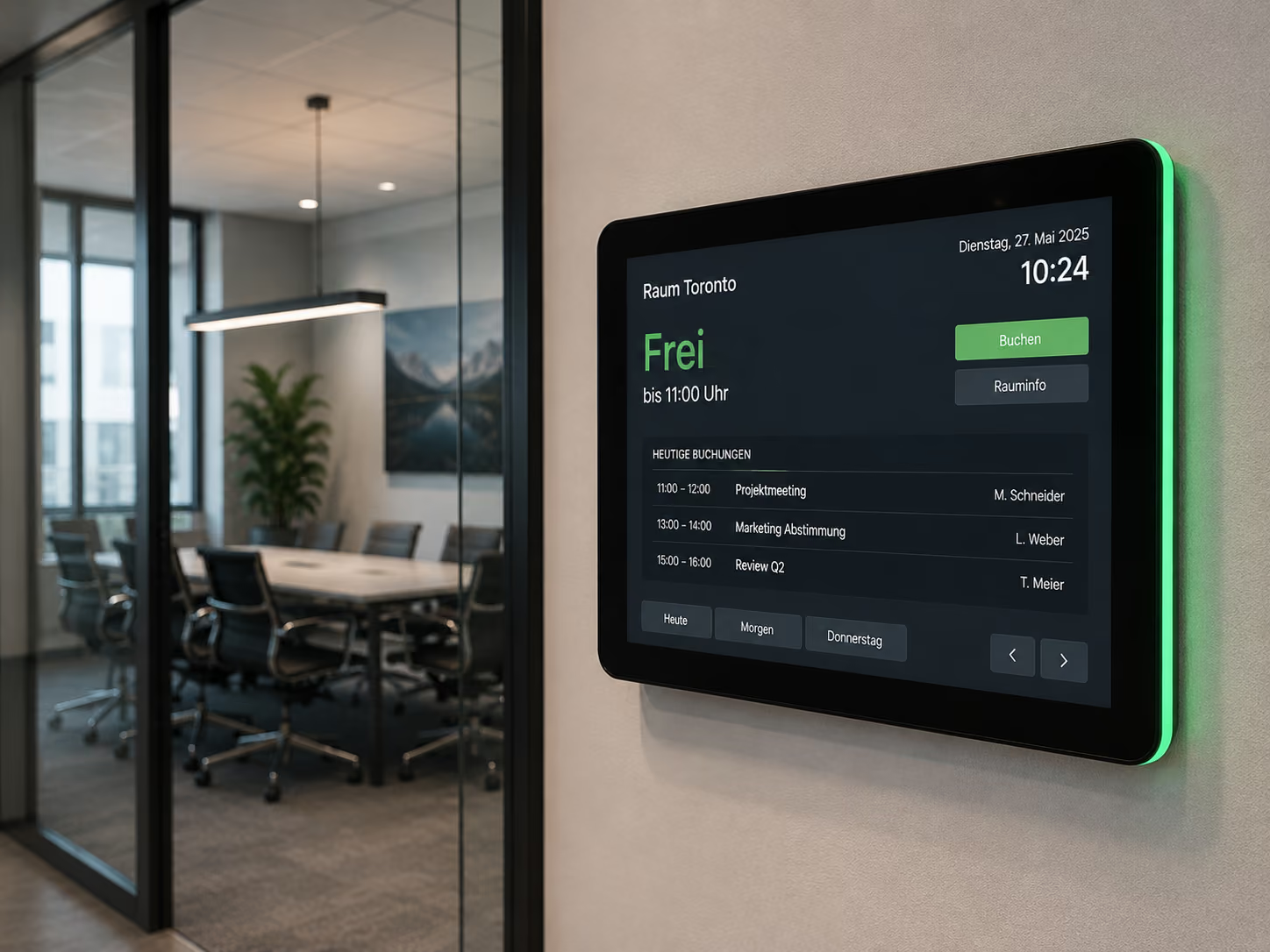
Meeting room and room booking displays show directly at the room whether it is free, occupied, or reserved. They can display appointments, room schedules, or event information and help avoid double bookings.
This is particularly relevant for:
- Seminar rooms
- Meeting rooms
- Teacher workspaces
- Project rooms
- Library spaces
- Labs
- Lecture Halls
- Auditorium
- Music or Art Rooms
Digital room displays immediately show which course, event, or meeting is taking place in the room. This improves organization and navigation within the building.
Emergency Alerts: Using Displays as Warning Monitors
Safety is a top priority in educational institutions. In cases of fire, active shooter situations, extreme weather, evacuation, technical malfunctions, or other dangerous situations, clear information must be quickly displayed.
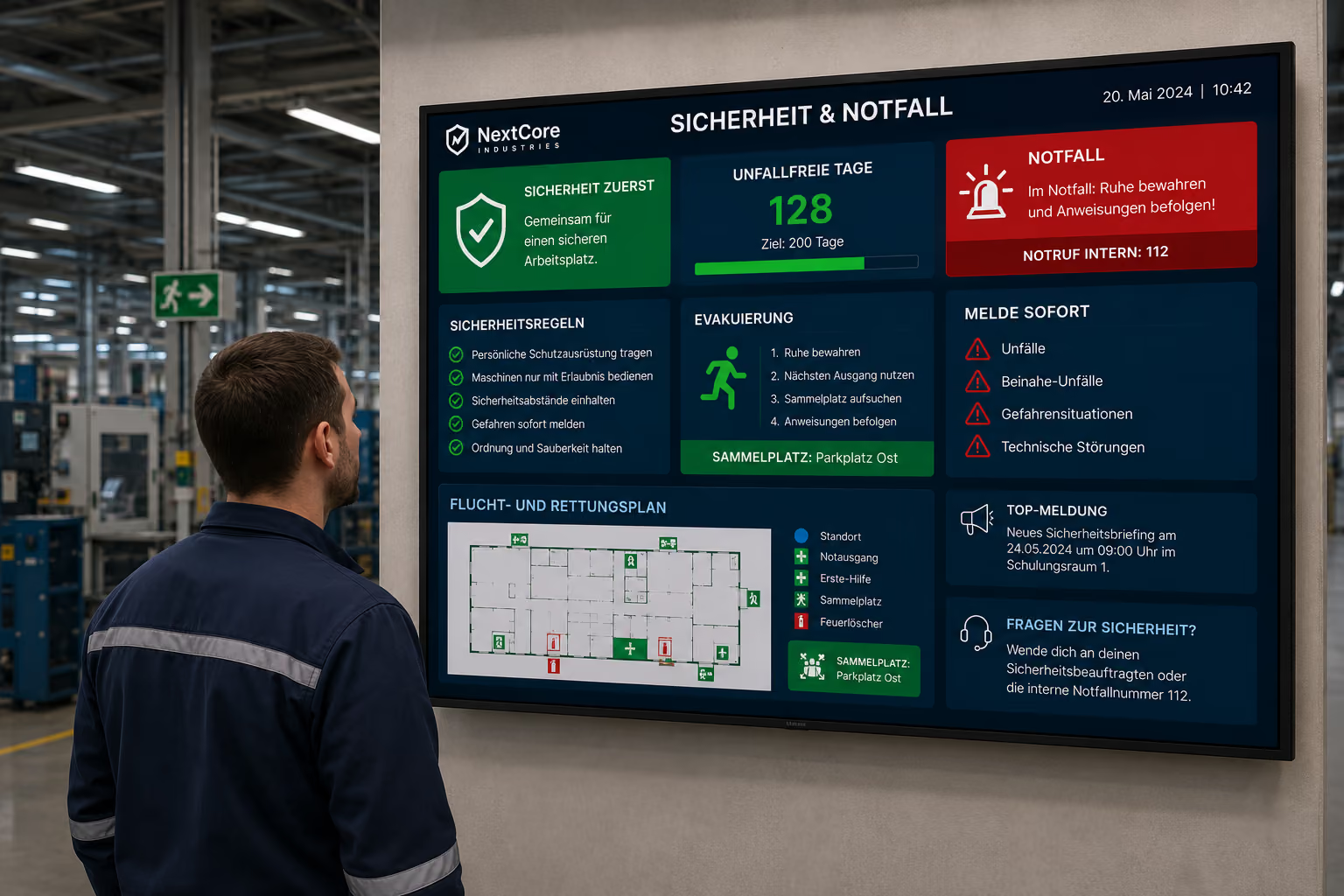
In an emergency, digital displays can switch to an emergency mode. Instead of regular content, they will then show warnings, escape routes, assembly points, instructions for behavior, or all-clear messages.
Activation can be done manually via a button press or automatically via an interface, for example, to the fire alarm system or existing security systems.
This is particularly important in:
- School Buildings
- Universities
- Canteens
- Auditoriums
- Libraries
- Hallways
- Entrance Areas
- Campus Buildings
- Sports Halls
Digital signage does not replace existing security concepts, but it complements them with a visual communication channel. This can be crucial, especially in noisy, large, or complex buildings.
Data Protection and Youth Protection: Especially Important in Education
In schools and educational institutions, data protection is particularly sensitive. This often involves minors, personal information, internal school organization, and protected communication areas.
Therefore, digital information systems must be operated in a way that takes data protection, youth protection, and IT security into account.
connectSignage is hosted in Germany and designed for GDPR-compliant operation. Additionally, the solution can be operated on-premise on the school's, university's, or school authority's own servers.
Especially for schools, universities, municipal bodies, and public educational institutions, on-premise solutions can be important if data needs to remain within their own IT infrastructure or if specific requirements from the school authority apply.
Also important: Rights and role concepts can define who is allowed to maintain, approve, or display which content. This way, the administration, school management, cafeteria, public relations, or departments can each only edit the content for which they are responsible.
What educational institutions technically need: simple control, rights, and automation
For digital signage to work in schools and universities in everyday life, it takes more than individual screens. A central software is crucial, with which content can be easily maintained, automatically updated, and securely displayed.
Important technical requirements in education are:
- central control of multiple displays and locations
- automatic display of substitution schedules
- interfaces to school organization systems like Untis
- time-controlled publication of meal plans, appointments, and events
- rights and role concepts for administration, school management, and departments
- GDPR-compliant operation
- hosting in Germany
- cloud and on-premise option
- easy operation via drag-and-drop
- integration of social media, RSS feeds, and website news
- monitoring for displays and players
- quick switching to emergency content
With connectSignage, content can be centrally managed and specifically displayed on individual screens, buildings, floors, rooms, or locations. This allows school communication, campus information, substitution schedules, cafeteria displays, and emergency notices to be controlled from a single interface.
Easy Operation for Secretarial Staff, School Management, and Administration
Not everyone who maintains information is an IT or design expert. Therefore, digital signage in educational institutions must be easy to use.
connectSignage relies on intuitive drag-and-drop operation, similar to popular presentation tools. Content can be created, updated, and scheduled without requiring in-depth technical knowledge.
This is particularly important for secretarial staff, school management, administration, the cafeteria, public relations, or departments.
Examples:
- The secretarial staff updates short-term notices.
- The school management publishes general announcements.
- The cafeteria updates meal plans.
- Public relations displays events and social media content.
- Departments publish project information.
- IT oversees user rights, displays, and monitoring.
This ensures digital signage remains usable in daily operations, without burdening IT with every minor content change.
Typical Deployment Locations in Schools and Universities
Digital signage can be used in many locations within an educational institution. The key is which information is relevant in which location.
Foyer and Main Entrance
In the foyer, displays are suitable for greetings, general news, weather, event tickers, room directions, parent-teacher evenings, open days, and important announcements.
Staff Room and Faculty Area
In the staff room or faculty area, displays show internal announcements, room occupancy, supervision schedules, conferences, substitutions, and internal appointments.
Dining Hall and Cafeteria
In dining halls and cafeterias, displays are ideal for digital menus, prices, allergens, opening hours, special offer weeks, and information on payment or feedback.
Hallways and Auditoriums
In hallways and auditoriums, substitution schedules, room changes, important announcements, project information, events, and emergency notices are particularly relevant.
Libraries and Study Areas
In libraries and study areas, displays can show opening hours, room occupancy, workshops, research tips, exam periods, or rules of conduct.
Campus Buildings and University Administration
On campus, displays assist with wayfinding, deadlines, exam information, events, room schedules, re-registration deadlines, and administrative notices.
Why connectSignage is Ideal for Educational Institutions
connectSignage is a digital signage software for central control of digital displays in schools, universities, and educational institutions. Content can be managed, scheduled, and distributed via a single interface to individual screens, buildings, rooms, hallways, or locations.
connectSignage is particularly suitable for educational institutions when substitution schedules, room changes, menus, campus news, events, internal announcements, or emergency notices need to be displayed in an up-to-date and controlled manner.
Key benefits for educational institutions include:
- Digital bulletin board for schools and campuses
- Automatic display of substitution schedules
- Integrations with school management systems like Untis
- Central control of multiple displays and locations
- Digital wayfinding for buildings and campus
- Dining hall and cafeteria displays
- Community and project areas
- Social media and RSS feed integration
- Emergency and safety communication
- GDPR-compliant operation with hosting in Germany
- Cloud and On-Premise Option
- Permission and role concepts for departments
- Easy drag-and-drop operation
- Monitoring for IT and administration
This allows schools and universities to display information more quickly, ease the workload for secretarial staff and administration, and securely integrate digital communication into daily operations.
Conclusion: Digital Signage makes educational communication more visible
Digital Signage helps schools, universities, and educational institutions make information visible where it is needed: in the foyer, hallway, cafeteria, staff room, outside seminar rooms, or on campus.
Digital displays improve orientation, reduce inquiries, keep substitution schedules up-to-date, and support safety communication within the building.
Digital Signage is particularly valuable for educational institutions because it combines central control with local relevance. Content can be planned across multiple displays, buildings, or locations and still be specifically adapted for individual areas.
connectSignage supports key requirements of modern educational communication: digital notice boards, substitution schedules, cafeteria displays, wayfinding, community content, emergency communication, data protection, and easy operation.
This makes Digital Signage a building block of the modern digital campus: visible for learners, helpful for staff, and securely manageable for administration and IT.
FAQ
What is Digital Signage in education?
Digital Signage in education describes the use of digital displays for displaying substitution schedules, room changes, appointments, cafeteria menus, campus news, wayfinding, emergency alerts, and internal announcements in schools, universities, and educational institutions.
Why is Digital Signage beneficial for schools?
Digital Signage is beneficial for schools because information such as substitution schedules, room changes, parent-teacher meeting notices, cafeteria menus, or emergency messages can be made visible quickly. This eases the workload for secretarial staff and teachers and improves orientation within the school building.
Which Digital Signage use cases are suitable for schools and universities?
Important use cases include digital notice boards, substitution schedule displays, welcome screens, digital wayfinding, cafeteria displays, staff room displays, room booking displays, community screens, and emergency communication.
What is a digital notice board at school?
A digital bulletin board replaces traditional notices with digital displays. It centrally and in real-time shows substitution schedules, room changes, appointments, events, announcements, cafeteria menus, and internal notices.
Can digital signage automatically display substitution schedules?
Yes. Through interfaces with school organization systems like Untis, substitution schedules, room changes, or cancellations can be automatically displayed on screens. This means changes do not have to be manually transferred or printed.
How does digital signage ease the workload of the secretariat?
Digital signage eases the workload of the secretariat because frequently requested information is visibly displayed throughout the building. This includes room changes, deadlines, appointments, opening hours, substitutions, parent-teacher evening notices, or wayfinding information. This reduces recurring inquiries.
How does digital signage help with navigating the campus?
Digital wayfinding displays site maps, building overviews, floor plans, room lists, event locations, or accessible routes. This helps new students, parents, and visitors find their way around more quickly.
Can digital signage be used in the cafeteria?
Yes. Cafeteria displays can show menus, daily specials, prices, allergens, opening hours, or special themed weeks. Content can be automatically controlled by day of the week or time of day.
Can digital signage integrate social media or RSS feeds?
Yes. School-specific social media channels, website news, RSS feeds, event calendars, or campus news can be displayed on digital screens. This makes online content visible within the building as well.
Is digital signage GDPR-compliant for schools?
Digital signage can be operated in schools in a GDPR-compliant manner if hosting, rights management, data processing, and IT security are implemented accordingly. connectSignage is hosted in Germany and can also be operated on-premise on your own servers.
Can schools or universities operate digital signage on-premise?
Yes. In addition to cloud operation, connectSignage can also be operated on-premise on the school's, university's, or school authority's own servers. This is particularly relevant when specific data protection or IT regulations apply.
Can digital signage be used for emergency communication?
Yes. In an emergency, digital displays can switch to an emergency mode and show warnings, escape routes, assembly points, behavioral instructions, or all-clear messages. Activation can be manual or via interfaces.
How easily can staff manage content?
With connectSignage, content can be created, updated, and scheduled using drag-and-drop. Roles and permissions can be used to define which department or person is authorized to edit which content.
Where are digital signage displays typically used in schools?
Typical deployment locations include foyers, main entrances, hallways, auditoriums, staff rooms, dining halls, cafeterias, libraries, seminar rooms, lecture halls, administrative areas, and campus buildings.
How does connectSignage support schools and universities?
connectSignage helps educational institutions centrally control digital displays and deliver targeted content based on building, room, area, location, or use case. This includes substitution schedules, digital notice boards, dining hall displays, wayfinding, community content, internal announcements, and emergency communication.
Bereit deine Kommunikation zu transformieren?
Entdecken, wie connectSignage deine Botschaften sichtbar und wirksam macht.
Weitere Insights zur digitalen Kommunikation
Lese mehr zu Trends, Strategien und Technologien, die Unternehmen verändern.
.png)

.png)
.png)
.png)
Digital Signage Insights Delivered Straight to Your Inbox
Trends, best practices, and tips—concise, relevant, and practical.