
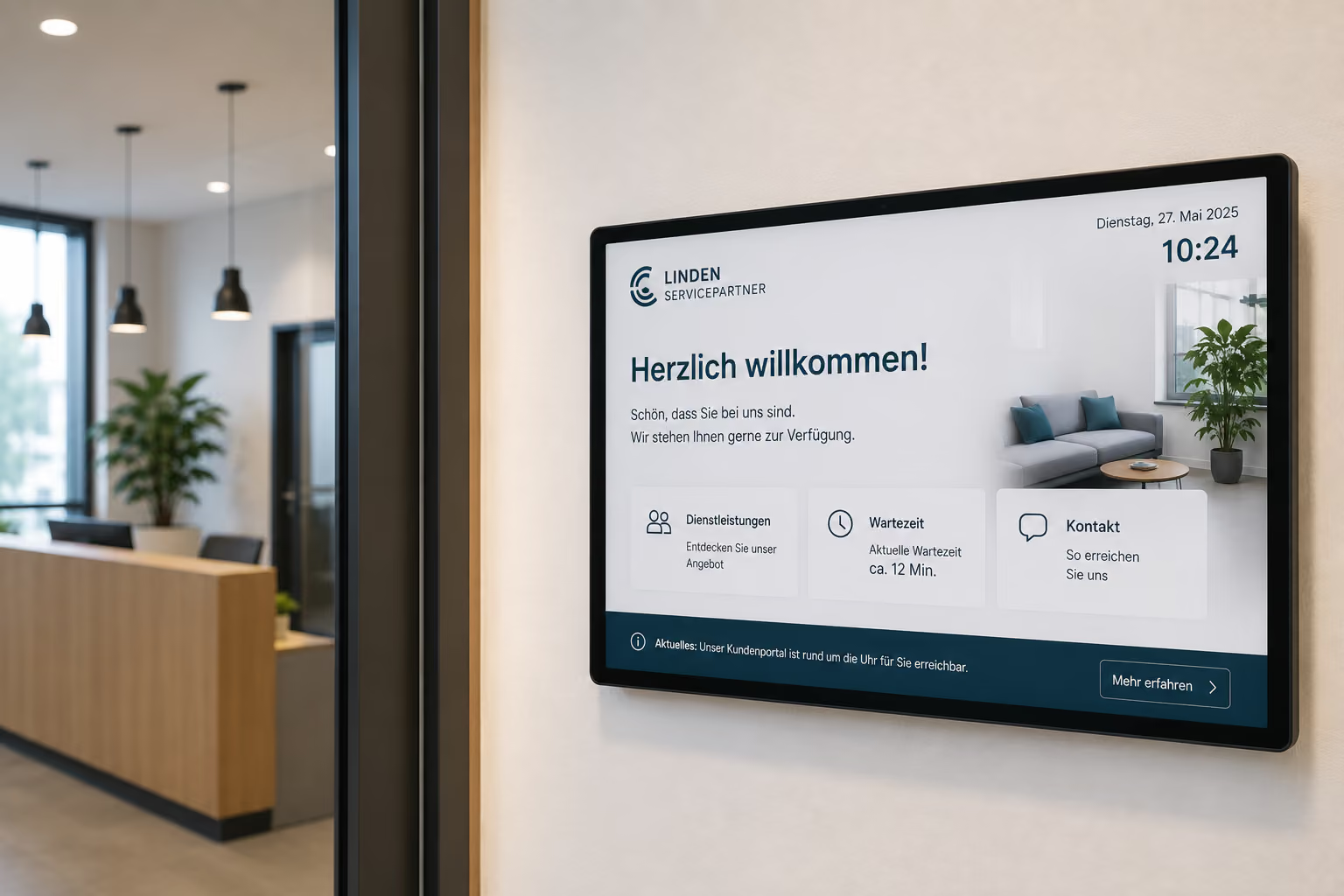
The welcome screen as a digital first impression
The first impression is often formed in a matter of seconds. When customers, applicants, suppliers, partners, or guests enter a company, the reception area immediately determines how professional and prepared a company appears.
An empty reception, a printed note, or a static sign can quickly seem impersonal. A digital welcome screen, however, immediately shows: The visit is expected, the information is current, and the reception is organized.
This is precisely where the welcome screen comes in as a digital signage use case.
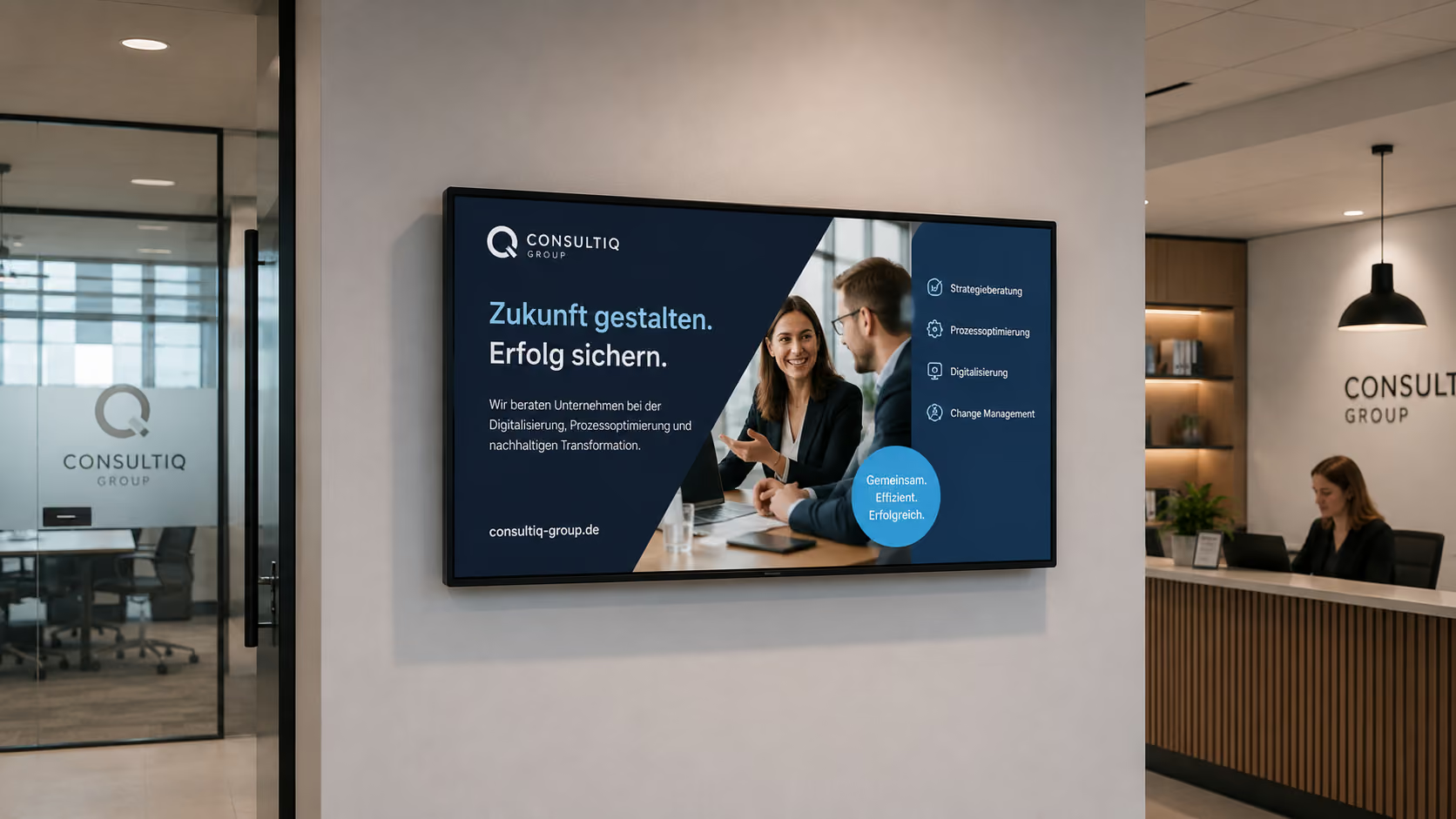
Briefly explained: A welcome screen is a digital display in the reception area that provides personalized greetings for guests, customers, visitor groups, or companies. Additionally, the screen can display appointments, room information, wayfinding, company information, weather, news, public transport departure times, or internal notices. With connectSignage, welcome screens can be centrally designed, scheduled, and automatically populated with appointment or visitor data via interfaces.
A welcome screen is therefore more than just a nice display at reception. It combines greetings, orientation, brand presence, and visitor information on a single digital surface.
Why the reception area is so important
The reception area is a company's business card. This is where the customer experience, candidate experience, or the first personal contact with a business partner begins.
A professional greeting is especially important for consulting appointments, customer meetings, job interviews, audits, training sessions, events, or company visits.
Typical challenges in the reception area include:
- Guests don't know if they are in the right place.
- Reception teams have to answer recurring questions.
- Appointments and room information are maintained manually.
- Visitor groups need to be greeted at short notice.
- Directions to meeting rooms are unclear.
- Printed signs quickly look outdated.
- The brand presence at reception is not consistent.
- Additional information such as Wi-Fi, weather, or public transport is missing.
- Reception areas remain unused, even though guests are waiting there.
A welcome screen solves exactly these problems. It makes information visible, current, and on-brand — right where guests arrive.
Who is a welcome screen suitable for?
A welcome screen is suitable for all companies and organizations that want to professionally welcome visitors.
It is particularly useful for:
- Companies with a reception area
- Industrial companies
- Service providers
- Law firms
- Consultancies
- Agencies
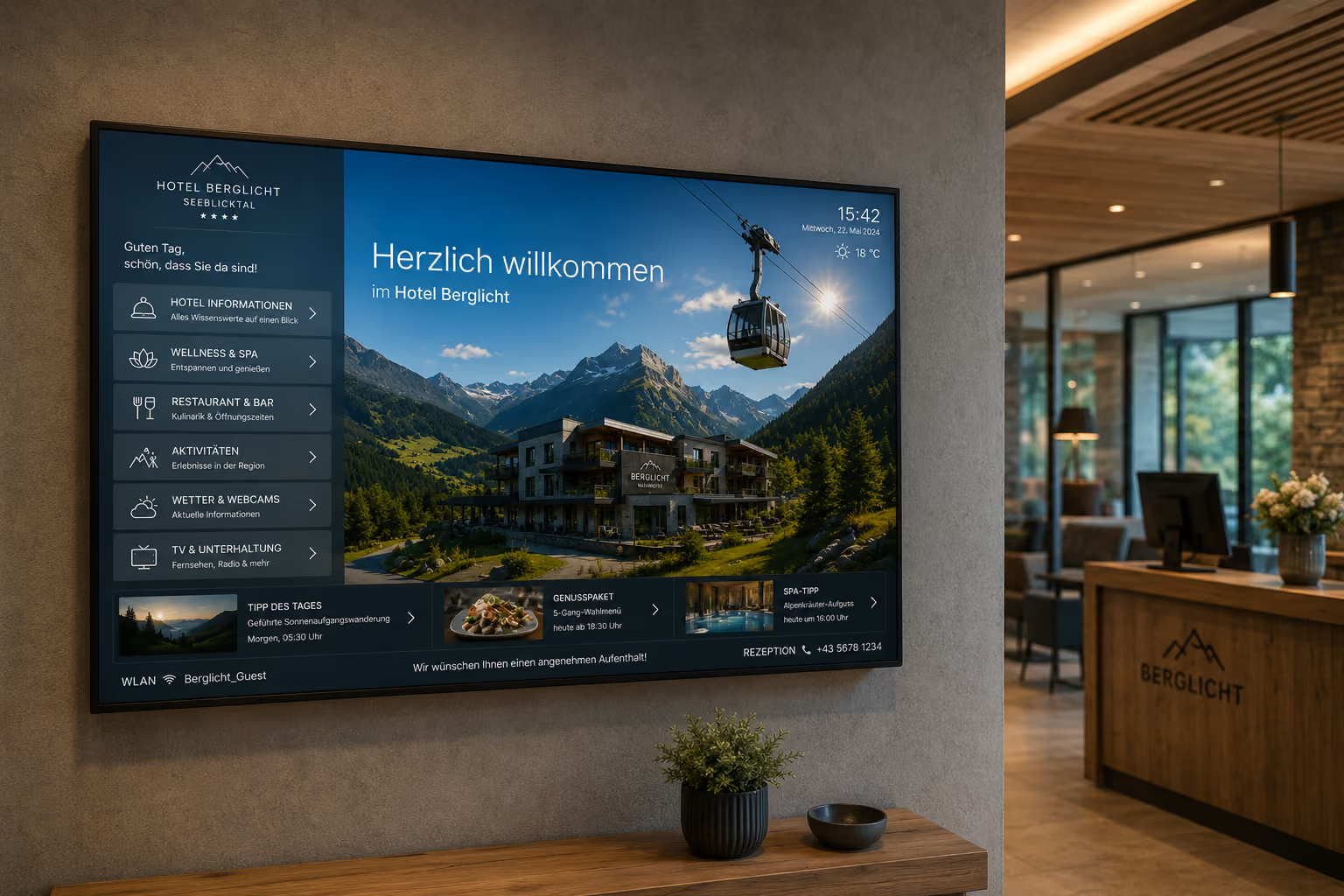
- Hotels and hospitality businesses
- Government agencies and public institutions
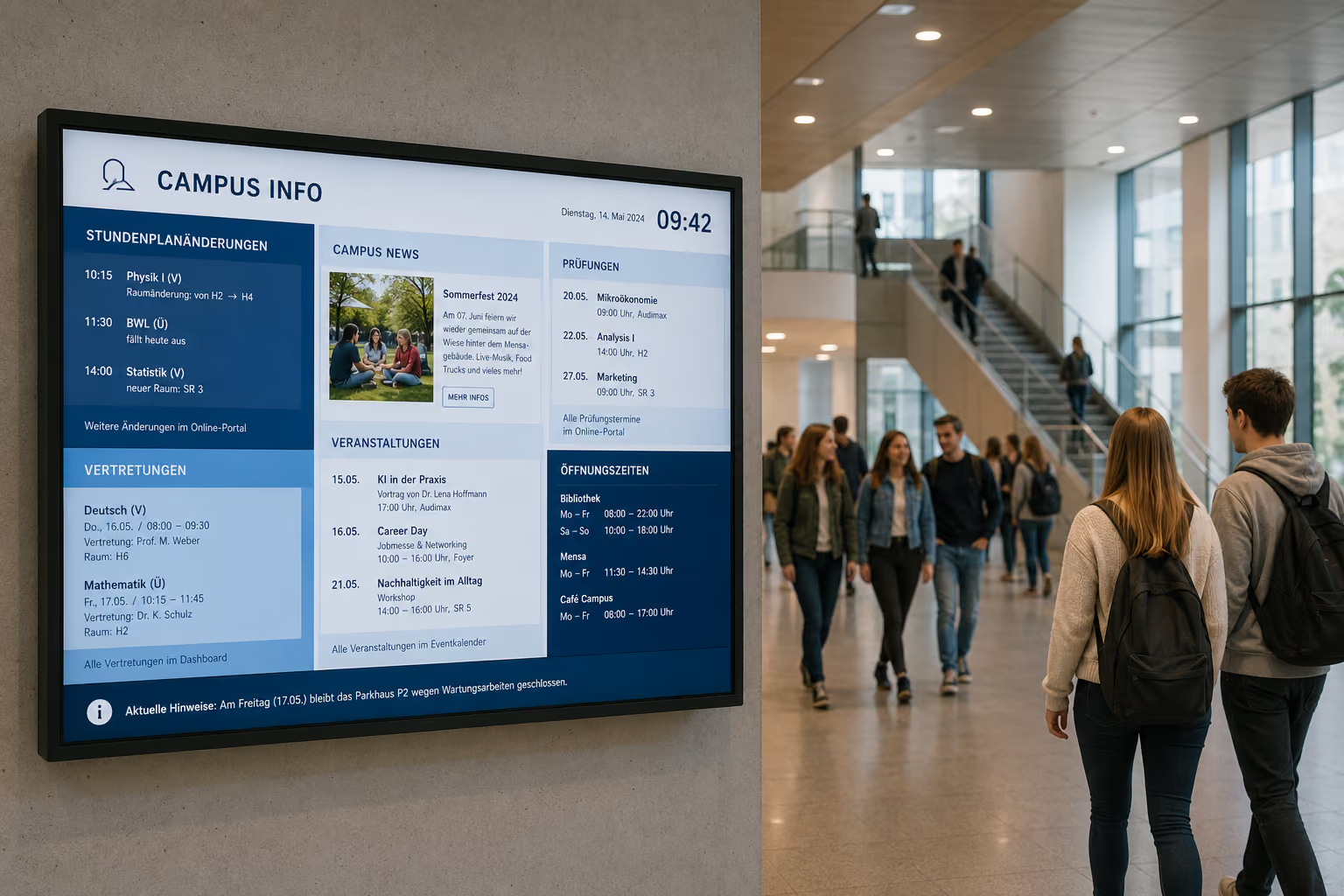
- Schools and universities
- Clinics and healthcare facilities
- Coworking spaces
- Event venues
- Showrooms
- Training centers
- Exhibition and Event Spaces
- Real Estate Companies
- Financial Service Providers
- Insurance Companies
- IT and Software Companies
Wherever guests, customers, applicants, groups, or business partners regularly arrive, a welcome screen improves orientation, appreciation, and brand impact.
What does a welcome screen display?
A welcome screen can display various types of content. The key is to show information that is relevant to visitors at that specific moment.
Typical content includes:
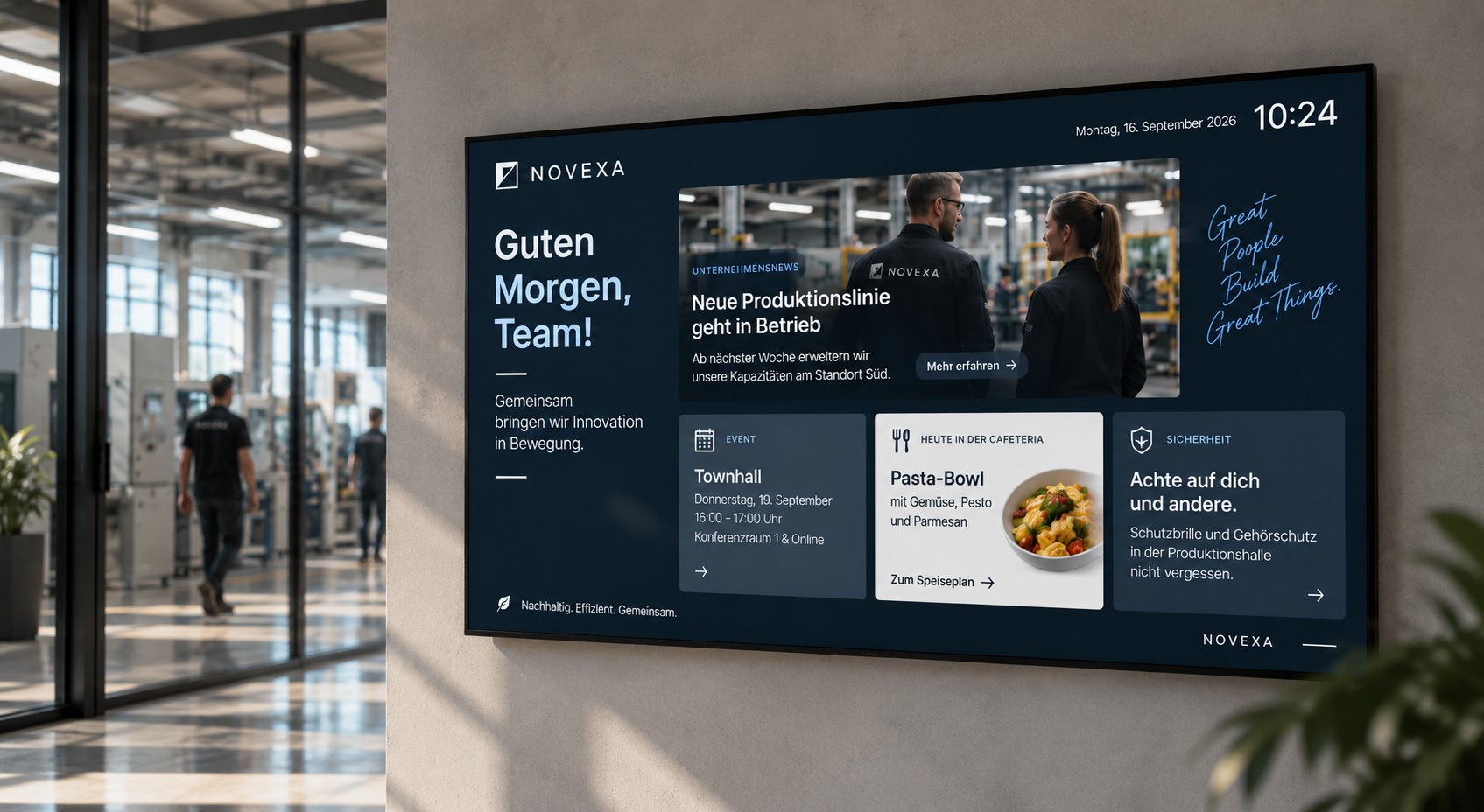
- personalized greetings
- company logos of visitors or clients
- appointment and event names
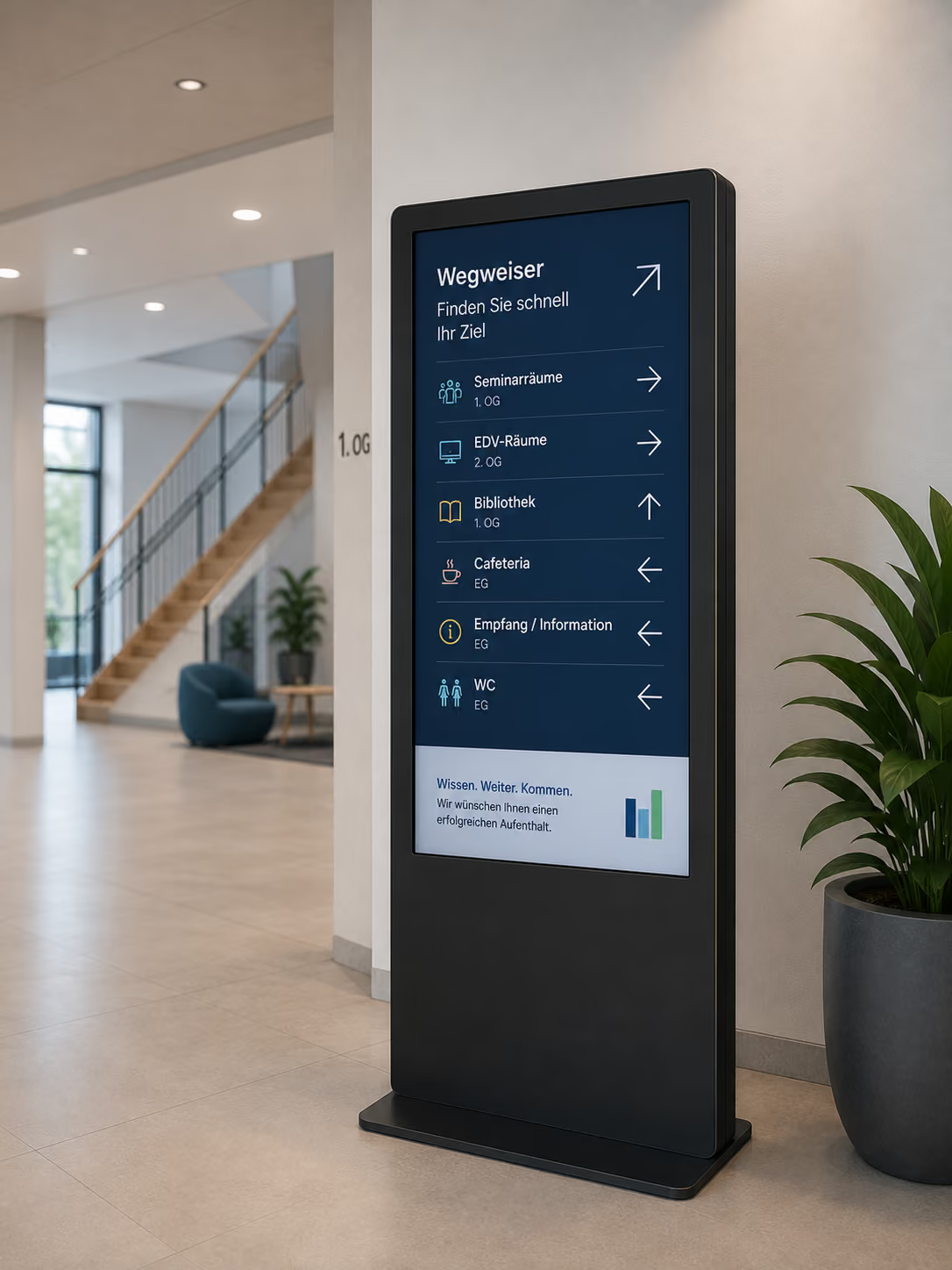
- room directions
- wayfinding
- company logo
- image videos
- company news
- visitor information
- Wi-Fi information
- QR codes
- Weather
- Public Transport Departures
- RSS News Ticker
- Safety Instructions
- Daily Agenda
- Event Program
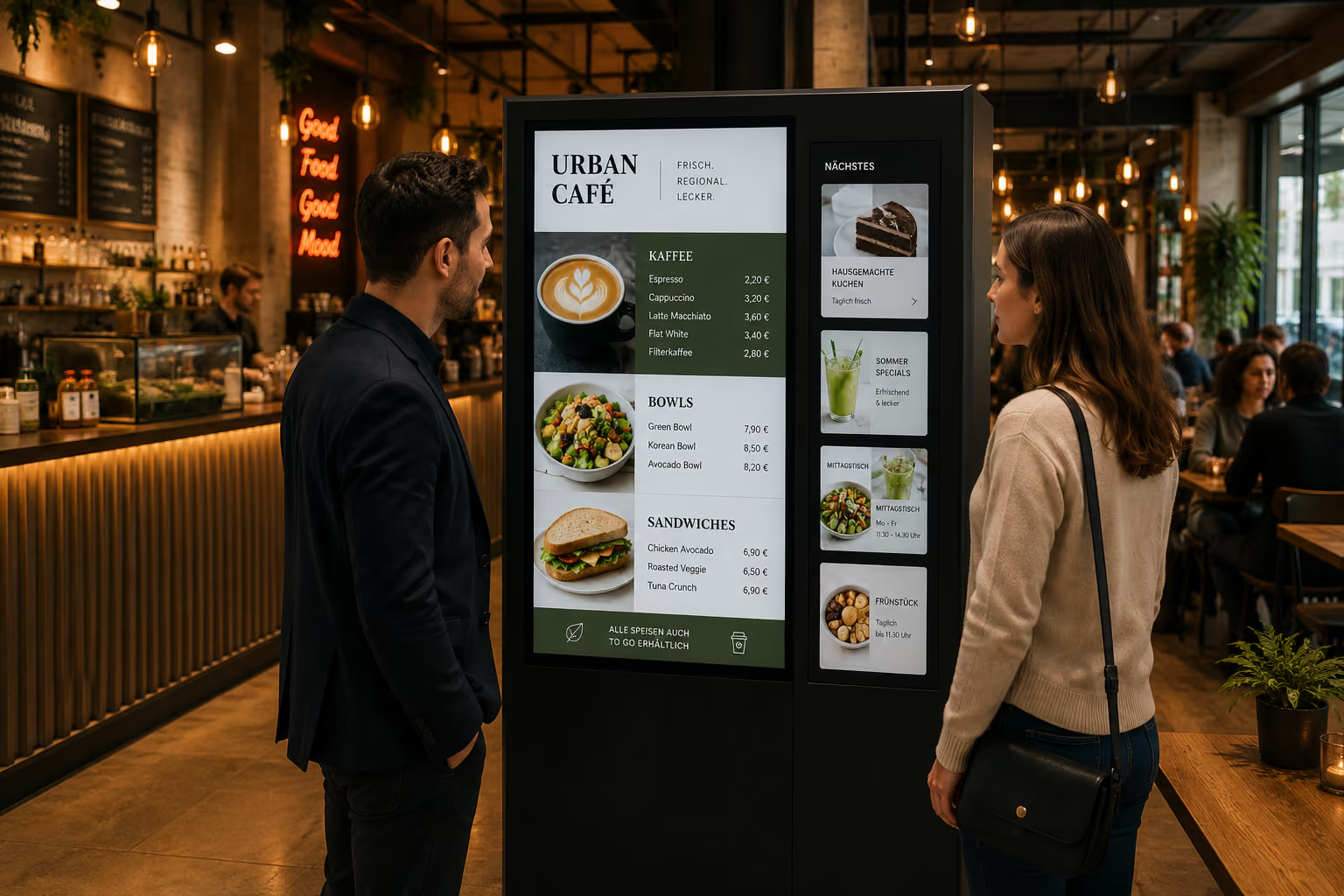
- Cafeteria or Menu Plan
- internal notices outside visiting hours
The advantage: The screen doesn't have to display the same content all day. Content can automatically change depending on the time of day, appointment, location, or target audience.
Automated Welcome: Greet guests without manual intervention
A welcome screen becomes particularly powerful when the greeting is automated.
Instead of manually entering each guest, appointments can be imported from existing systems. Through interfaces to Outlook, Exchange, Google Workspace, Excel, databases, or other appointment sources, the system can identify which visitors or events are scheduled for today.
The screen then automatically displays the appropriate greeting at the correct time.
Examples:
- "Welcome, Müller GmbH!"
- "Welcome to the Strategy Workshop"
- "Welcome, Schneider Family"
- "Welcome to the training session in the Berlin room"
- "We welcome our interview candidates today"
- "Welcome to Partner Day"
This appears professional and personal, without the reception team having to manage each piece of content individually.
This is particularly helpful for companies with numerous appointments, varying visitor groups, training sessions, audits, workshops, or client meetings.
Personalized Welcome for Clients, Partners, and Applicants
A personalized welcome shows appreciation. Guests immediately see that their visit has been prepared for.
This could be an individual name, a company logo, an event title, or a combination of a welcome message and wayfinding.
Examples:
- Key Client with Logo at Reception
- Applicants with a Neutral Welcome
- Training Participants with Event Name
- Tour Groups at the Hotel
- Partner Event with Agenda
- Audit Teams with Contact Person
- Trade Fair Guests with Showroom Directions
Especially for service providers, industrial companies, hotels, law firms, consultancies, or corporate headquarters, this is a simple way to demonstrate professionalism.
Combination with Digital Wayfinding and Room Booking
A welcome screen can do more than just greet. Especially in larger buildings, it can be combined with digital wayfinding and room booking.
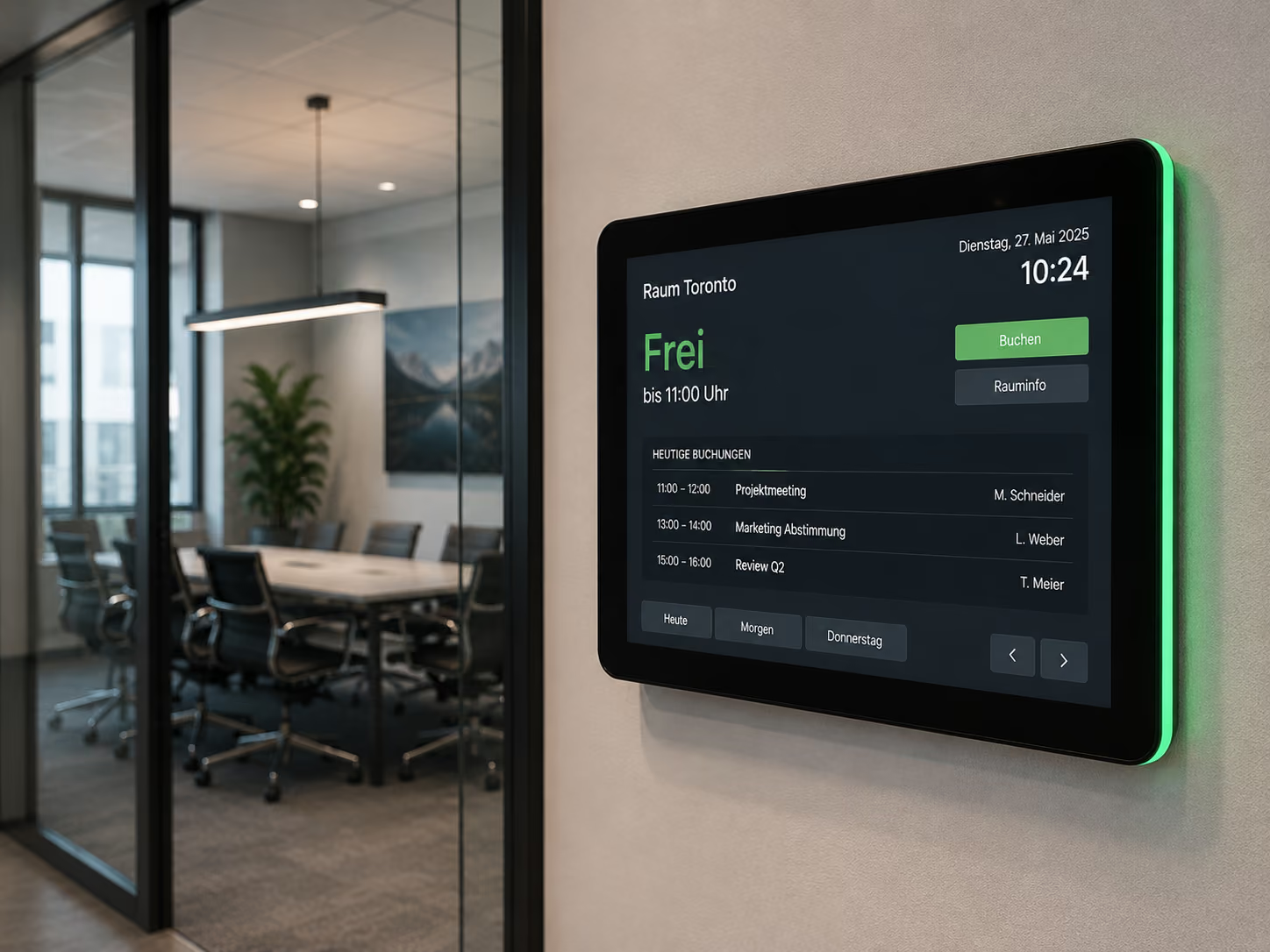
At reception, guests not only see that they are welcome but also where they need to go. Simultaneously, digital door signs outside meeting rooms can indicate whether a room is free, occupied, or reserved.
Example:
"Welcome, Müller GmbH. Your appointment is in Meeting Room 1. Please follow the signs towards the 1st floor."
Possible content includes:
- Room Name
- Floor
- Arrows
- Floor Plan
- Contact Person
- Appointment Time
- Current Room Occupancy
- Next Booking
- Directions to Elevator or Stairs
- QR Code for Digital Map
Through interfaces with Microsoft Outlook, Exchange, Google Workspace, or other calendar sources, room bookings can be displayed automatically. This creates a seamless process: the welcome screen greets visitors at reception, digital wayfinding shows the right path, and the door sign at the room confirms the current booking.
Case Study: Stadtwerke Saarbrücken Modernizes Reception and Room Booking
The example of Stadtwerke Saarbrücken demonstrates how a welcome screen works in practice in combination with digital room booking.
In the new administrative building, the meeting rooms were to be organized in a more modern, transparent, and user-friendly way. Employees should be able to see directly on-site whether a room is free or occupied. At the same time, the reception area was to be digitally enhanced to professionally welcome visitors and provide them with up-to-date information.
A central digital signage solution was implemented for this purpose using connectSignage. Digital room booking displays were installed for the meeting rooms, directly connected to Microsoft Outlook. They show the current occupancy status in real-time, while bookings continue to be made via Outlook as usual.
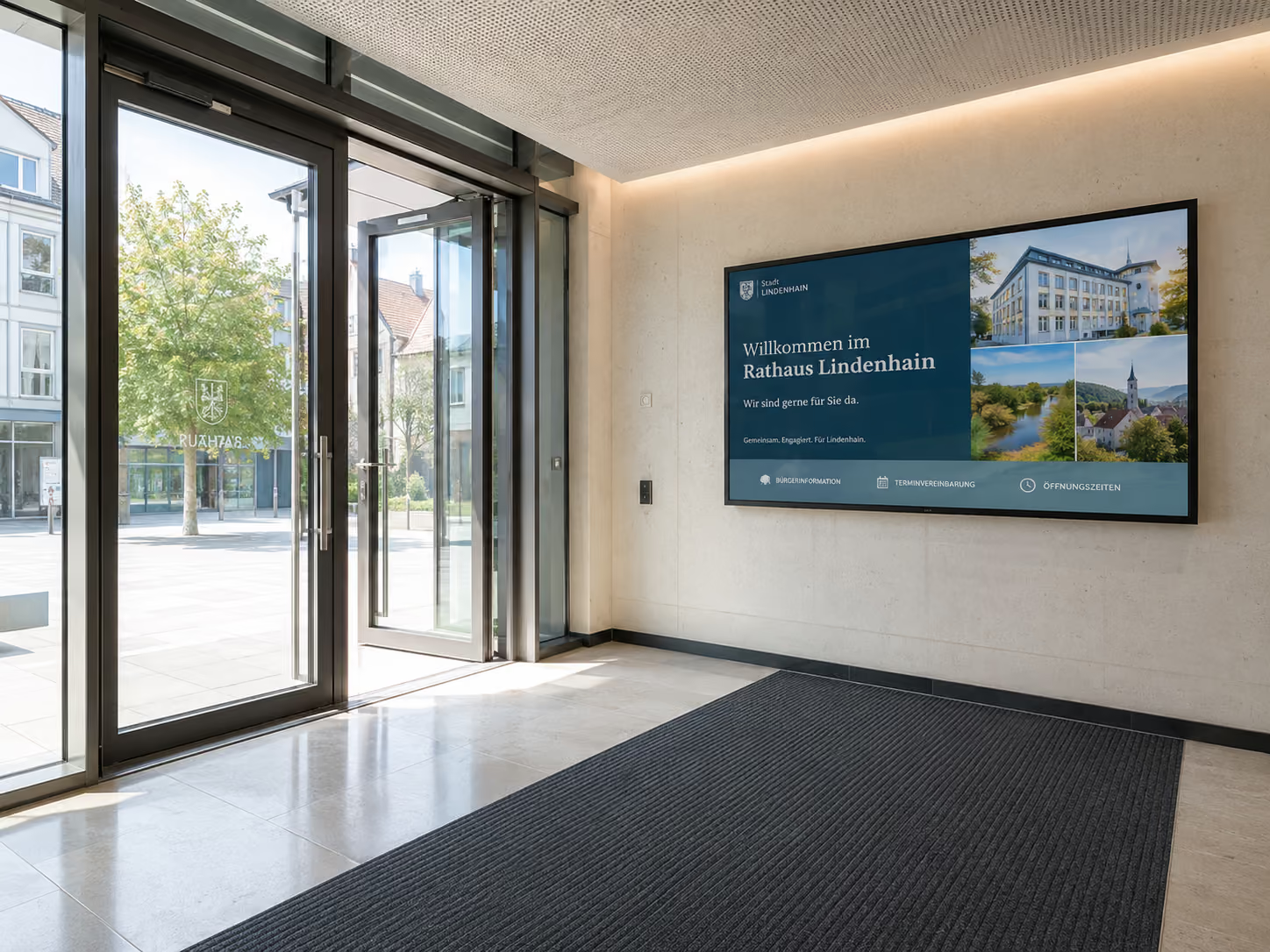
In the reception area, a large-format display creates a modern first impression. Through connectSignage, current information, events, company news, and visitor notices can be centrally managed and displayed daily.
The result: Room occupancies are visible directly at the meeting rooms, employees can see at a glance whether a room is free or reserved, and visitors are professionally welcomed. At the same time, current information can be centrally managed and flexibly displayed.
For reference: Stadtwerke Saarbrücken Modernizes Visitor Communication and Room Booking
Corporate Identity: Your Brand's Reception Experience
A welcome screen is often one of the first visible touchpoints with a brand. Therefore, it should not look like a standard template but rather align with the company's corporate design.
With connectSignage, welcome screen templates can be designed in your own branding. The integrated HTML5 editor allows for customization of layouts, colors, fonts, logos, imagery, and animations.
This ensures a professional, consistent brand presence.
Typical CI elements include:
- Company logo
- Corporate colors
- Defined fonts
- Imagery
- Brand message
- Icons
- Background videos
- Animations
- Corporate design templates
Particularly practical: Once created, templates can be reused repeatedly. Reception teams then only need to adjust names, dates, or notices — or automatically retrieve this data from existing systems.
Dynamic additional widgets for waiting guests
A welcome screen doesn't just have to display greetings. Especially when guests are waiting in the reception area, additional information can offer real added value.
Dynamic widgets make the screen more helpful and up-to-date.
Possible additional widgets include:
- Local weather updates
- RSS news ticker
- Industry news
- Company news
- Public transport departure times
- Traffic information
- Calendar information
- Social media posts
- QR code for Wi-Fi
- QR code for the digital visitor folder
- Cafeteria menu
- Event notices
This way, a guest not only sees their name or the room, but also receives useful information directly for their stay.
Example:
A visitor is waiting for their appointment. On the welcome screen, they see a personal greeting, the company logo, the appointment room, the current weather, and the next public transport departures in front of the building.
This transforms the reception area from a waiting area into a digital information hub.
Best Practice: Schedule content based on time
A welcome screen can serve various purposes throughout the day. In the morning, the focus is on greeting visitors; at midday, additional information can be displayed; and in the evening, the screen can show internal content or public transport information.
With connectSignage, content can be scheduled based on time. This is particularly useful for reception areas that cater to different target groups throughout the day.
An example of a daily schedule:
- 8:00 AM to 10:00 AM: Welcome screen for arriving guests and customers
- 10:00 AM to 11:30 AM: Company news, appointments, and visitor information
- 11:30 AM to 1:30 PM: Canteen or menu plan in a corner of the screen
- 1:30 PM to 5:00 PM: Welcome screen, wayfinding, and event information
- From 5:00 PM: Internal news, accident-free counter, or public transport departures for employees
This way, a display is not just used for a single purpose, but flexibly throughout the entire day.
Playlists: Combining greetings, information, and additional content
Welcome screens work particularly well when content isn't static. Playlists allow multiple content items to be displayed in a logical sequence.
For example, a playlist in a reception area could look like this:
- Personal greeting
- Room directions
- Company video
- Weather
- News ticker
- Visitor information
- Public transport departures
- Canteen menu
- Event Notice
Content plays automatically and can be controlled by priority or time.
Important greetings or appointments can be given higher priority. General content such as weather, news, or corporate videos fill the gaps.
Use Welcome Screen Templates in the Media Manager
Those who are already testing or using connectSignage can get started particularly quickly. Pre-designed templates for welcome screens are available in the Media Manager.
These templates can be customized for your company. Logos, colors, fonts, background images, and texts can be changed to ensure the welcome screen matches your corporate design.
This is ideal for companies that want to quickly set up a professional reception screen without having to design every layout from scratch.
Typical template applications include:
- General Welcome Screen
- Personal Visitor Greeting
- Event Greeting
- Corporate Client Greeting
- Training Welcome Screen
- Trade Fair or Showroom Greeting
- Welcome Screen with Room Information
- Welcome Screen with Weather and News
This allows the reception area to be quickly enhanced digitally.
What Companies Technically Need
For a welcome screen to function reliably in everyday use, more than just a display at reception is needed. Crucial is central software that allows content to be easily created, scheduled, and automatically displayed.
Key technical requirements include:
- Central control of the reception display
- Easy design in corporate style
- Templates for welcome screens
- Scheduling for greetings and content
- Playlists for rotating information
- Interfaces to calendars and appointment sources
- Connection to Outlook, Exchange or Google Workspace
- Excel or database integration for visitor lists
- Integration of weather, RSS, public transport or news
- Combination with digital wayfinding
- Combination with room booking displays
- Roles and permissions for reception, marketing and IT
- Reliable playback during continuous operation
- Monitoring for display and player
With connectSignage, companies can centrally manage these requirements. Content is maintained, scheduled, and displayed on the appropriate screen via the browser.
Typical locations for welcome screens
Welcome screens are used wherever people arrive, wait, or need orientation.
Typical locations include:
- Reception area
- Lobby
- Corporate Headquarters
- Visitor Center
- Showroom
- Exhibition Area
- Training Center
- Conference Area
- Hotel Lobby
- Administrative Building
- Law Firm Reception
- Consulting Office
- Clinic or Practice Reception
- University or School Foyer
- Coworking Entrance
- Event Space
The welcome screen can be structured differently depending on its location. In a corporate headquarters, the focus is on greetings, room directions, and company news. In a hotel, guests, groups, events, and restaurant information can be displayed. In public authorities or institutions, welcome screens help with orientation and visitor information.
Why connectSignage is suitable for Welcome Screens
connectSignage is a digital signage software for central control of digital displays. connectSignage is particularly suitable for welcome screens because greetings, appointments, room directions, wayfinding, and additional information can be easily created, scheduled, and automatically displayed.
The main advantages are:
- central control of all reception displays
- automated greetings via interfaces
- Integration with Outlook, Exchange, Google Workspace, Excel, or databases
- Combination with room booking and wayfinding
- Corporate design templates in the HTML5 editor
- Pre-built welcome screen templates in the Media Manager
- Integration of weather, RSS news, public transport, and other widgets
- Scheduling for different times of day
- Playlists for welcome messages, news, and additional information
- Easy management in the browser
- Roles and permissions for reception, marketing, and IT
- Monitoring for reliable operation
This allows you to design the reception area professionally, keep it current, and ensure it's on-brand — without manually managing every single appointment.
Conclusion: Welcome Screens make reception areas more professional
A welcome screen is one of the easiest ways to digitally enhance the reception area.
It personally greets guests, displays appointments and room information, assists with wayfinding, and makes additional information visible. At the same time, it reinforces your brand image and relieves reception teams from recurring questions.
A welcome screen becomes particularly valuable when it is automatically connected to calendars, appointment lists, or data sources. This ensures greetings appear at the right time, room information remains current, and all information can be centrally managed.
With connectSignage, companies can design welcome screens in their corporate design, schedule content to appear at specific times, integrate widgets, and connect the reception area with room booking or digital wayfinding.
This creates a professional first impression — for customers, applicants, partners, visitor groups, and employees.
FAQ
What is a Welcome Screen?
A welcome screen is a digital display in the reception area that greets guests, customers, visitor groups, or companies. Additionally, it can display appointments, room information, wayfinding, company information, weather, news, or public transport departure times.
What is a welcome screen suitable for?
A welcome screen is suitable for reception areas, lobbies, corporate headquarters, hotels, public authorities, schools, clinics, showrooms, conference areas, and all locations where visitors should be professionally greeted.
Can a welcome screen automatically greet guests?
Yes. Through interfaces to Outlook, Exchange, Google Workspace, Excel, databases, or other scheduling sources, greetings can be automatically displayed at the correct time.
What content can a welcome screen display?
Typical content includes personal greetings, company logos, appointment and event names, room information, wayfinding, company news, weather, public transport departures, RSS news, QR codes, Wi-Fi information, and event details.
Can a welcome screen be connected to Outlook?
Yes. A welcome screen can be connected to calendar or scheduling sources such as Microsoft Outlook, Exchange, or Google Workspace. This allows appointments, room occupancy, or visitor information to be displayed automatically.
Can a welcome screen be combined with digital room booking?
Yes. A welcome screen can greet visitors at reception and simultaneously display the correct meeting room. Digital door signs or room booking displays outside the room can also show the current occupancy status.
How does a welcome screen help with wayfinding?
A welcome screen can display room names, floors, arrows, floor plans, contact persons, or QR codes. Guests can see directly at reception where they need to go.
Can weather, news, or public transport information be displayed on a welcome screen?
Yes. Dynamic widgets such as weather, RSS news, industry news, public transport departures, traffic information, or QR codes can be integrated into the welcome screen.
Can the design be adapted to the corporate design?
Yes. With connectSignage, welcome screen templates can be adapted to your corporate design. Logos, colors, fonts, images, and layouts can be designed using the HTML5 editor.
Are there templates for welcome screens?
Yes. Pre-designed templates for welcome screens are available in the connectSignage Media Manager. These can be customized with logos, colors, and texts.
How can welcome screens be used with time-based scheduling?
Welcome screens can display different content throughout the day. Guests can be greeted in the morning, the menu can appear at lunchtime, and internal news or public transport departures can be shown in the evening.
How does connectSignage support Welcome Screens?
connectSignage helps companies centrally design, schedule, and automatically display Welcome Screens. Content can be combined with calendars, data sources, widgets, wayfinding, and room booking.
Bereit deine Kommunikation zu transformieren?
Entdecken, wie connectSignage deine Botschaften sichtbar und wirksam macht.
Weitere Insights zur digitalen Kommunikation
Lese mehr zu Trends, Strategien und Technologien, die Unternehmen verändern.
.png)

.png)
.png)
Digital Signage Insights Delivered Straight to Your Inbox
Trends, best practices, and tips—concise, relevant, and practical.