Best Practices

Digital Notice Board: Software, Features & Implementation in the Workplace

16.09.2026
8 Min
Link kopieren
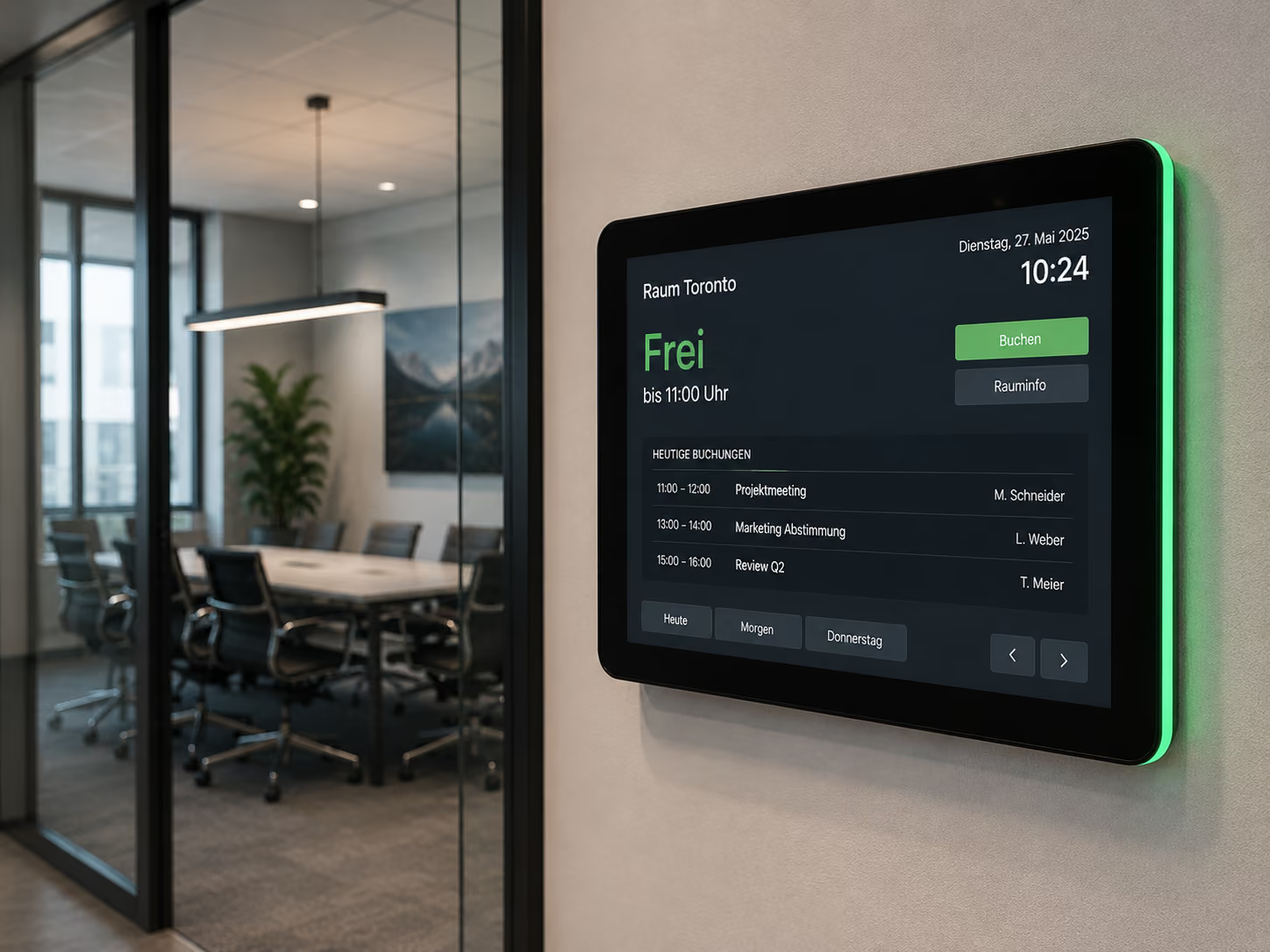
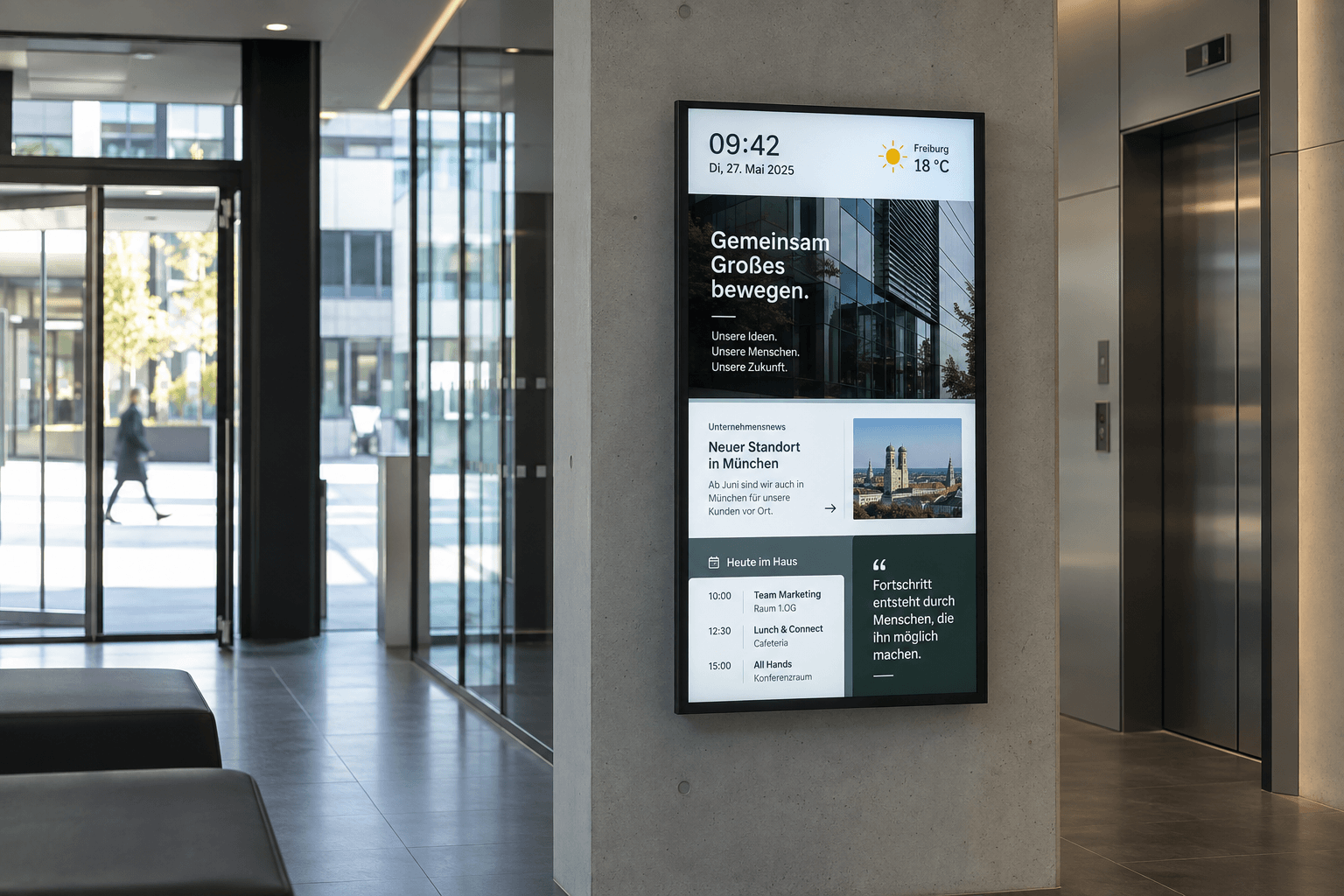
Digital bulletin board for employee communication featuring news, shift schedules, and company information

Digitales Schwarzes Brett Guide: Software, Planung & Umsetzung

Du möchtest ein digitales schwarzes Brett im Unternehmen einführen? Dann brauchst du mehr als einen Bildschirm an der Wand.

Für eine funktionierende Lösung müssen Digital-Signage-Software, Hardware, Inhalte, Standorte, Integrationen und interne Verantwortlichkeiten zusammenspielen.

Die Umsetzung lässt sich grundsätzlich in sechs Schritte unterteilen:

  1. Ziel und Zielgruppen definieren
  2. Standorte für die Displays festlegen
  3. Digital-Signage-Software auswählen
  4. Hardware und bestehende Systeme einbinden
  5. Inhalte, Rollen und Rechte definieren
  6. Mit einem Pilotprojekt starten und anschließend skalieren

In diesem Guide zeigen wir dir Schritt für Schritt, worauf du dabei achten solltest.

Du möchtest zunächst verstehen, wie digitale schwarze Bretter funktionieren und wofür sie eingesetzt werden? Dann findest du die Grundlagen in unserem Artikel Digitales Schwarzes Brett: Interne Kommunikation sichtbar machen.

1. Ziele und Zielgruppen definieren

Bevor du Software oder Displays auswählst, solltest du klären, welches Kommunikationsproblem das digitale schwarze Brett lösen soll.

Typische Ziele sind:

  • Mitarbeitende ohne eigenen PC erreichen
  • Informationen in der Produktion sichtbar machen
  • Schicht- und Dienstpläne digital bereitstellen
  • Unternehmensnews schneller verteilen
  • mehrere Standorte zentral informieren
  • klassische Aushänge digitalisieren
  • Informationen aus bestehenden Systemen auf Displays bringen
  • Sicherheits- oder Produktionsinformationen aktuell anzeigen

Eine hilfreiche Ausgangsfrage lautet:

Welche Mitarbeitenden erreichen unsere bestehenden Kommunikationskanäle heute nicht zuverlässig und welche Informationen sollen künftig auf Displays sichtbar sein?

Damit wird auch klarer, wo Displays benötigt werden und welche Funktionen die Software später erfüllen muss.

2. Wie erreicht man Mitarbeitende ohne eigenen PC?

Mitarbeitende in Produktion, Logistik, Lager oder anderen operativen Bereichen verfügen häufig über keinen eigenen PC-Arbeitsplatz. Dadurch werden Kommunikationskanäle wie E-Mail oder Intranet nicht von allen Beschäftigten gleichermaßen genutzt.

Ein digitales schwarzes Brett macht Informationen direkt im Arbeitsumfeld sichtbar.

Geeignete Standorte können beispielsweise sein:

  • Produktionsbereiche
  • Eingangsbereiche
  • Pausenräume
  • Kantinen
  • Aufenthaltsräume
  • Umkleiden
  • Flure
  • Lager- und Logistikbereiche

Digital Signage muss E-Mail, Intranet oder Mitarbeiter-App dabei nicht ersetzen. Displays können diese Kanäle ergänzen und Informationen dort sichtbar machen, wo Mitarbeitende sie im Arbeitsalltag tatsächlich wahrnehmen.

Wie das in Produktionsumgebungen eingesetzt werden kann, zeigen wir auf unserer Seite zu Digital Signage für Industrie und Produktion. Dort werden unter anderem Schichtpläne, Produktionsinformationen, Kennzahlen und interne Mitteilungen als typische Einsatzmöglichkeiten beschrieben.

3. Welche Software eignet sich für ein digitales schwarzes Brett?

Für ein digitales schwarzes Brett eignet sich eine Digital-Signage-Software, mit der Inhalte, Displays, Standorte, Benutzer und Veröffentlichungszeiten zentral verwaltet werden können.

Welche Software die richtige ist, hängt insbesondere von der Anzahl der Displays und Standorte, der vorhandenen Hardware, der bestehenden IT-Infrastruktur und den benötigten Integrationen ab.

Für Unternehmen mit mehreren Displays sollte die Software außerdem skalierbar sein. Neue Displays und Standorte sollten sich hinzufügen lassen, ohne dass eine separate Lösung aufgebaut werden muss.

Mit der connectSignage Digital-Signage-Plattform lassen sich Inhalte, Geräte und Standorte zentral verwalten. Inhalte können zeit- und standortabhängig ausgespielt und Benutzer über Rollen verwaltet werden.

4. Welche Funktionen sollte die Software bieten?

Für die Auswahl einer Software für digitale schwarze Bretter solltest du insbesondere folgende Funktionen prüfen:

Zentrale Content-Verwaltung

Inhalte sollten an einer Stelle erstellt und anschließend auf den gewünschten Displays veröffentlicht werden können.

Zeitplanung

Informationen sollten zu definierten Zeitpunkten automatisch erscheinen und wieder entfernt werden können.

Das ist beispielsweise für Veranstaltungen, Schichtinformationen oder zeitlich begrenzte Hinweise relevant.

Standortbasierte Ausspielung

Nicht jede Information ist für jeden Standort relevant. Deshalb sollte festgelegt werden können, welche Inhalte unternehmensweit und welche nur auf ausgewählten Displays erscheinen.

Rollen und Rechte

Unterschiedliche Abteilungen oder Standorte benötigen unterschiedliche Zugriffsrechte. Die Software sollte deshalb ein Rollen- und Berechtigungskonzept unterstützen.

Integrationen und Schnittstellen

Bereits vorhandene Informationen sollten möglichst nicht ein zweites Mal manuell gepflegt werden müssen. Schnittstellen und Integrationen ermöglichen die Anbindung bestehender Systeme und Datenquellen.

Monitoring

Bei mehreren Displays sollte zentral erkennbar sein, ob die eingesetzten Player und Displays ordnungsgemäß funktionieren.

Offline-Wiedergabe

Auch bei vorübergehenden Netzwerkproblemen sollten bereits bereitgestellte Inhalte weiter abgespielt werden können.

connectSignage bündelt diese Funktionen innerhalb einer zentralen Plattform und bietet unter anderem Zeitplanung, Rollenverwaltung, Geräteübersicht, Monitoring, Offline-Modus sowie offene Schnittstellen und Integrationen.

5. Cloud oder On-Premises?

Bei der Planung solltest du auch entscheiden, wie die Digital-Signage-Software betrieben werden soll.

Bei einer Cloud-Lösung wird die Plattform über eine bereitgestellte Cloud-Infrastruktur betrieben.

Bei einer On-Premises-Lösung läuft die Software dagegen innerhalb der eigenen Infrastruktur des Unternehmens.

Welches Betriebsmodell geeignet ist, hängt unter anderem von der IT-Strategie, den internen Sicherheitsanforderungen und bestehenden Unternehmensrichtlinien ab.

connectSignage unterstützt sowohl Cloud als auch On-Premises. Dadurch lässt sich das Betriebsmodell an unterschiedliche IT-Anforderungen anpassen.

6. Welche Hardware braucht ein digitales schwarzes Brett?

Für ein digitales schwarzes Brett werden grundsätzlich ein Display und eine geeignete Player-Lösung benötigt.

Welche Hardware sinnvoll ist, hängt vom Einsatzort ab.

Bei der Auswahl solltest du beispielsweise berücksichtigen:

  • Größe des Displays
  • Betrachtungsabstand
  • Helligkeit
  • daily operating hours
  • portrait or landscape orientation
  • network connection
  • touch functionality
  • integrated or external player
  • environmental conditions

For example, a screen in an office has different requirements than a display in a production hall.

Existing hardware should also be taken into account. A hardware-agnostic digital signage platform can be particularly useful if the company already has a variety of displays or players in place.

connectSignage supports various SoC and player platforms as well as operating systems, including Samsung, LG, Sony, Philips, iiyama, BrightSign, Windows, and Android.

7. What content belongs on a digital notice board?

Content should be based on target audience, location, and information needs .

Typical content includes:

  • company news
  • HR announcements
  • shift and duty rosters
  • events
  • new employees
  • anniversaries
  • Safety information
  • Production information
  • Key metrics and dashboards
  • Meal plans
  • Weather or traffic updates

The goal is not to cram as much content as possible onto a single display.

The better question is:

What information is currently relevant to the employees at this specific location?

A digital notice board in a production hall might therefore display different content than a screen in an administrative building.

8. How can I display company news on screens?

Company news can be created directly within a digital signage platform or pulled from existing information sources.

For example, the displays can show:

  • Company announcements
  • Project updates
  • Events
  • new employees
  • HR communications
  • urgent notices
  • Achievements and milestones

You can then determine, when, where, and for how long a notification is displayed.

For example, a company-wide message can appear on all displays, while local information is shown exclusively at a specific location.

9. How can shift schedules and employee information be displayed on screens?

Shift schedules and employee information can either be managed directly within the digital signage platform or imported from an existing data source.

First, you should determine:

Where is this information currently managed?

If a primary system already exists, an automated integration is often more efficient than maintaining a second manual process.

The principle is:

Existing data source → Digital signage platform → selected displays

This allows, for example, current shift information to appear on displays in production areas, while other locations or departments receive different information.

10. Integrating existing systems and data sources

A digital notice board should ideally not create an additional information silo.

Therefore, before implementation, check which content and data are already available in other systems.

These could include, for example:

  • SharePoint
  • Microsoft Teams
  • Power BI
  • OneDrive
  • Calendars
  • Databases
  • ERP systems
  • Network folders
  • RSS feeds
  • APIs and internal applications

Existing information can be automatically displayed on screens using integrations and interfaces.

connectSignage offers open interfaces and a wide range of integration options for this purpose. The platform supports integrations including Power BI, ERP/inventory management systems, network folders, Active Directory, and Google Workspace.

11. How do you manage digital notice boards across multiple locations?

For multiple plants, branches, or buildings, management should be centralized while still allowing for local content.

To achieve this, content can be organized into different levels, for example:

Company-wide
Information for all employees and locations.

Location-specific
Information for a specific plant or branch.

Department-specific
Information for production, administration, reception, or other areas.

Display-specific
Content that appears exclusively on a specific screen.

For example:

All locations
→ Company update

Plant A
→ Local event

Plant A production
→ Shift schedule and production information

Plant A reception
→ Visitor information

With a central platform, individual displays do not need to be managed separately.

connectSignage enables central control of screens as well as time- and location-based content distribution.

12. Define roles and permissions

The more people working with the system, the more important a clear authorization concept becomes.

Before the rollout, you should therefore determine:

  • Who is allowed to create content?
  • Who is allowed to edit content?
  • Who is allowed to publish content?
  • Who manages individual locations?
  • Who manages displays and players?
  • Which departments are allowed to edit which content?

A possible model:

Corporate Communications
→ central company news

HR
→ employee information

Local managers
→ location-specific content

IT
→ users, devices, and technical infrastructure

This allows multiple departments to work with the same system without every person needing access to all content and displays.

Role and user management as well as Active Directory integration are among the features provided by the connectSignage platform.

13. Digital notice board in production

In manufacturing companies, digital notice boards are particularly relevant when employees do not have a fixed PC workstation or regular access to email and the intranet.

For example, the following can be displayed on screens:

  • Shift schedules
  • Company news
  • Production KPIs
  • Status information
  • Safety alerts
  • internal notices

Content is managed centrally and can be targeted to specific plants, production areas, or displays.

On our Digital Signage for Industry and Manufacturing page, you will find further use cases for production environments.

14. Practical example: Digital notice board at RAILONE

How digital notice boards can be used in production is demonstrated by RAILONE.

In the plants, many employees do not have a fixed workstation or access to email or the intranet. Analog notice boards were previously maintained manually, which meant that information was sometimes outdated or inconsistent across locations.

With connectSignage, digital notice boards in the plants are managed centrally. Among other things, current shift schedules and relevant notices are displayed.

Content can be adjusted centrally and distributed across multiple locations. This allows RAILONE to reach employees regardless of whether they work at a traditional office desk.

15. Start with a pilot project

For larger projects, it can make sense not to equip all locations immediately.

Start, for example, with:

1 location → a few displays → a defined target group → clearly defined content

In the pilot project, you can test:

  • Are the display locations practical?
  • Is the right information being displayed?
  • Are the chosen content processes working?
  • Are the integrations reliable?
  • Are roles and responsibilities clear?
  • How often does content need to be updated?
  • What feedback have you received from employees?

The insights gained from the pilot project can then be incorporated into the wider rollout.

16. Rollout to additional locations

If the pilot is successful, the existing structure can be expanded step by step.

As many standards from the pilot as possible should be adopted:

  • Hardware concept
  • Display groups
  • Roles and permissions
  • Templates
  • Content processes
  • Integrations
  • Responsibilities
  • Support processes

A centrally managed and scalable platform makes this step easier, as new displays and locations can be integrated into the existing structure.

According to its product description, the connectSignage platform is scalable from a single display to larger networks and supports the central management of locations and screens.

Checklist: Introducing a digital notice board

Before your digital bulletin board goes live, you should clarify the following points:

Strategy

  • Which employees do we want to reach?
  • Which communication problem are we trying to solve?
  • What information should appear on the displays?

Locations

  • Where are the target groups located?
  • Where will displays actually be noticed?
  • Which content is needed for which location?

Software

  • Can content and displays be managed centrally?
  • Can content be scheduled?
  • Can different locations be controlled separately?
  • Are there roles and user permissions?
  • Is there monitoring?
  • Is offline playback possible?
  • Can existing systems be integrated?

Hardware

  • Which displays are required?
  • Is there any existing hardware?
  • Is an integrated or external player being used?
  • What environmental conditions need to be taken into account?

Integrations

  • Where is the required information currently located?
  • Which data should be imported automatically?
  • Which interfaces are required?

Organization

  • Who creates the content?
  • Who publishes the content?
  • Who manages local information?
  • Who is technically responsible?

Rollout

  • Which area is suitable for a pilot project?
  • How will the findings from the pilot be evaluated?
  • How will additional displays and locations be integrated?

Conclusion: Systematically planning a digital notice board

A digital notice board is more than just a screen for digital postings.

For the solution to work in the long term, software, hardware, content, integrations, locations, and responsibilities must all work together.

Start by defining your target audiences and communication goals. Then, choose digital signage software that fits your existing IT infrastructure and can scale to additional displays and locations as needed.

You can use a pilot project to test the structure first and then expand it step by step.

If you are just starting out and want to learn about the potential use cases, read our introductory article Digital Notice Board: Making Internal Communication Visible.

Frequently Asked Questions About Implementing a Digital Notice Board

Which software is suitable for a digital notice board?

For a digital notice board, you need digital signage software that allows for the centralized management of content, displays, locations, users, and schedules. If you have multiple locations, features like roles and permissions, monitoring, integrations, and scalable device management are also important.

What features does a digital notice board need?

Key features include centralized content and device management, scheduling, location-based playback, roles and permissions, integrations, monitoring, and offline playback.

What hardware do I need for a digital notice board?

You will need a suitable display and a player solution. Whether you use an integrated System-on-Chip player or an external player depends on your existing hardware, the installation site, and your technical requirements.

How do I reach employees who don't have their own PC?

Digital displays can make information visible directly in workspaces such as production areas, warehouses, break rooms, or canteens. This allows you to reach employees who do not regularly use email or the intranet.

How can I inform employees at different locations?

With a centralized digital signage platform, you can publish content company-wide or target it specifically to individual locations, departments, and displays. This allows you to combine centralized and local communication effectively.

How can I display company news on screens?

Company news can be created directly within a digital signage platform or pulled from existing data sources. You then define which displays, locations, and times the information should appear on.

How can shift schedules and employee information be displayed on screens?

Shift schedules and employee information can be managed directly or imported from existing data sources. The digital signage platform is then used to distribute the information to the desired displays.

Is a digital notice board suitable for production environments?

Yes. Digital notice boards are particularly well-suited for production areas where employees do not have a dedicated desk. Shift schedules, company news, production updates, and safety instructions can be displayed directly in the work environment.

Can a digital notice board be used across multiple locations?

Yes. With a centralized digital signage platform, displays and content can be managed across all locations. At the same time, local content can be targeted to specific displays or individual sites.

Beitrag teilen

Bereit deine Kommunikation zu transformieren?

Entdecken, wie connectSignage deine Botschaften sichtbar und wirksam macht.

Digital Signage Insights Delivered Straight to Your Inbox

Trends, best practices, and tips—concise, relevant, and practical.

By registering, you agree to our Privacy Policy.
Thank you! Your submission has been received!
Oops! Something went wrong while submitting the form.