
.png)
Internal communication in production: how to reach employees without a PC
How to ensure information reaches those for whom email, intranets, and Teams aren't part of their daily routine.
An important company announcement is sent via email and posted on the intranet. Office staff often see it the same day. But what about production employees who don't sit at a PC during their shift or regularly check the intranet or Microsoft Teams?
This is precisely where internal communication in manufacturing companies faces a unique challenge: Information must also reach employees whose daily work does not take place in front of a screen.
Add to this rotating shifts, different production areas, and potentially multiple facilities. Information might be relevant to the entire workforce, only affect one location, or need to reach a specific shift on short notice.
The crucial question, therefore, is not just what information is being communicated, but above all: Which channel will reach the right employees at the right time?
1. Why is internal communication in production different?
Internal communication in production must account for the fact that many employees do not have a fixed PC workstation and that traditional digital communication channels are not a constant part of their workday.
While office staff spend a large part of their day at a computer, employees in production and manufacturing work directly at machines, equipment, or production lines.
This creates specific requirements:
- Employees work in different shifts.
- Not everyone has their own PC or a company smartphone.
- Information sometimes needs to be available on short notice.
- Different production areas require different information.
- When multiple sites are involved, site-specific requirements also come into play.
- There is often little time in the daily work routine to actively search for internal information.
Just because a company announcement is available digitally does not automatically mean it will be seen by all employees.
Accessibility therefore becomes a key prerequisite for effective internal communication in production environments.
In our guide, we show how digital signage can fundamentally complement internal communication, which content is suitable for it, and how information can be targeted effectively: Practical Guide to Internal Communication with Digital Signage.
2. Why don't email, intranets, and Teams automatically reach all employees?
Email, intranets, and Microsoft Teams require employees to regularly access a specific device and the respective channel. For production staff without a dedicated PC, this is not always part of their daily routine.
These channels operate on an active principle: an email must be opened, the intranet must be accessed, or Teams must be checked.
For employees with a fixed office desk, this often happens naturally during the workday. However, those who work primarily at a machine, on a production line, or in other operational areas have different touchpoints.
This does not mean that email, intranets, or Teams are unsuitable for manufacturing companies. They can remain important components of internal communication—for example, for detailed information, documents, or for employees with the appropriate access.
The problem is not the communication channel itself, but whether the target audience is actually reached through it during their daily work.
This is why manufacturing companies often require additional communication channels.
3. Which channels are suitable for production employees?
For production staff, a mix of several communication channels is usually best. Which channel makes sense depends on the target audience, content, urgency, and the work situation.
Face-to-face communication
Shift handovers, team talks, or meetings allow for direct exchange and follow-up questions. They are particularly well-suited for complex, sensitive, or detailed information.
Email, intranet, and Microsoft Teams
Digital office channels provide space for detailed content and documents. They are particularly relevant for employees who can access them regularly during their workday.
Employee apps
An app can make information available on the go. For this to work, employees need a suitable device and must actively use the application.
Analog notices
Bulletin boards are visible regardless of whether someone has a personal device. However, new or last-minute information must be updated manually—which can create extra work, especially when dealing with multiple boards or locations.
Displays and digital bulletin boards
Information is made visible directly in the work environment. Employees do not need to open their own digital channel to see it. Furthermore, content can be updated centrally and targeted to specific locations.
None of these channels needs to completely replace the others. The key is a communication mix tailored to how each employee group can actually be reached during their daily work routine.
4. Push instead of pull: What role does digital signage play in production?
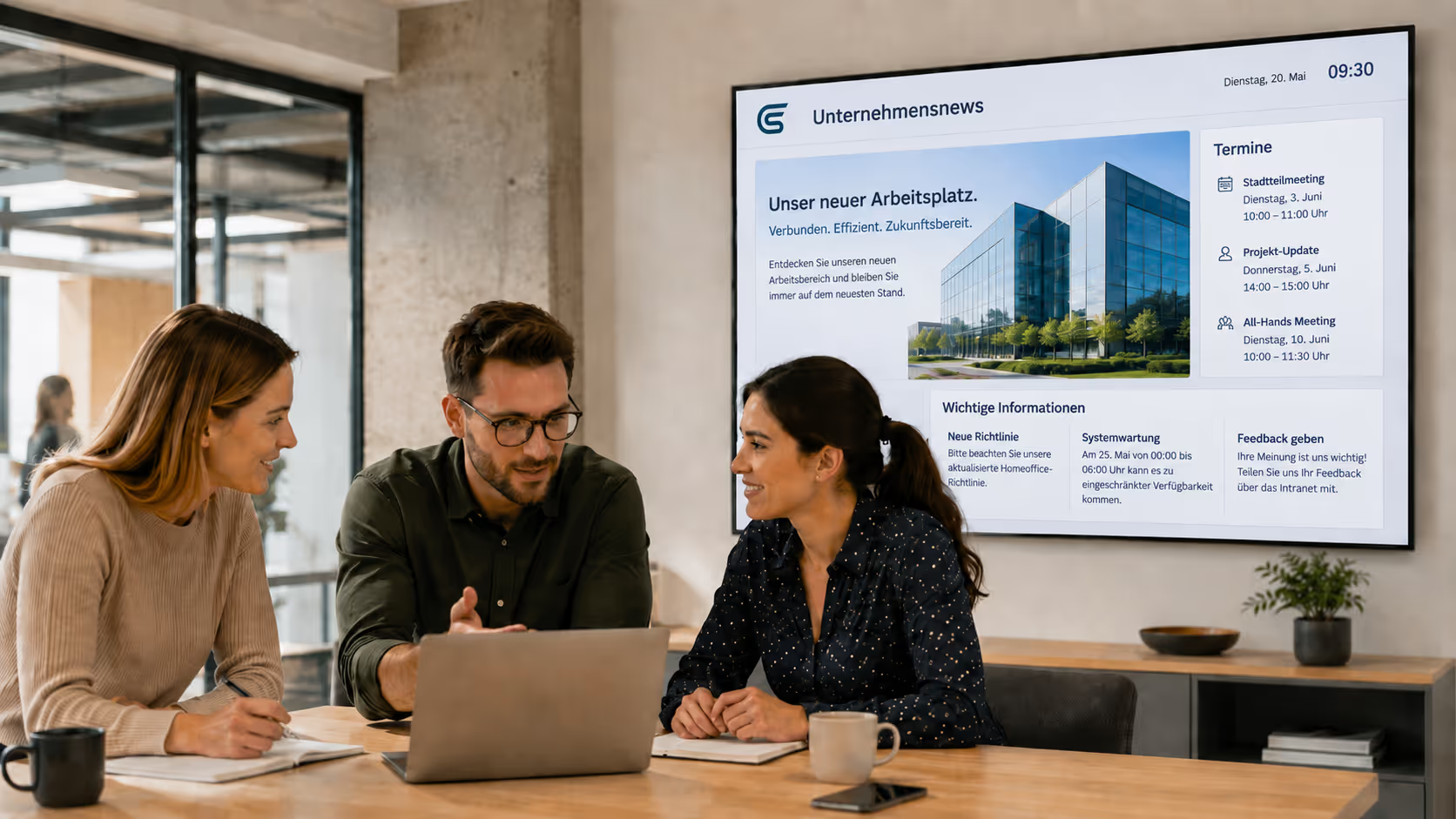
Digital signage adds a visible touchpoint to internal communication within the work environment: instead of providing information exclusively for active retrieval, relevant content can appear exactly where production staff pass by or work.
The difference can be illustrated with a simple example:
A last-minute organizational change is published on the intranet. For a production employee to find out about it, they have to log in to the intranet and locate the announcement.
If the same relevant information is also displayed on a screen at the employee entrance, they will encounter it on their way to their shift.
This makes digital signage particularly interesting for information that needs to be visible, up-to-date, and relevant to a specific target group .
Depending on the work environment, digital displays can be used at employee entrances, in production areas, break rooms, or cafeterias, for example.
The same principle applies here: Digital signage does not replace personal communication, email, intranets, or employee apps. The displays create an additional touchpoint for employees who are not continuously reachable via traditional office channels during the workday.
5. What information needs to be visible and when?
The information that makes sense on a production display depends heavily on when and in what situation employees see the screen.
Instead of showing as much content as possible at once, communication should be aligned with the daily work routine.
Before the shift starts
At employee entrances or in access areas, current shift information, last-minute organizational changes, or important daily updates are particularly relevant.
During work
In production areas, work-related content takes priority. This can include safety instructions, process changes, production data, or relevant key performance indicators.
During breaks
In break rooms or the canteen, there is more room for content that is not immediately required for the production process. Company news, HR information, benefits, events, or internal campaigns can take center stage here.
Over a longer period
Training sessions, internal campaigns, new contact persons, or recurring notices can be displayed regularly over a defined period.
This means that content is not the only factor determining the effectiveness of your communication. Timing, target audience, and usage context are just as important.
6. How do you get information from existing systems into production?
Information for production displays does not necessarily have to be created manually a second time. If content already exists in current systems, these data sources can be used for display communication.
The information flow could look like this:
A company announcement is already being managed in SharePoint. Instead of creating the same announcement from scratch for production staff, the existing content can be used for selected displays.
Production KPIs are available in Power BI. Relevant dashboards or key figures can be made visible on displays in the corresponding production area.
Shift or scheduling information is already available digitally. Depending on the existing data source, this information can also be used for display communication and updated automatically.
In addition to Microsoft applications, websites, calendars, RSS feeds, social media content, databases, or custom APIs can also serve as sources.
connectSignage currently offers over 500 interfaces and integration options, which allow various data and content sources to be integrated into digital signage applications.
For manufacturing companies, the primary added value lies in reusing existing information processes instead of setting up parallel maintenance processes for display communication.
7. How does information reach multiple shifts and plants?
With multiple shifts and production sites, it must be possible to control which information is visible, when, and at which plant. Not every announcement is automatically relevant to the entire workforce.
An example illustrates the difference:
A new company-wide HR update is intended to reach all employees. In contrast, a revised safety instruction only concerns Plant A. At the same time, a last-minute shift change must only reach employees on the early shift at Plant B are displayed.
This results in different levels of communication:
Company-wide
Company news, central HR information, or internal campaigns can be provided across the entire organization.
Location-specific
Local safety information, contact persons, events, or organizational changes are only needed at the respective plant.
Time-based
Shift information or short-notice updates can be displayed exactly when the relevant target group needs to see them.
Responsibilities can also vary. While central content is managed by corporate communications, for example, local managers can oversee additional information for their specific plant.
This means not every display has to show the same content. Communication can be tailored to which information is relevant for which employees at which location.
8. From analog notice boards to digital bulletin boards
Digital bulletin boards transfer the principle of the classic notice board to centrally managed displays. The familiar communication hub remains, while content can be updated and distributed digitally.
Analog notice boards have a decisive advantage, especially in production environments: employees do not need their own PC or personal access to view information.
The challenge lies in maintenance. If information changes, printouts must be updated and, if necessary, replaced at multiple locations or sites.
With a digital bulletin board, the core concept remains the same: Information is visible in a fixed location accessible to employees.
The difference lies in management. Content can be updated centrally, scheduled in advance, and—depending on the communication strategy—assigned to different locations or displays.
This allows an established communication channel to evolve without requiring every production employee to regularly check a personal digital device.
→ Learn more about digital notice boards
9. Practical example RAILONE: Digital notice boards in the factories
How this form of employee communication can be put into practice is demonstrated by RAILONE.
The challenge
Employees in production areas work without a fixed PC workstation or regular access to traditional office channels. At the same time, information must be reliably available at various locations.
The solution
With connectSignage, RAILONE relies on a central platform for cross-site information management. Digital notice boards are replacing the previous analog bulletin boards in the factories.
Everyday use
Information can be updated centrally and flexibly and made visible directly in the factories. In addition, welcome screens are used in the reception areas.
The example thus shows how an existing communication hub – the notice board – can be digitally evolved and managed centrally across multiple locations.
→ RAILONE: Modern internal communication
10. What does a solution for employee communication in production need?
A solution for internal communication in production should combine central and local content, take different factories and displays into account, utilize existing data sources, and remain centrally manageable even with larger display networks.
The following requirements are particularly relevant:
Central and local content management
Company-wide information should be broadcast centrally, while individual plants can simultaneously add their own relevant content.
Time and location control
Information should be able to appear exactly where and when it is needed – for example, only in a specific plant or within a defined timeframe.
Roles and permissions
With multiple locations, different people may be responsible for communication. Appropriate permissions help to separate central and local responsibilities.
Integration of existing systems
Existing data sources and information processes should be reused wherever possible so that content does not have to be maintained separately for every communication channel.
Central player management and monitoring
Anyone operating displays across multiple production sites also needs an overview of the technical infrastructure. The status of the players in use should be trackable centrally so that any issues can be identified.
connectSignage addresses these requirements through features such as central content management, time and location control, roles and permissions, integrations, and player administration and monitoring.
→ Learn more about internal communication with connectSignage
Conclusion: Reachability starts with the daily work routine
The crucial question for internal communication in production is not which communication channel is fundamentally the best. What matters is which channel a specific group of employees can actually be reached through during their daily work routine.
Especially for production staff without a fixed desk, it is often not enough to provide information exclusively via traditional office channels.
Personal communication, email, intranets, employee apps, notices, and displays can all serve different purposes. Digital signage adds a visible touchpoint to this mix, right in the working environment.
This allows information to be made available where production staff work, start their shifts, or take their breaks.
Frequently asked questions about internal communication with digital signage
1. How do you reach employees who don't have their own PC?
Employees without their own PC can be reached via communication channels that do not require a fixed computer workstation. These include face-to-face communication, employee apps, notices, and displays located directly in the work environment.
2. Which channels are suitable for production staff?
For production staff, a mix of face-to-face communication, email and intranet, employee apps, physical notices, and digital signage is usually best. The key is to identify which channels the specific target group actually uses in their day-to-day work.
3. Why are email and intranet often insufficient in production environments?
Email and intranet must be actively accessed via a corresponding device. However, production employees without a fixed PC workstation do not always access these channels regularly during their work.
4. What role do displays play in internal communication?
Displays make information visible directly in the work environment. They complement existing communication channels and can reach employees who do not use email, intranet, or Teams on a continuous basis.
5. Where should displays be placed in production areas?
Displays should be placed where the target group regularly passes by or works. Suitable locations include employee entrances, production areas, break rooms, canteens, and access points.
6. What kind of information is suitable for production displays?
Depending on the location, suitable content includes shift information, safety instructions, production data, key performance indicators, company news, HR information, appointments, or training sessions.
7. How can shift schedules be displayed digitally?
If shift information is already available digitally, it can be integrated into the display communication system depending on the data source. The information can then be shown on the displays relevant to the specific shift.
8. How can HR news reach production employees?
In addition to the intranet, email, or employee app, HR news can be made visible on displays in high-traffic areas such as break rooms, canteens, or employee entrances.
9. How can safety information be communicated in production?
Safety information can be communicated via multiple channels. Displays can supplement mandatory and existing safety communications by making relevant notices visible directly in the affected work areas.
10. How can company news reach production employees?
Company news can be made visible via displays at central contact points throughout the facility. This makes information accessible to employees who do not regularly use traditional digital office channels.
11. How does employee communication work across multiple plants?
Company-wide content can be provided centrally and combined with local information from individual plants. Location-, time-, and display-based management makes it possible to target different audiences effectively.
12. Which software is suitable for internal communication in production?
Digital signage software that supports central and local content management, time- and location-based scheduling, roles and permissions, integration with existing data sources, and centralized player management and monitoring is ideal.
Bereit deine Kommunikation zu transformieren?
Entdecken, wie connectSignage deine Botschaften sichtbar und wirksam macht.
Weitere Insights zur digitalen Kommunikation
Lese mehr zu Trends, Strategien und Technologien, die Unternehmen verändern.
.png)

.png)
.jpg)
.jpg)
Digital Signage Insights Delivered Straight to Your Inbox
Trends, best practices, and tips—concise, relevant, and practical.