
Microsoft 365
Connect Microsoft content and existing Microsoft workflows with digital signage.
DIGITAL SIGNAGE INTEGRATIONS
Connect digital signage with your existing systems: connectSignage offers more than 500 integrations and interfaces for Microsoft 365, SharePoint, Power BI, Exchange, Google Workspace, social media, calendars and custom data sources. Automatically deliver content and data to displays.
Integrationen entdecken.png)

.svg.webp)
.svg.webp)


ALL INTEGRATIONS
Use content and data from the systems already in use across your organization. connectSignage connects Microsoft 365, SharePoint, Power BI, calendars, social media, files and custom data sources with digital signage displays.
Connect Microsoft content and existing Microsoft workflows with digital signage.
Display Power BI dashboards, reports and KPIs on digital signage screens.
Use SharePoint web applications, files, news, lists and structured data on displays.
.svg.webp)
Display Microsoft Teams web content on screens, with automated guest sign-in via macro where required.
Automatically update OneDrive files and folders via a synchronized location using cosUploader.
.svg.webp)
Use rooms, appointments and availability for room booking and meeting room displays.
Use Google Calendar and room resources for room booking and meeting room displays.



Automatically display LinkedIn, Instagram, Facebook, TikTok and other social media feeds on screens.

Display YouTube videos and streamed video content on digital signage screens and combine them with other content.
.svg.webp)


Automatically integrate RSS feeds, company news and external news sources into presentations.
.svg.webp)

.svg.webp)
Automatically synchronize images, videos, PDFs, Office and HTML files and play them on supported players.

Finde passende Bilder und Videos auf Pixabay und nutze sie für deine Digital-Signage-Inhalte.

Zeige aktuelle Wetterinformationen und Vorhersagen auf deinen Displays – für Empfang, Besucher und Mitarbeiter.
Use REST, JSON, CSV and XML-based sources as well as suitable APIs, feeds and connector URLs for custom digital signage applications.
500+ additional interfaces: connectSignage offers more than 500 additional integrations and interfaces for different systems and data sources.
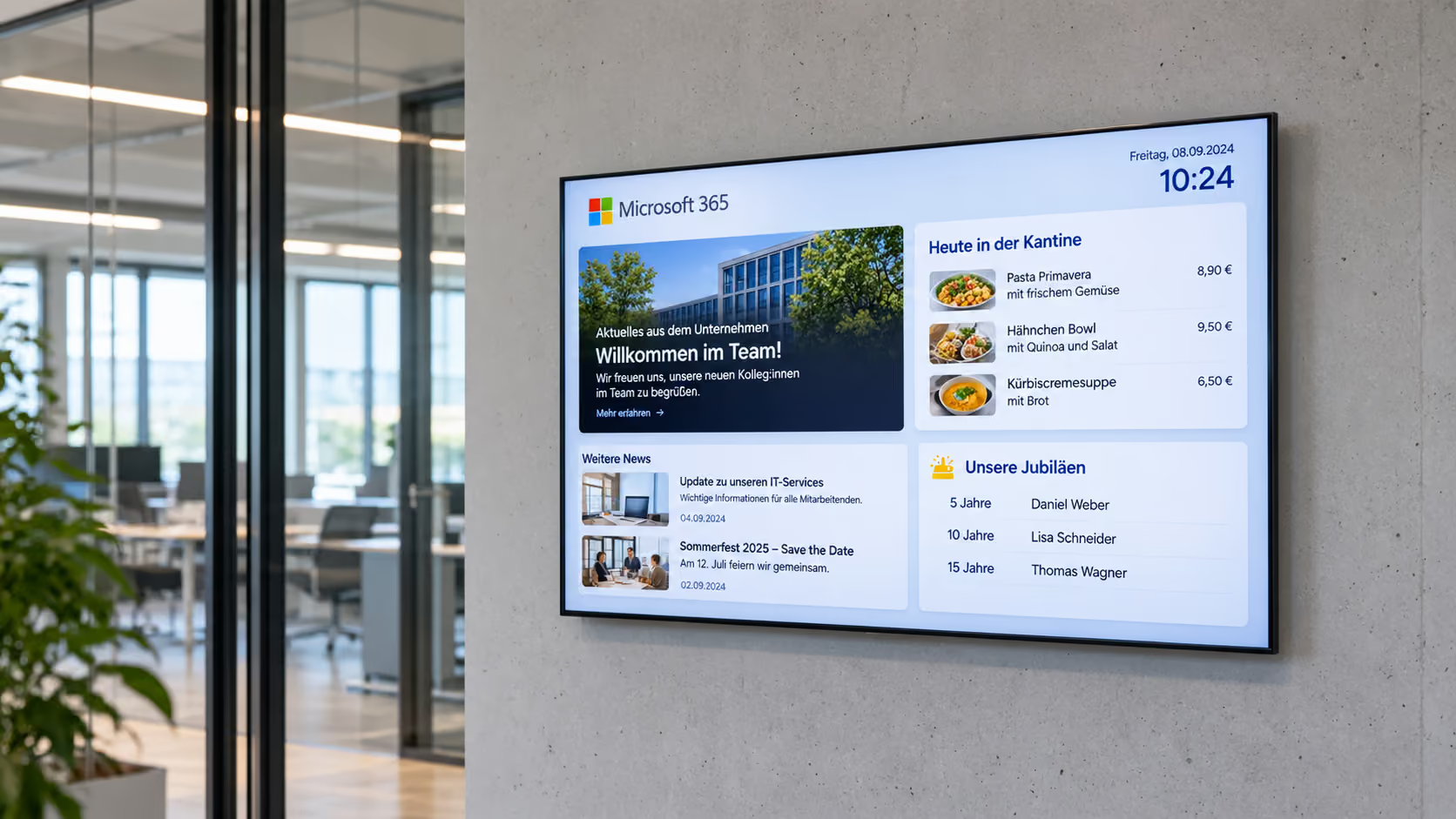
MICROSOFT 365
Microsoft 365 becomes a central data source for digital signage. Content from SharePoint, Power BI, OneDrive, Teams and other Microsoft services can be reused on displays, extending existing information beyond the traditional workplace without rebuilding content from scratch.
Reuse SharePoint, Power BI, OneDrive and other Microsoft services for digital signage.
Maintain information in existing Microsoft systems and make it visible on displays as well.
Integrate existing data, files and applications into internal communication via displays.
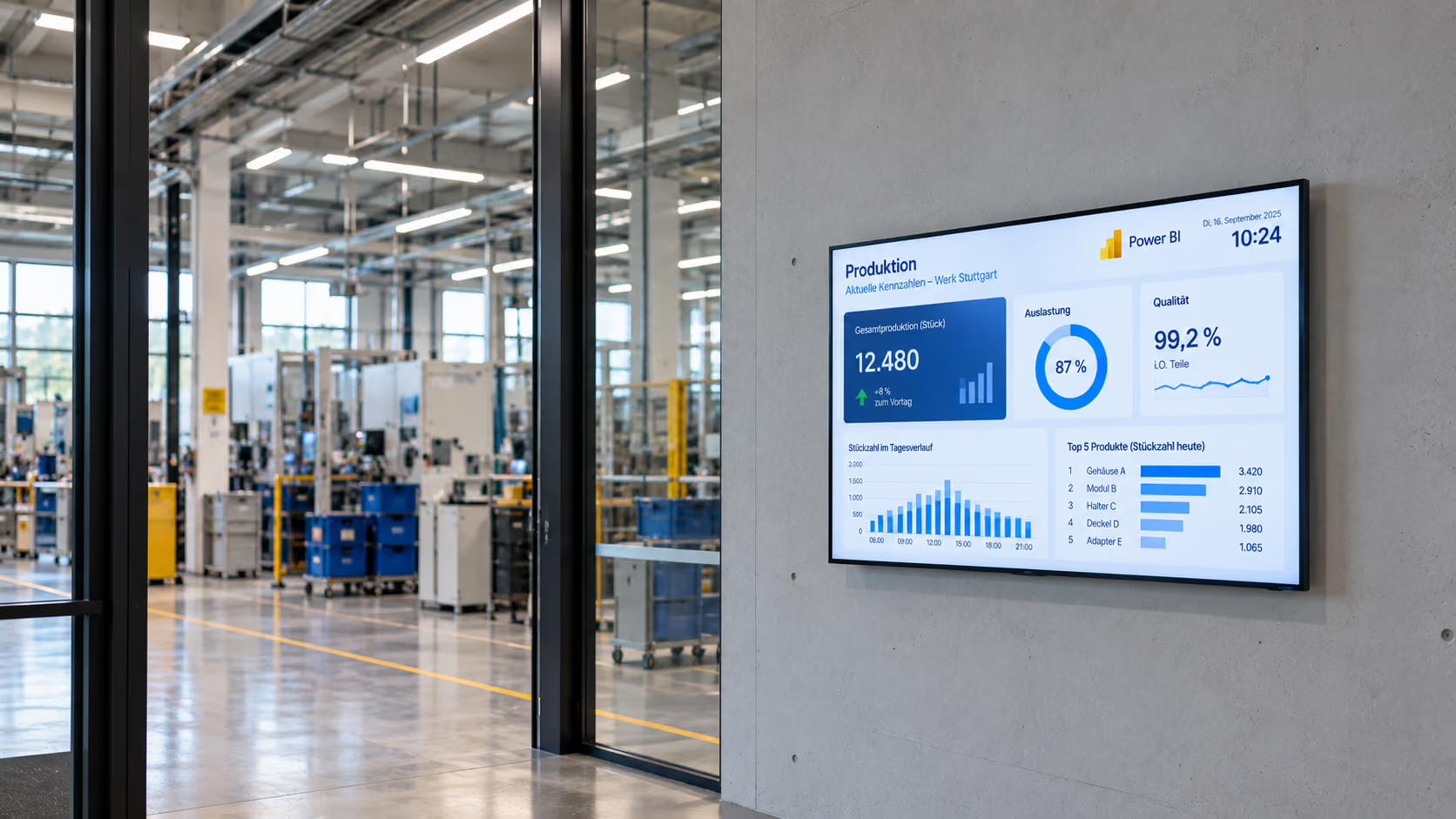
POWER BI
With connectSignage, Power BI dashboards and reports become visible on digital signage displays. Current KPIs, production metrics and business data can be shown where teams need them without having to open Power BI manually each time.
Display current metrics, production data and business KPIs on screens.
Use existing Power BI dashboards for production displays, control rooms and internal communication.
Depending on the IT environment, authentication can use Windows SSO or a login macro.
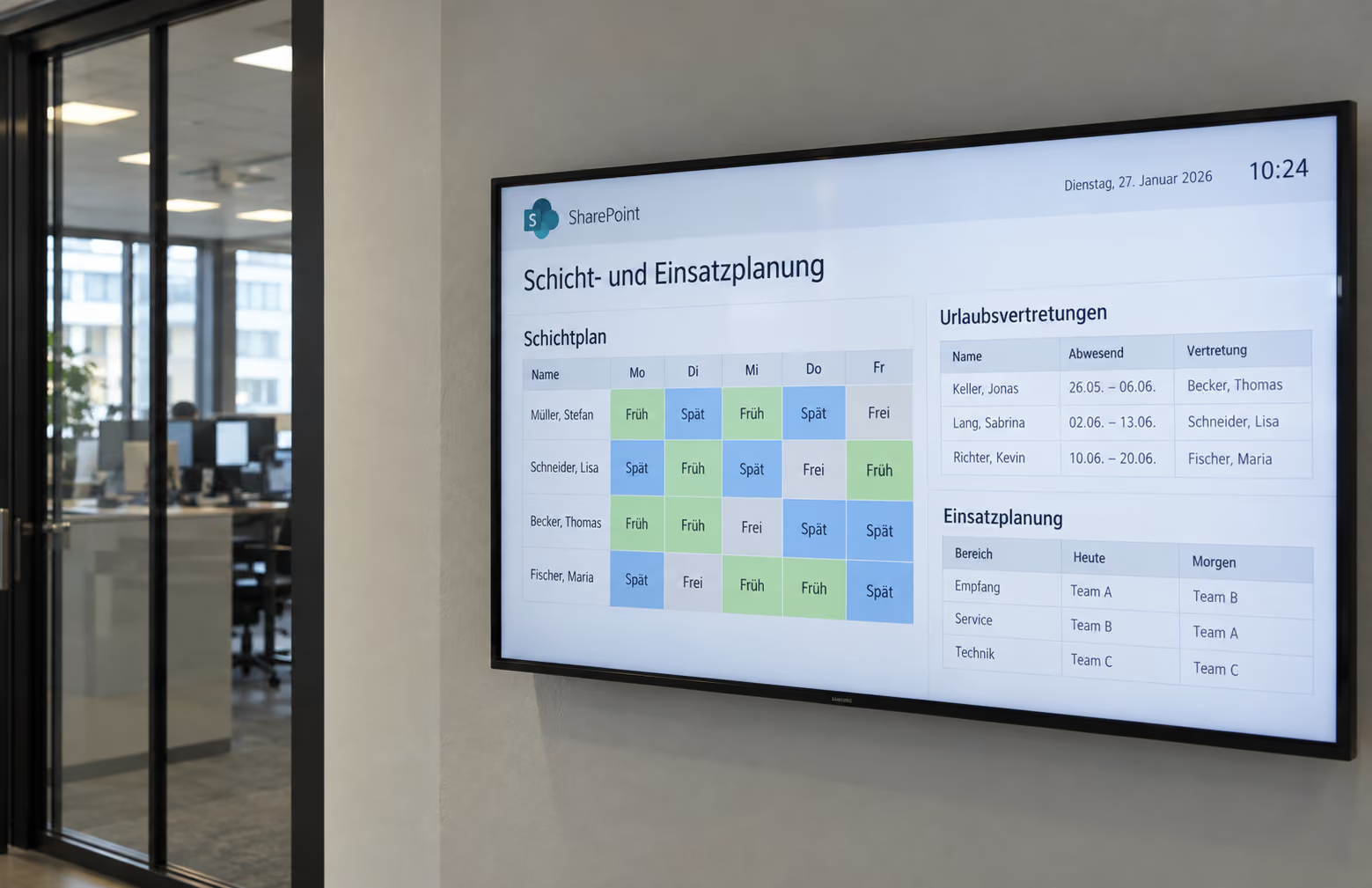
SHAREPOINT
With connectSignage, SharePoint content can also be displayed on digital signage screens. Company news, files, lists and structured data can be reused for digital notice boards and internal communication. Information remains maintained in SharePoint and does not need to be recreated for displays.
Make SharePoint pages and intranet content visible on digital signage displays.
Synchronize files from SharePoint and automatically apply changes to displays.
Use SharePoint News, list values and metadata via Microsoft Graph in custom connectSignage layouts.
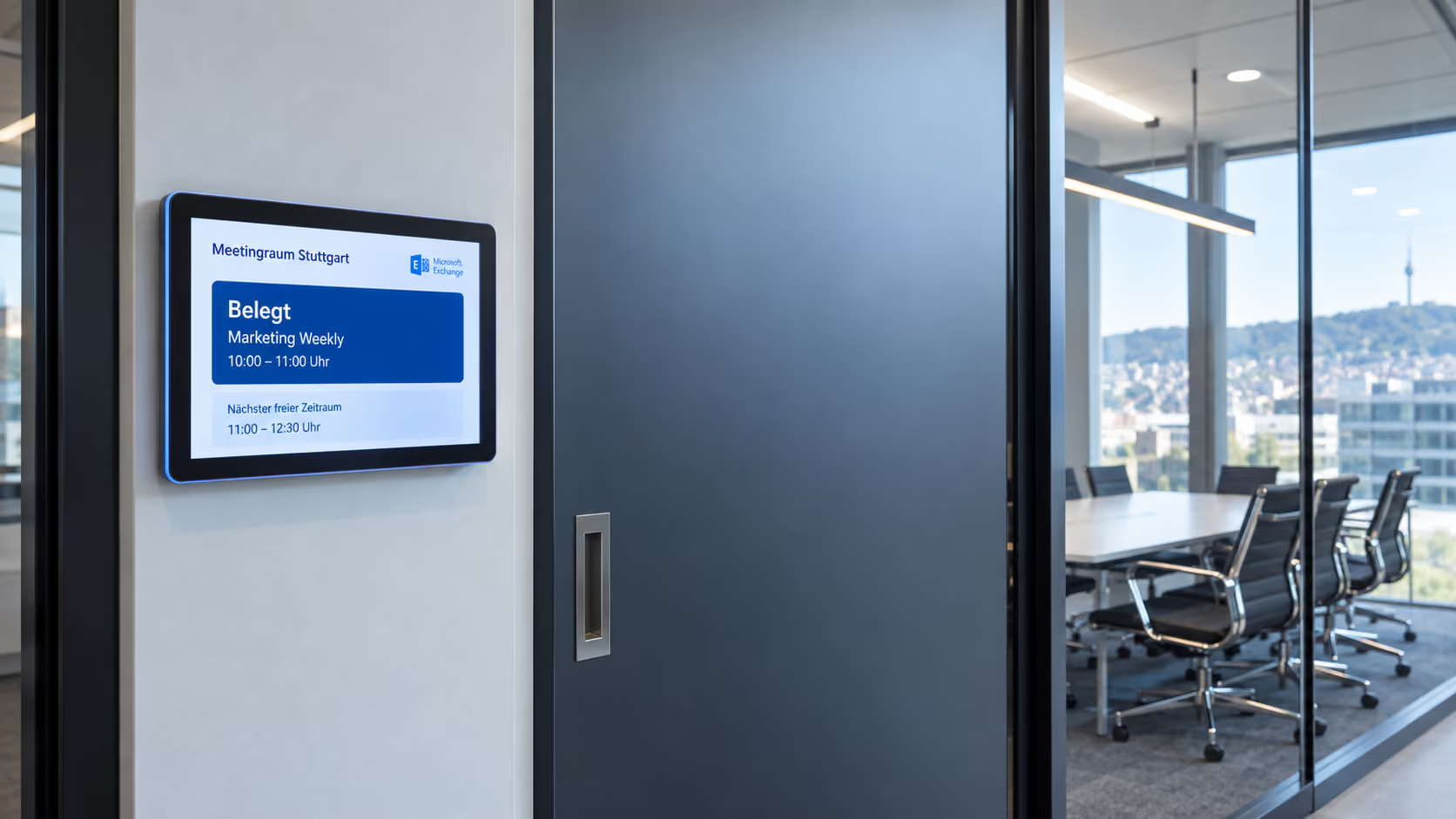
 EXCHANGE ONLINE
With connectSignage, room and appointment data from Microsoft Exchange can be used for digital room booking and meeting room displays. Room occupancy, current appointments and upcoming bookings are automatically taken from existing room resources. Exchange Online and Exchange On-Premise are supported.
Display room occupancy, current appointments and upcoming Exchange bookings directly on meeting room displays.
Connect existing rooms and calendars. Room and event data is then updated regularly.
Permission is granted once through Microsoft. No user passwords are required or stored for regular room-data retrieval.
 GOOGLE WORKSPACE
With connectSignage, Google Calendar and room resources from Google Workspace can be used for digital room booking. Employees can see directly at the meeting room whether it is available or occupied and which appointments are coming up next. Existing calendar data is reused, so room occupancy does not need to be maintained in a second system.
Show availability, current appointments and upcoming bookings directly at the meeting room.
Use Google Calendar and existing room resources instead of maintaining bookings in a second system.
A Super Admin authorizes the required access once in the Google Admin console.

ADDITIONAL CONNECTIONS
In addition to Microsoft 365, SharePoint, Power BI and Google Workspace, connectSignage can connect with further systems, data sources and display infrastructures.
Microsoft Entra ID and Active Directory for existing identity and sign-in processes.
Exchange Online, Exchange On-Premise, Google Workspace and iCal for room and appointment data.
Integrate websites, weather information, IPTV, social media and RSS content.
FLEXIBLE & EXTENSIBLE
Want to know whether your system or data source can connect with connectSignage? REST API, REST calls, JSON, CSV and XML also support custom data sources and project-specific applications.
Request an integrationShort answers to common questions about digital signage integrations, Microsoft 365, SharePoint, Power BI, calendars and custom data sources.
connectSignage offers more than 500 integrations and interfaces, including Microsoft 365, SharePoint, Power BI, Teams, OneDrive, Exchange, Google Workspace, social media, RSS and custom systems and data sources via APIs.
Yes. SharePoint content can be used on displays as a web application, through synchronized files or as structured data. SharePoint News, lists and metadata can also be integrated into digital signage layouts depending on the use case.
Yes. connectSignage can display Power BI reports and dashboards on suitable digital signage players. For protected Power BI content, authentication depends on the Microsoft and IT environment.
Yes. Custom systems can be connected via REST API, REST calls and structured data formats such as JSON, CSV and XML. This also allows project-specific data to be displayed automatically on screens.
For digital room booking and meeting room displays, connectSignage supports Microsoft Exchange Online, Exchange On-Premise, Google Workspace and iCal as calendar sources.
Welche Player und Displays unterstützt connectSignage?
↓
connectSignage unterstützt verschiedene Player und Betriebssysteme, darunter Windows, Android, BrightSign, ChromeOS sowie ausgewählte Displays mit Samsung Tizen und LG webOS. Welche Funktionen verfügbar sind, hängt vom jeweiligen Player und Modell ab. Wir prüfen gerne, welche Lösung zu deinen Displays passt.
Test the platform and see how easy digital communication can be.
.avif)