
WETTER INTEGRATION
Display weather information on digital signage screens
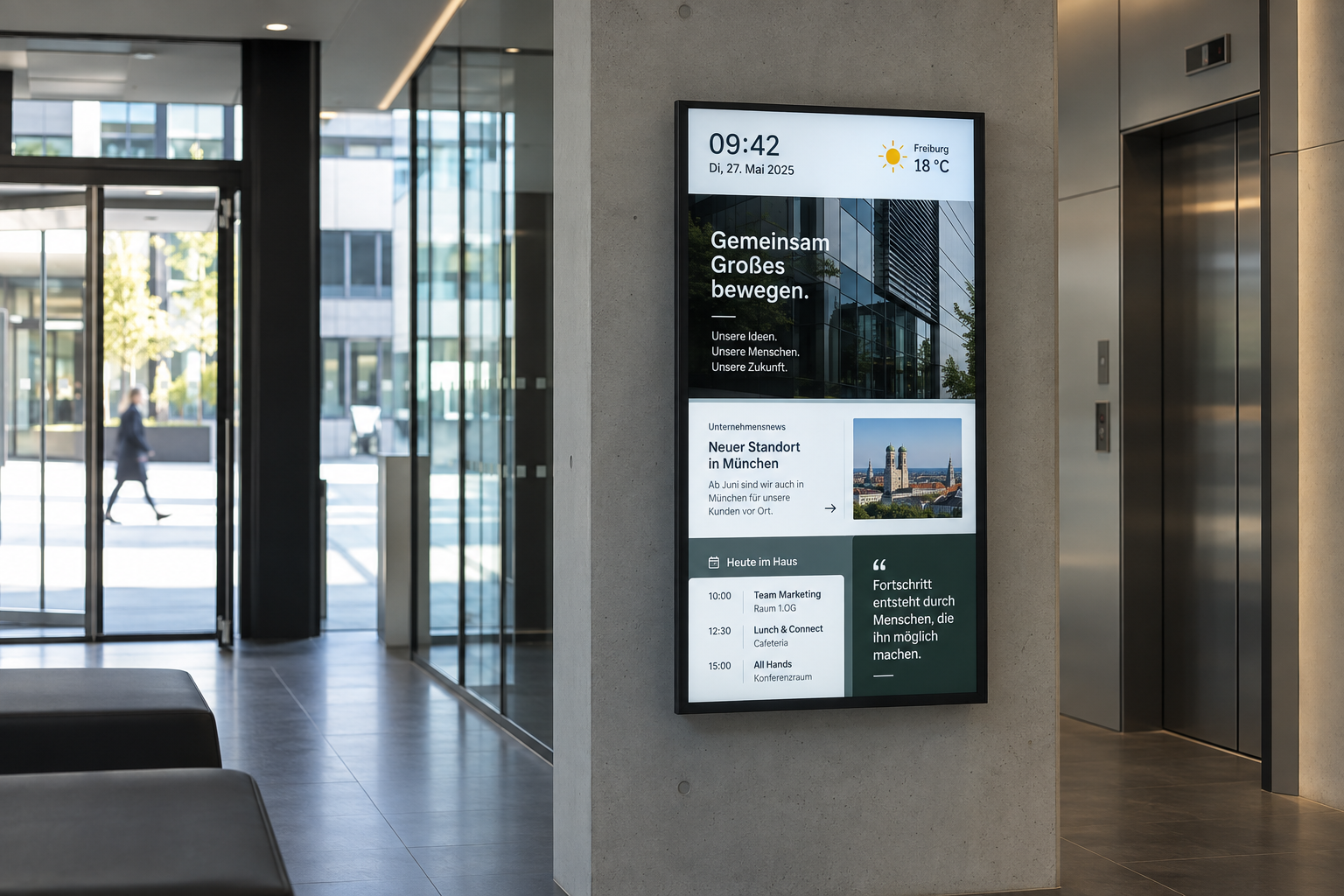
Show local weather conditions and forecasts on your screens, whether at reception, in a hotel or in the office. connectSignage provides ready-made weather templates that you can customize.
.png)
BENEFITS
Display weather information for each location
Choose a weather template or design your own. Weather data is based on the location configured for each player and can be combined with other content.
Get started quickly, customize freely
Use a ready-made weather template from the CMS or create your own weather display.
Local weather for each player
Each player shows the weather for its configured location, so screens at different sites display relevant local information.
Combine weather with other content
Place weather information alongside news, appointments or welcome messages.
USE CASES
Weather on displays: typical use cases
Whether in hotels, receptions or waiting areas, local weather information gives guests and employees a quick outlook for the coming days.
Reception and lobby
Welcome visitors with local weather information and a forecast for the coming days.
More about information displays →Hotels and hospitality
Combine weather forecasts with excursion tips and leisure activities to help guests plan their stay.
Companies and cafeterias
Show weather information alongside internal news and daily updates.
Waiting areas
Offer visitors useful additional information while they wait.
More about digital notice boards →.png)
HOW IT WORKS
Local weather displays in three steps
Choose a ready-made weather template or design your own. Set the location for each player so connectSignage can retrieve the relevant weather data.
WEATHER AND FORECAST
Today's weather and the days ahead
What will the weather be like today and over the next few days? A forecast on your displays helps guests, visitors and employees plan ahead.
Today's weather
Show how the weather changes throughout the day so guests and employees can plan activities and breaks.
Tomorrow and the day after
Add a forecast for the next few days, useful for excursions, events and other outdoor plans.
Combine weather and recommendations
Display your own excursion tips or event information next to the forecast.
Related integrations and use cases
.png)
Frequently asked questions
Answers to common questions about weather and digital signage.
Can I show weather information on my screens?↓
Yes. The connectSignage CMS offers ready-made weather templates. You can also design your own templates and include them in presentations.
Can I show the forecast for the coming days?↓
Yes. Alongside today's weather, you can display forecasts for tomorrow and the following day.
Is weather information updated automatically?↓
Yes. connectSignage automatically retrieves weather data from OpenWeather, so you do not need to maintain temperatures and forecasts manually.
How do I configure the location and appearance?↓
Set the location for each player. Choose a ready-made weather template or customize the layout to determine how the information is displayed.
Can I combine weather with other content?↓
Yes. Display weather alongside news, appointments, welcome messages and other content.
Ready for intuitive digital signage?
Test the platform and see how easy digital communication can be.
.avif)